
My mom taught me a neat trick when I went to college: Take the leftover veggies from dinner, chop some fine onion, add some hot sauce, and use it as your sandwich spread.
I used the hack all the time — sometimes for breakfast on busy mornings and other times for snacking in late evenings. I was always surprised at how different yet familiar the sandwich tasted.
That's content repurposing in a nutshell: You take existing content and adapt it into new formats for different platforms.
But what most of us struggle with is practicing repurposing content regularly. It doesn’t become a part of workflows so easily, and it’s often more difficult than it looks.
In this article, I’ll first answer some of the most common questions related to content repurposing to help you make it a non-negotiable part of your working process. Then, I’ll share various ways of repackaging various types of content — from long-form articles to short-form videos. Let’s dive in.
Key takeaways
- Different methods: Understand that crossposting is sharing as-is, reposting is repeating on the same channel, and repurposing is adapting content into new formats.
- Maximize reach: Repurposing helps expand reach and improves SEO by targeting similar keywords across different platforms.
- Workflow integration: Think about repurposing during the initial content creation phase to make the process easy.
- Quality over quantity: You don't need to be on every channel; focus on platforms where your audience is active and where you have the bandwidth to maintain quality.
- The 5-to-1 rule: Aim to create at least five smaller social media posts from every single long-form piece of content.
Jump to a section:
- What is content repurposing, and why should I do it?
- How is repurposing content different from crossposting and reposting?
- When should I start repurposing content?
- How do I decide which content to repurpose first?
- How can I make content repurposing part of my workflow?
- Should I repurpose my content for every channel?
- 5 ways to repurpose long-form written content
- 5 ways to repurpose long-form video content
- 3 ways to repurpose social media content
- 3 ways to repurpose newsletter content
- Get the most out of every piece you create
- More content marketing resources
What is content repurposing, and why should I do it?
Think of content repurposing as recycling. With a couple of tweaks, even small ones, you can use your content again. It'll save you hours you would've spent creating something new from scratch — time you can use to engage with your audience or focus on strategy.
And the benefits of repurposing content go above and beyond time-saving. In the digital marketing world, content repurposing:
- Helps you expand your content’s reach (because you share it multiple times in more than one format to new audiences)
- Enables you to create more content without burning out (because you don’t have to use brainpower to think of a new idea)
- Boosts your SEO efforts (friendly for search engines because you’re creating multiple content pieces targeting similar keywords)
How is repurposing content different from crossposting and reposting?
The commonality? All three (crossposting, reposting, repurposing) are ways to reuse your existing content.
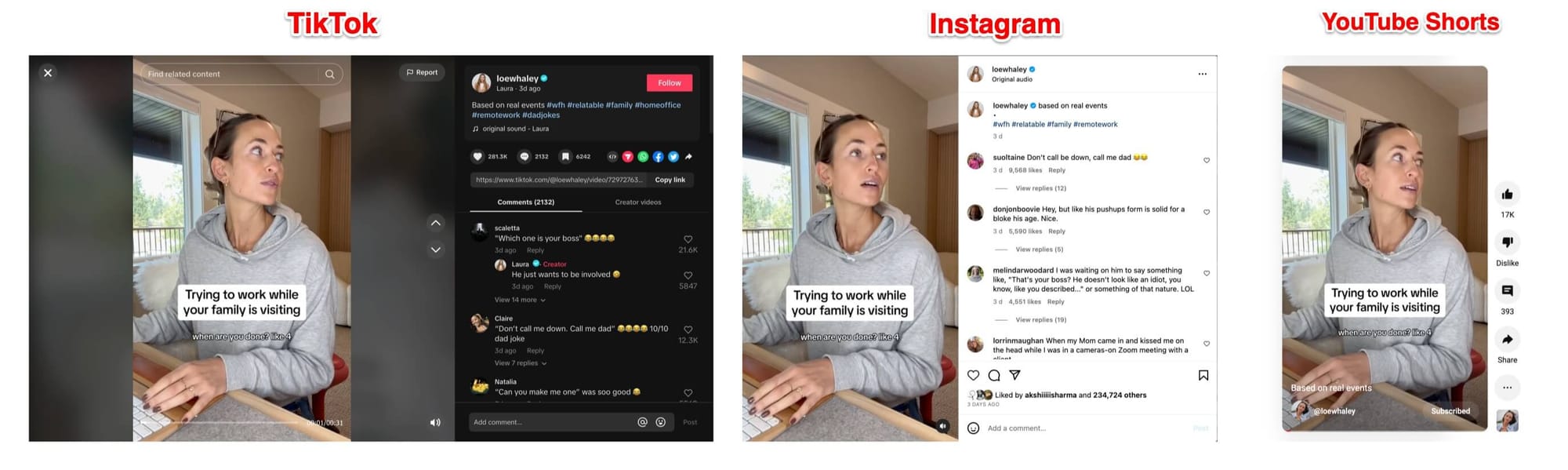
Crossposting is when you share a piece of content as-is on another social media platform. For example, you can post your TikTok video as an Instagram Reel and a YouTube Shorts video without changing anything since they are similar content types. Creator Laura Whaley does this regularly with her TikTok, Instagram, and YouTube.
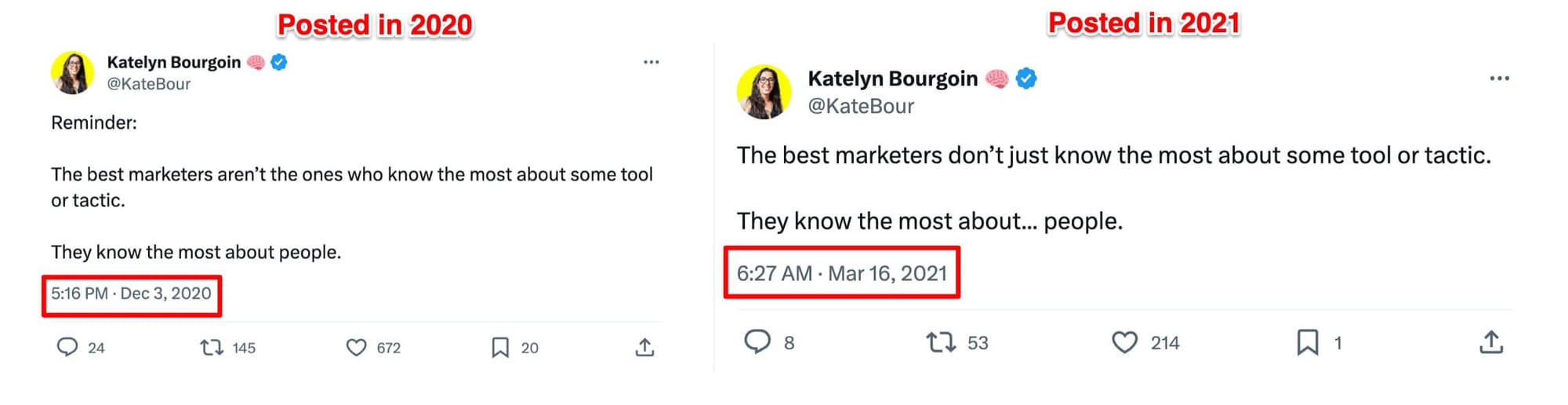
Reposting content is when you republish a piece of content on the same platform. For example, you repost a write-up on X (formerly Twitter) that previously got a ton of engagement and positive response from your audience. For example, Katelyn Bourgoin posted timeless advice on X in 2020 and repeated it in 2021, also on X.
Repurposing content is keeping the crux of a piece’s idea and adapting it for other social media channels. For example, you distill high-performing old blog posts into Instagram carousel posts.
At Buffer, we regularly repurpose content — and one of our core strategies is turning our blogs into social media posts. For example, we turned this blog post on creating content pillars into an Instagram carousel (and even a thread on X).
The difference is minute but crucial:
| Method | Definition | Primary Benefit |
|---|---|---|
| Crossposting | Sharing a piece of content as-is on a different platform. | Saves time. |
| Reposting | Publishing the same piece of content again on the same platform. | Doubles down on success. |
| Repurposing | Adapting the core idea into a new format (e.g., blog to video). | Improves distribution and reach. |
In your social media marketing strategy, you need all three.
Why? Crossposting saves time, reposting helps you double down on your success, and repurposing content helps you with content distribution.
Here’s how you should approach the three methods:
- Crosspost content across social media channels wherever you can
- Monitor the posts getting the most reach and schedule them to be reposted after a certain time period
- Bake repurposing into your content creation workflow and post the same piece of content in various formats and channels
When should I start repurposing content?
The short answer: start repurposing any time you have an existing piece you’d love more people to see — whether that’s a years-old evergreen post, a fresh launch announcement, or content you want to test on a brand-new platform.
Do you already have a ton of content backlog?
Then, you should start thinking about content repurposing immediately. Repackage those old pieces (begin with the popular posts) to get more value out of them.
Are you new to content creation (for social media or in general)?
Then, try to embed content repurposing into your workflow. For instance, you could make it a task to turn every YouTube video you create into short-form videos for shorts, reels, and TikTok. This way, you get ahead of the game and don’t wait till you don’t get enough organic engagement to think about content repurposing.
Are you breaking into a new channel or platform?
Then, start content repurposing right away. Most channels and platforms will give you an advantage if you post more frequently. To publish at a higher cadence, take the content you already have on other channels and repurpose it for the new platform.
For example, if you’re trying to grow on Instagram Threads, you can easily repurpose (or even crosspost) content you posted on X or Bluesky, since these platforms allow for a similar type of content.
Read more: 8 Social Media Content Ideas to Incorporate into Your Strategy
Should you repurpose only old content?
If you have an up-to-date content backlog, don’t limit yourself by repurposing only old content. Make content repurposing a part of your workflow for new posts too.
This way, old posts will continue getting repurposed, and you’ll not accumulate more recent posts in your “needs to be repurposed” pile. Sprinkle the old repurposed and the new repurposed strategically across your content calendar.
Should you repurpose only evergreen content?
It's a bit of both, actually.
You can’t repurpose time-sensitive old pieces.
For example, if you’re launching a new product line, repurpose it across all platforms as soon as possible. It's news that’ll get old fast. If it’s already been more than a month since the launch, you can’t repurpose a “new” launch post.
(This is why we’re advocates of embedding repurposing with content creation itself. It ensures no piece goes stale without getting repurposed.)
You can repurpose irrelevant old content after refreshing it.
For example, if you’re trying to repurpose a post on a work-related topic pre-pandemic, you need to first update it with the info and happenings of the post-pandemic world. Once refreshed, you can repurpose it (even if it isn’t “evergreen”) — because it’ll be relevant to your audiences today.
How do I decide which content to repurpose first?
Begin with the content that’s already proven itself — your highest-performing, still-relevant pieces — then work backwards through the rest of your library.
But in reality, it's tough to figure out where to start. Should you concentrate on repurposing your old content backlog fast? Or should you put the spotlight on repurposing newly published content first?
There's no single right answer here. What you should prioritize depends on your goals with content repurposing.
For example, if your goal with content repurposing is to pump new life into pieces that are losing traffic, your priority should be repurposing your old posts. But if you aim to build brand awareness and expand your reach, your focus should be on repurposing posts that went live more recently.
How can I make content repurposing part of my workflow?
The easiest way to make content repurposing part of your workflow is to think about it from the start — right when you're creating content — like Chima Mmeje, Senior Content Marketing Manager at Moz:
“I start thinking about repurposing opportunities from the moment I'm reviewing a content brief. It's a strategic part of content creation, with an eye on lifecycle and future engagement. I consider the desired metrics and target audiences, understanding where they spend their time online to inform our repurposing strategy. For instance, our recent post on AI for SEO serves as a stellar example of digital asset spin-offs; it's been repurposed into an engaging OG image, capitalizing on X’s (formerly Twitter) new link preview format to make a stronger visual impact.”
Let's say you run a blog and an Instagram account. When you're writing a blog post, think about Instagram too:
- How can you structure your article so it’s easy to read on your website and as a carousel post?
- What is the information in your blog that can make for an engaging Instagram Reel?
- What information from your blog can you use to create an interactive Instagram Story?
- Can you turn your blog into a SlideShare presentation for an Instagram Live broadcast?
- Which graphics from your article will make for an excellent in-feed post?
Try to create at least five mini posts from every long-form piece — whether video or written. Keeping repurposing at the center of content creation ensures you don’t have to spend many hours repackaging posts to be friendly for another channel or platform.
Once you're done, take another look at your post. You might spot even more ways to repurpose it for the channels you're already using.
Should I repurpose my content for every channel?
No. Repurpose your newly-created or old content only for the channels you’re already active on or the channels you’re trying to build a community on.
Content repurposing is an easier way to boost your online presence. But that doesn’t translate to being active and present everywhere.
Justin Simon, Content Distribution Consultant for B2B SaaS and Creator of Content Repurposing Roadmap, agrees:
“The two biggest mistakes are assuming you need to repurpose content into dozens of formats and then share it on every platform possible. Both of these mistakes will hold you back. The best thing you can do is create a repurposing plan that you will stick to. Even if that means creating only two types of content and distributing on a few key channels. Executing fewer things consistently will drive way more growth than if you try to do all the things at once and get burned out.”
Don’t become active on different platforms just because you can repurpose content for them. Think:
- Is your target audience even present on the new channel?
- Do your customers like to hear from you on this platform?
- Do you and your team have the bandwidth to create a mix of native and repurposed posts for this new channel?
Only add a new platform when it makes sense for your audience and when you actually have time to show up there consistently.
Now that we've covered the basics, let's look at how repurposing actually works in practice.
5 ways to repurpose long-form written content
Long-form written content includes blog content, ebooks, research reports, whitepapers, and case studies. These are great for repurposing because they're packed with insights you can adapt into different formats.
1. Turn your e-books and research reports into blog posts
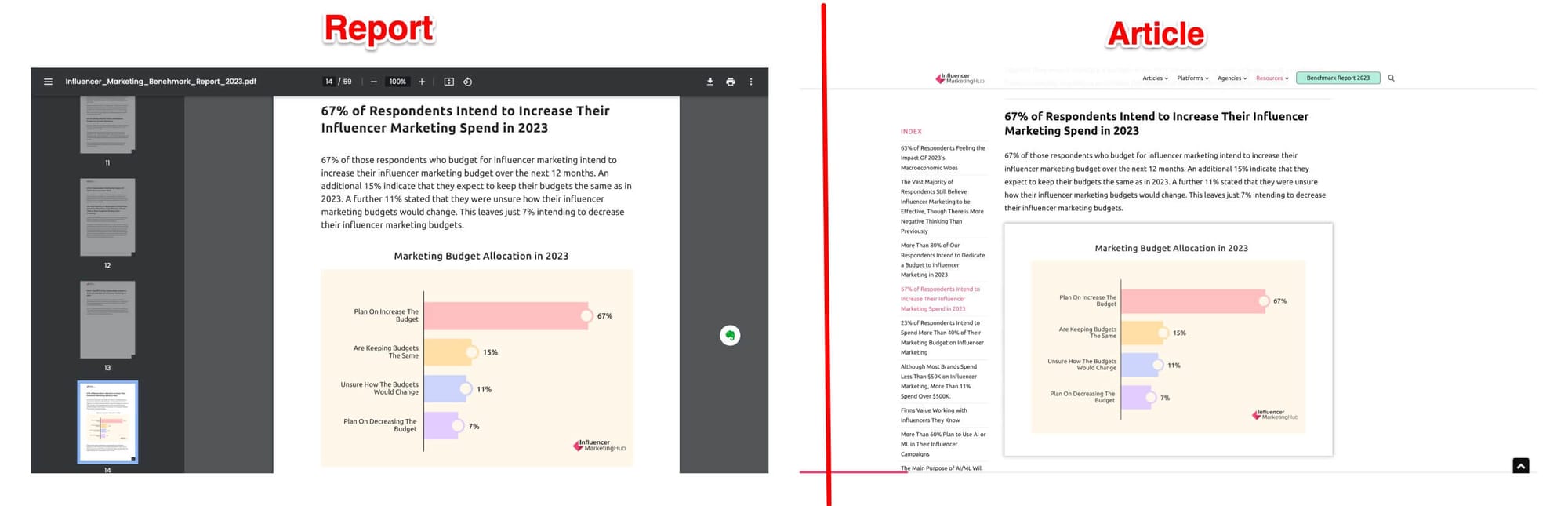
Let's start with the easiest option: Repurpose your existing long-form content to another long-form content. For example, you can turn the various chapters of your e-book into blogs of their own. Or you could repurpose snippets from your research report into a blog.
The company Influencer Marketing Hub does this regularly. They have a “State of Influencer Marketing” Report released every year. They repurpose this report into an article of its own — sharing only the key statistics from the whole report.
2. Turn snippets from long-form content into social posts, newsletters, and community replies
Long-form written content has a ton of information. From each piece, you can create multiple posts for X (formerly Twitter), Threads, Blueksy, and LinkedIn — all these social media platforms are text-friendly.
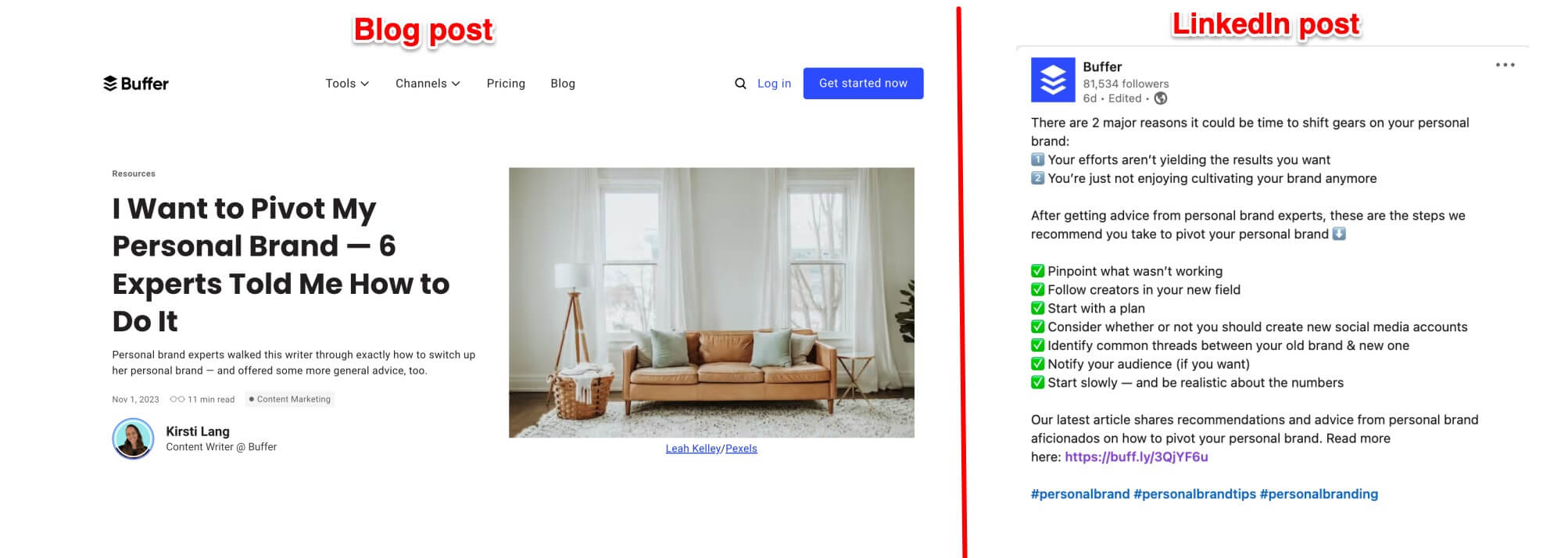
We do this regularly at Buffer by creating a post on LinkedIn, Threads, Bluesky and X for every long-form blog we publish. For example, we recently talked about pivoting your personal brand in an article and revamped that post for LinkedIn.
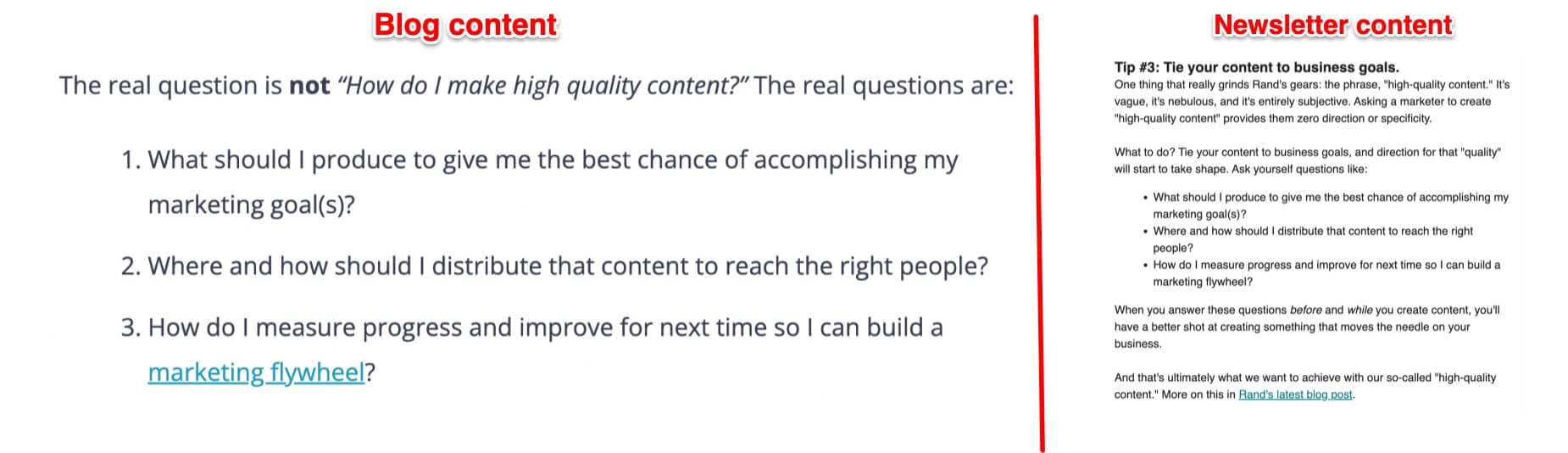
Similarly, you can share snippets from your long-form content in your newsletter, Facebook Groups, Reddit, or Quora. For instance, SparkToro regularly shares snippets of their articles (like this one about high-quality content) in their newsletter.
3. Turn long-form snippets into infographics for Instagram and Pinterest
Creating visual assets from written content isn’t as easy as repurposing it into another text-friendly format. Still, it’s worthwhile if you have a presence on a visual social media channel like Instagram or Pinterest.
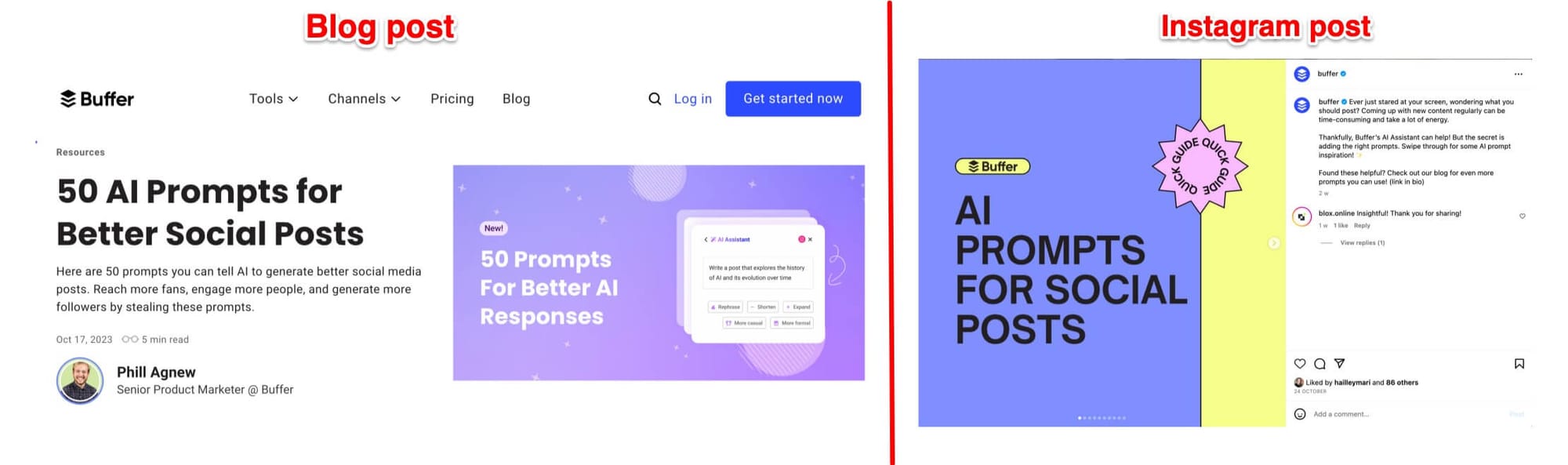
For instance, we recently converted our blog post about AI prompts into an carousel post for Instagram.
4. Turn long-form insights into a YouTube video or Instagram Live
You can present your long-form content as a video on YouTube and Instagram, too. For example, HypeAuditor collaborated with an influencer marketing expert — Gordon Glenister — for a YouTube live webinar on their 2023 State of Influencer Marketing report.
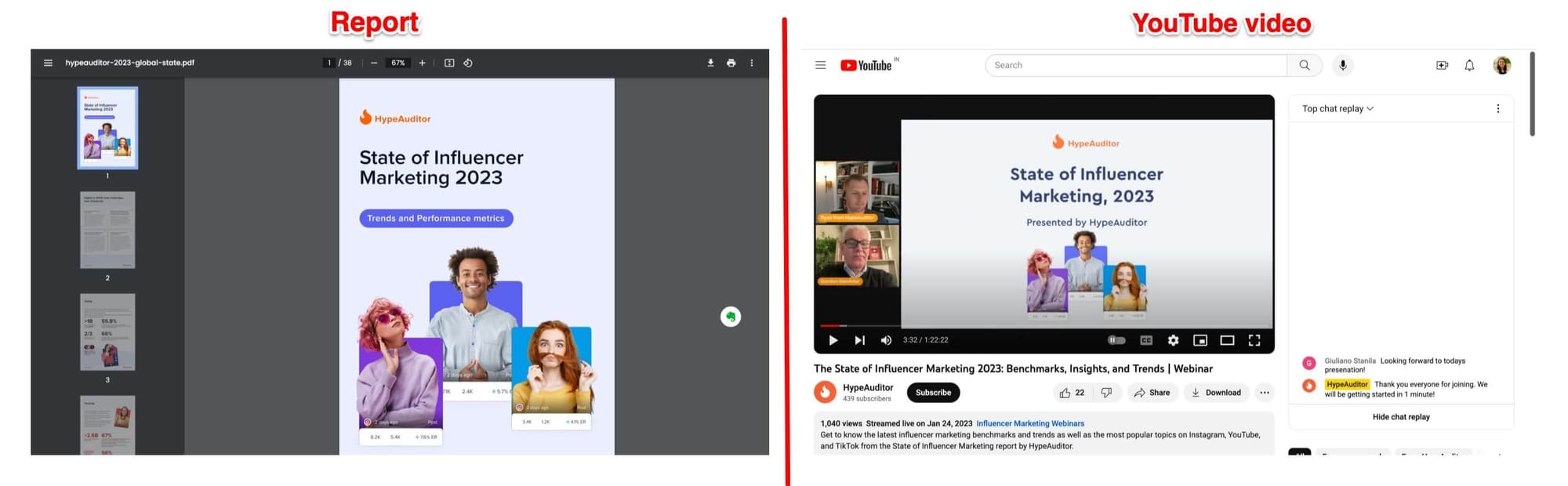
The best part? From your long-form video, you can create various short-form videos for other social media channels — further extending the reach of your original long-form written piece.
5. Turn quick takeaways from long-form content into Instagram Reels or TikTok videos
You can convert the takeaways from your long-form piece into an Instagram Reel or a TikTok video, too. Not every written piece can be distilled into a short 15 to 60 second clip, but if it has clear takeaways — and you’re active on Instagram or TikTok — give it a shot and see how your audience likes it.
We do this ourselves at Buffer by sharing Instagram Reels about our blogs. For instance, we narrated the critical insights from our personal branding framework into a reel.
5 ways to repurpose long-form video content
You likely publish various types of long-form videos such as webinars, tutorials, video podcasts, or live broadcasts. Since these videos are long and packed with useful information, they can be easily repurposed into different formats.
1. Turn long videos into short-form clips
The easiest way to get more out of your long-form videos is to cut them into snippets for YouTube Shorts, reels, or TikTok. Share these across platforms to boost engagement.
Creator Cleo Abrams does this regularly. Look at how she created an Instagram Reel from her YouTube video and encouraged her followers to watch the whole thing.
And don’t think you can’t do this if you aren’t active on YouTube, Instagram, or TikTok. Other social platforms also love video content. Modash, for example, regularly cuts its video podcasts into posts for LinkedIn.
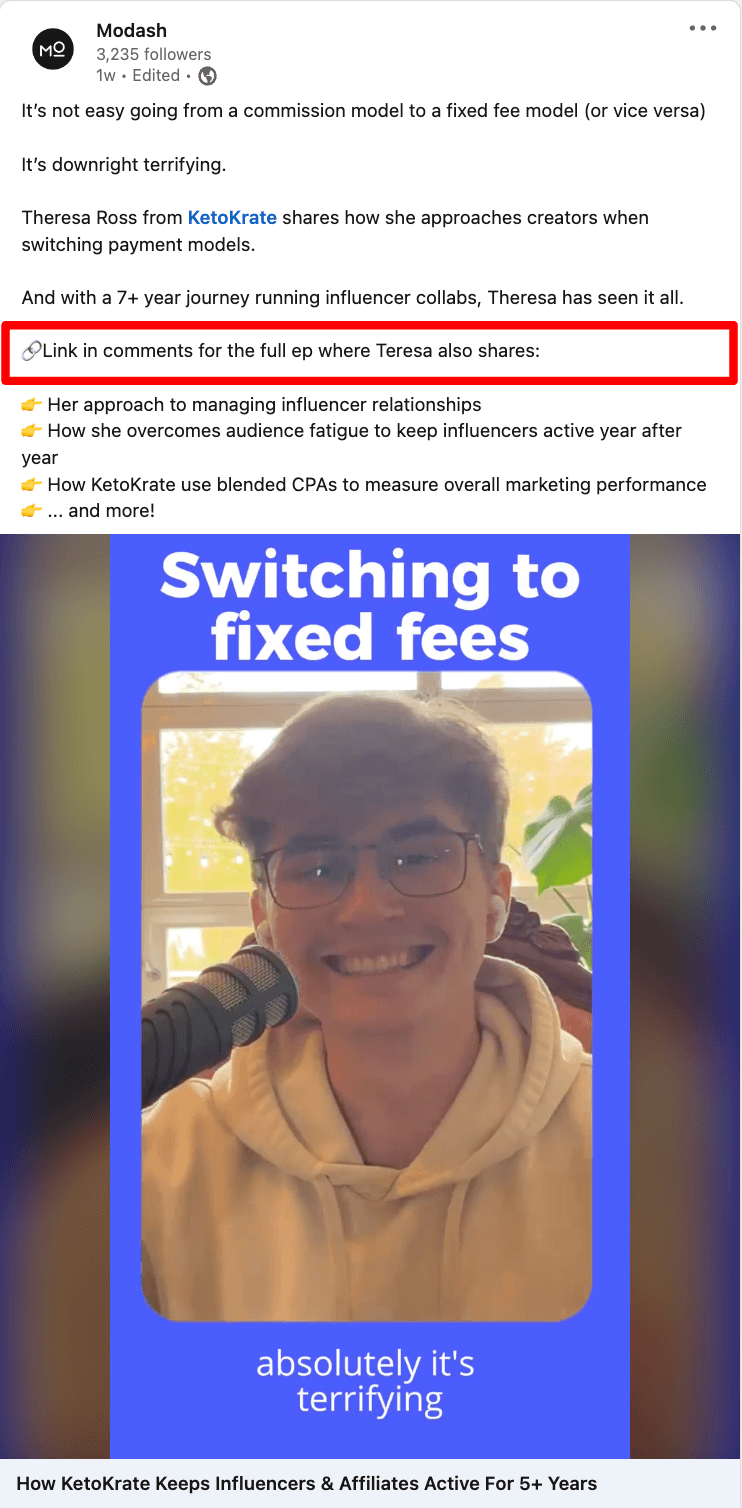
No matter which platform you're using, you can edit your long-form videos into shorter clips that are easier to share and consume.
2. Turn video snippets into written takeaways for blogs, newsletters, and social media
Use insights from your videos to create social media posts, blogs, and newsletters.
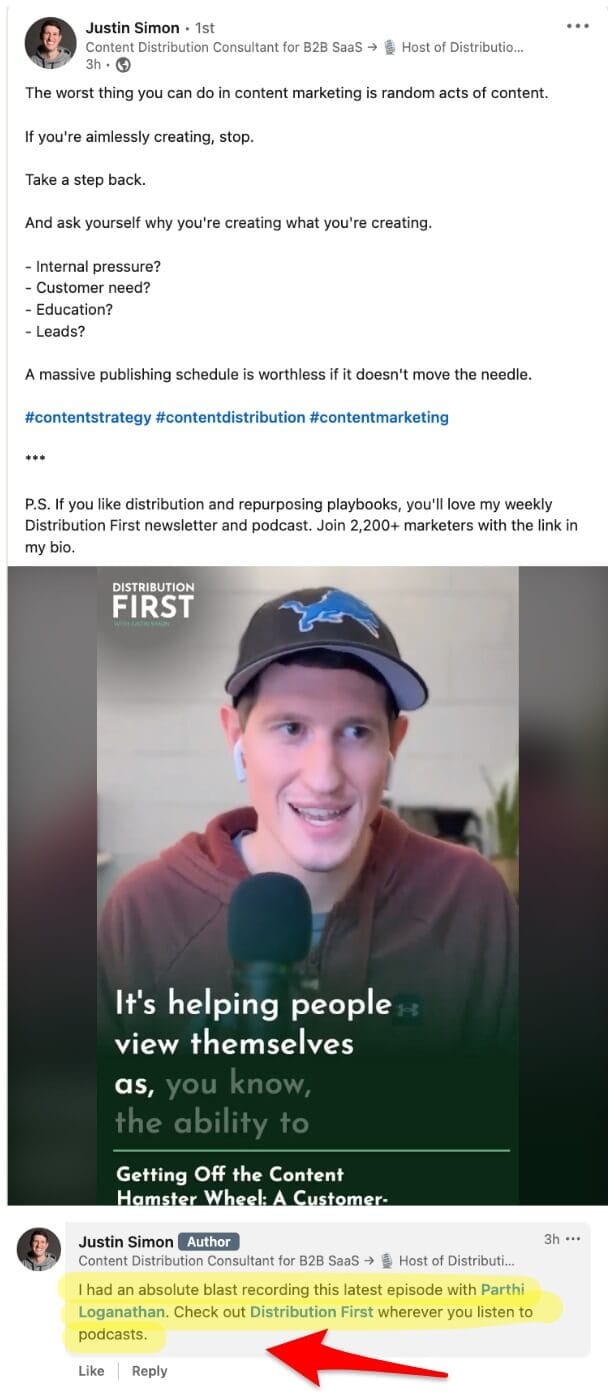
For example, Justin Simon promoted his podcast by sharing an insight from the episode on LinkedIn. The post included a video snippet and a call to action to watch the full podcast.
3. Turn your video into a blog post
Similar to converting long-form content into videos, you can turn your videos into blog posts. For example, Ahrefs’ YouTube video about ChatGPT for SEO was later embedded into a detailed blog article.
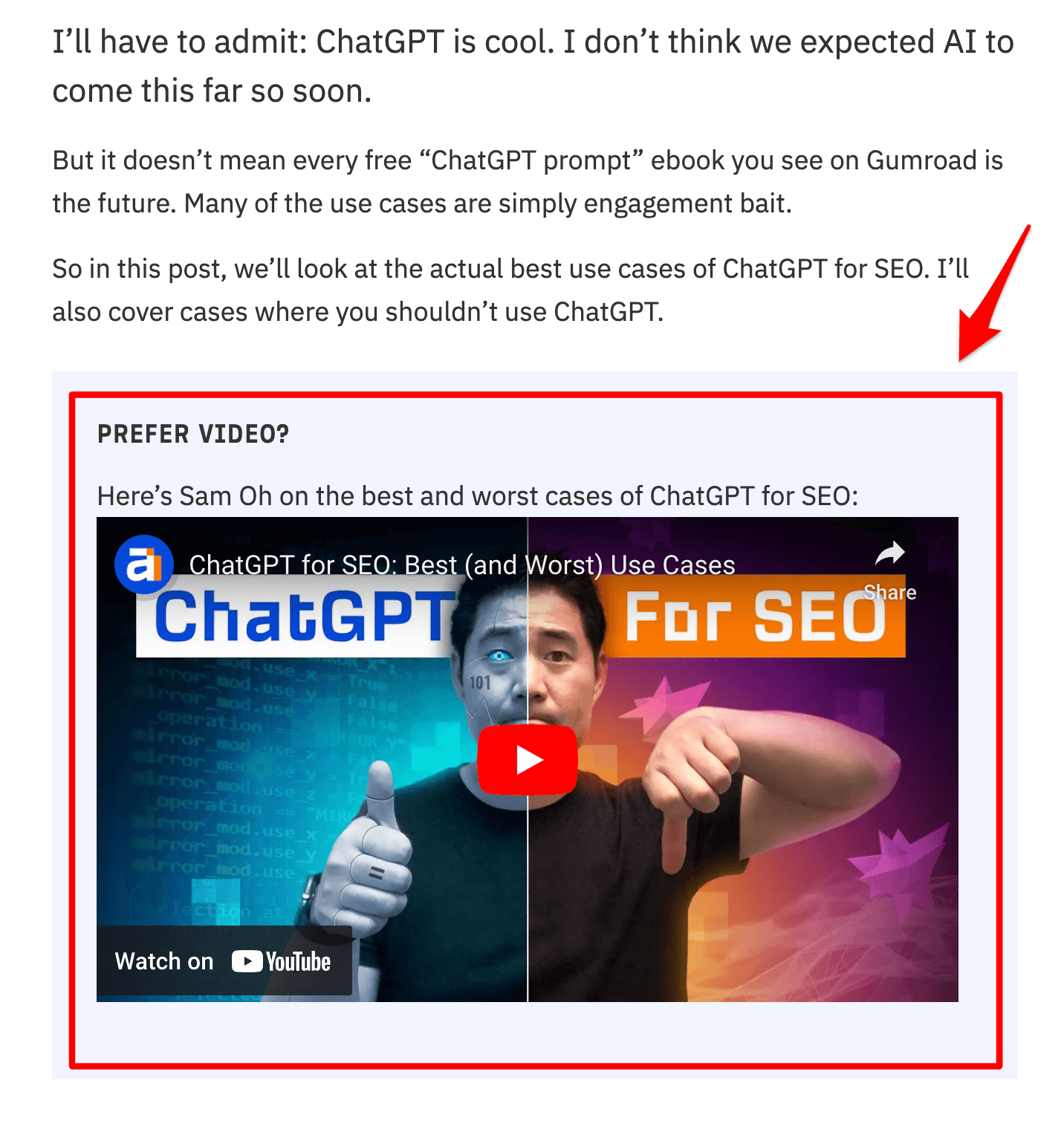
This helps you reach more people and gives your audience options for how they want to consume your content.
4. Turn a long video into an audio podcast
If your video content can work as an audio-only format, release it on platforms like Spotify or Apple Podcasts. For example, Tommy Walker turned his live editing sessions into podcasts.
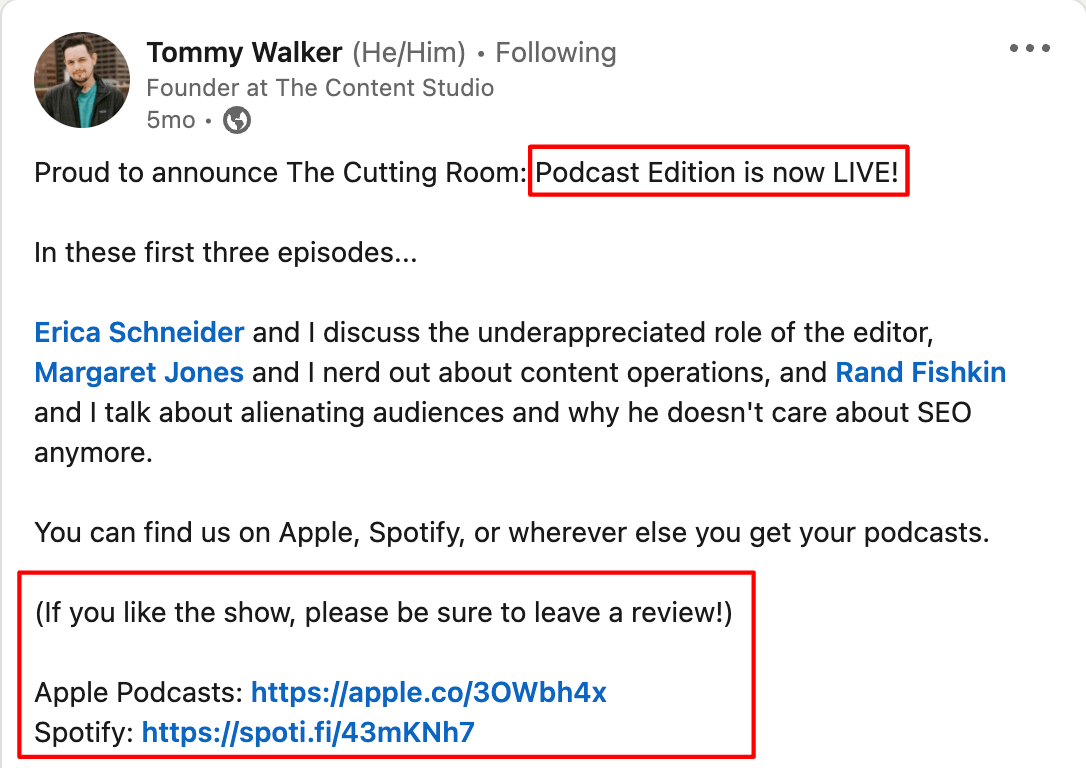
This works really well for webinars, tutorials, or interviews where people don't need to see what's happening on screen.
5. Turn video stills into shareable social images
If your video contains static images or presentations, repurpose those images into shareable social media graphics. For example, YNAB shared a video about their redesign and repurposed it into an Instagram carousel with the same images.
If your videos include presentations or static images, use those assets to create engaging posts on other social channels, promoting your original content.
3 ways to repurpose social media content
Social media content includes everything from LinkedIn posts to TikTok videos. Here are ways to maximize its value:
1. Turn X, Threads, and Bluesky threads or long posts into LinkedIn content, and vice versa
X (formerly Twitter), Threads, Bluesky, and LinkedIn all work well for text-based content, which makes them great for cross-platform repurposing.
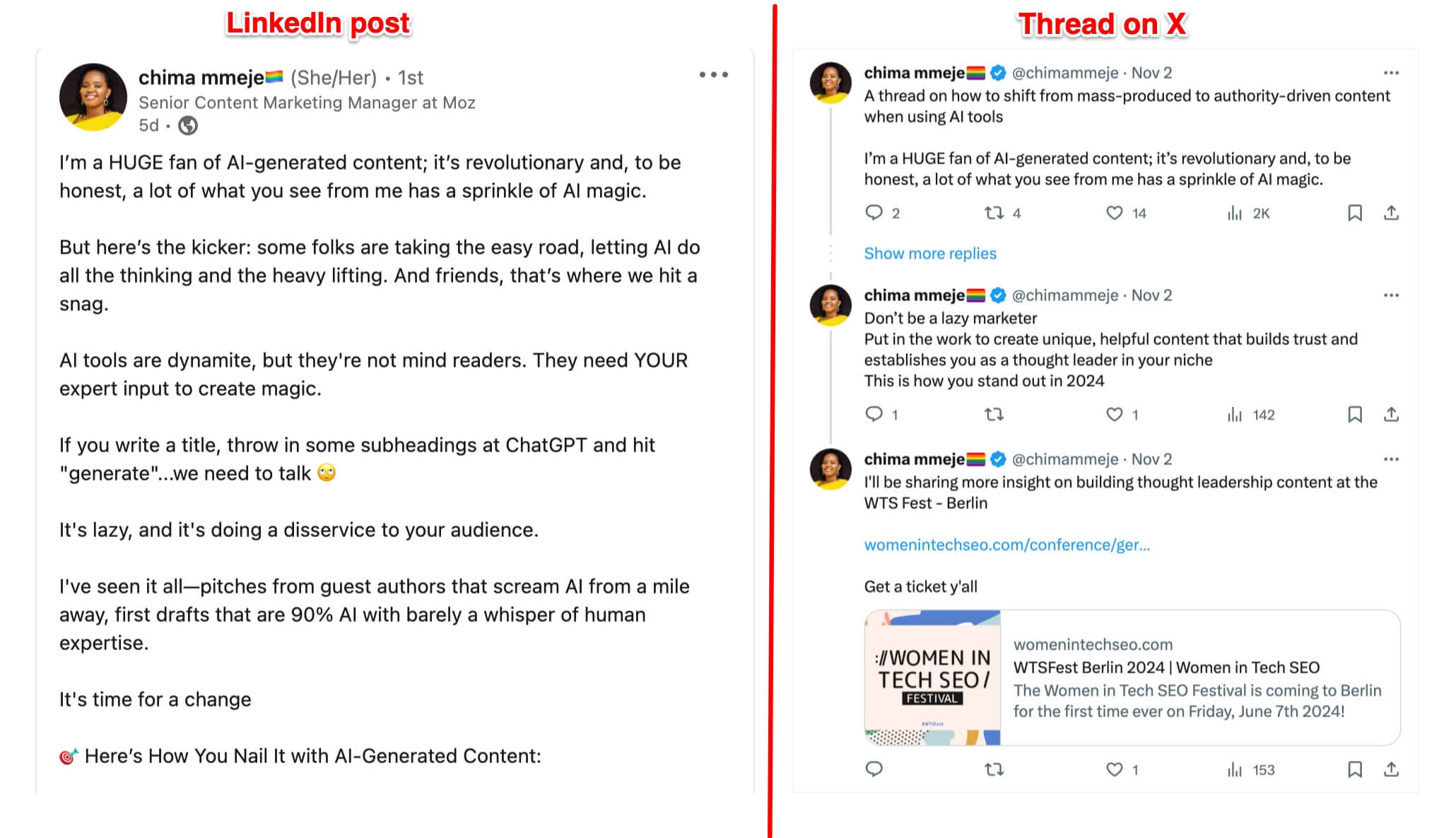
Repurpose content between them by adjusting the phrasing, hook, and structure to suit each platform’s style. For example, a LinkedIn post about AI can be turned into a X or Bluesky thread with slight tweaks.
Chima Mmeje nails this. Look at how she repurposed her LinkedIn post about AI into a thread on X (formerly Twitter) by slightly tweaking the hook and the structure.
2. Turn text threads into Instagram carousels, and vice versa
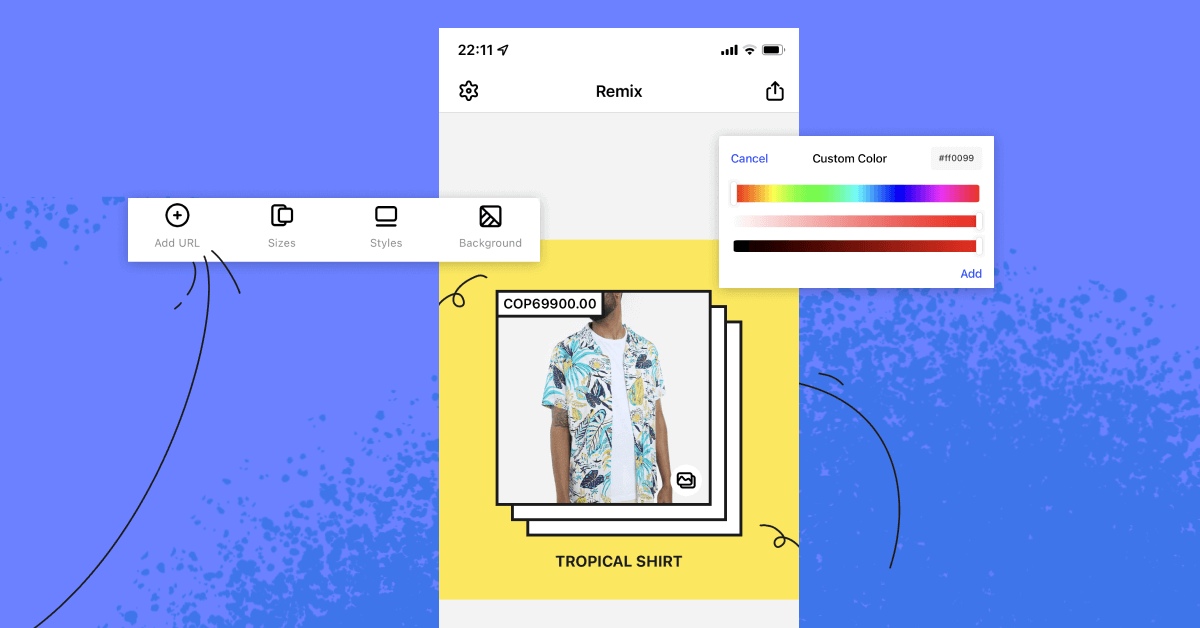
Turn your threads from X, Threads, or Bluesky into Instagram carousels using tools like Canva. Simply select a template, customize with your brand colors, and post.
3. Turn Instagram Reels and TikTok videos on the same topic into a long-form video
You likely publish various types of posts around the subtopics within your social media niche. If you’re active on reels, shorts, or TikTok, you can combine short-form videos around the same niche topic and convert them into long-form YouTube videos.
Entertainment channels do this often. Take The Graham Norton Show — it combined various clips from the interviews with Emily Blunt to create a new (repurposed) video.
3 ways to repurpose newsletter content
You can repurpose newsletter content into social media posts, graphics, and videos to get more eyes on your work.
1. Turn newsletter snippets into posts for X, Threads, Blueksy and LinkedIn
Pull out the most interesting parts of your newsletter and turn them into posts for social media. For example, John Bonini repurposed a newsletter about content strategy into a LinkedIn post.
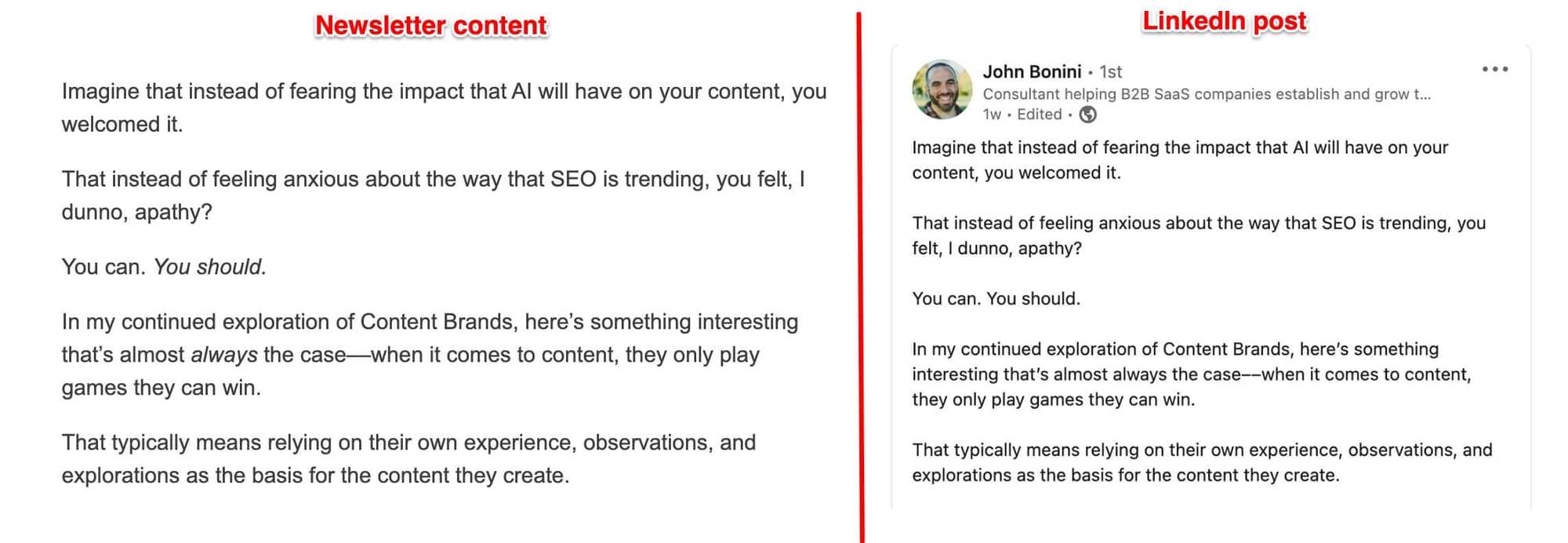
If you're running a small business, this is one of the quickest ways to boost engagement without adding hours to your workload. Just ensure you adapt the content to fit each platform’s style.
2. Turn newsletter insights into shareable images for Instagram and Pinterest
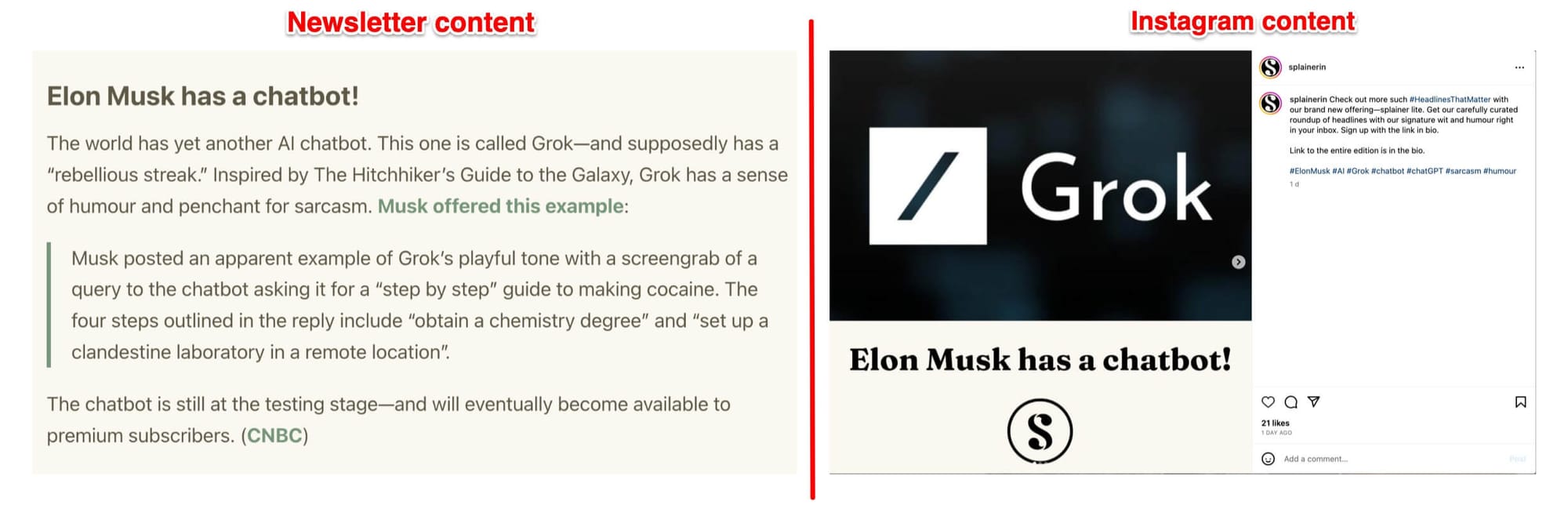
Turn newsletter insights into engaging graphics. For example, Splainer repurposed a newsletter about Elon Musk’s AI chatbot into an Instagram carousel with vibrant visuals.
3. Turn newsletter sections into short-form videos for Instagram Reels, TikTok, and YouTube Shorts
If your newsletter has a consistent structure, repurpose sections into short videos. For example, The Know turns daily news into quick Instagram Reels by reading headlines in a list format.
This helps you stay visible on social while driving people back to your newsletter.
Get the most out of every piece you create
Repurposing content helps you avoid burnout and get more from the work you've already done. Aim to repurpose at least five social media posts from each long-form piece. Build repurposing into your workflow, use Buffer to schedule everything, and you'll start seeing the benefits without the extra stress.
More content marketing resources
- 28 Digital Marketing Tools for Small Businesses (+ Budget-Friendly and Free Options)
- 40 Free High-Quality Social Media Icon Sets For Your Website
- 27 Simple, Free SEO Tools to Boost Your Search Rankings in 2026
- How I Turned One Community Conversation Into Weeks' Worth of Content
- 19 Newsletters for Creators and Marketers in 2026
Try Buffer for free
200,000+ creators, small businesses, and marketers use Buffer to grow their audiences every month.