
Three browser tabs open on your laptop, five apps on your phone, and you're copy-pasting the same caption into a sixth because that reel needs to go everywhere. If you're running multiple social media accounts, I'm willing to bet that was what your life looked like at some point this week. Because, same!
If you're a creator or brand active across several social media networks and you're looking to make those moments a little smoother, the goal shouldn't be "do more."
It's to do the repetitive parts once.
This guide walks through seven tactics that cut the busywork, whether you're posting for yourself or handling a handful of client accounts.
The short answer: The most efficient way to manage multiple social media accounts is to connect them all to one social media management tool and work from a single content calendar, scheduling posts, replying to comments and DMs, and checking analytics and insights from one dashboard instead of logging in and out of each app. Then add in templates, crossposting, and automation to remove the repetitive work, and add new platforms one at a time so you don't burn out.
Quick summary: how to manage multiple accounts
- Centralize in one tool: Connecting every account to a single dashboard replaces logging in and out of separate apps, so you schedule, engage, and report from one place. Buffer's free plan connects three channels and schedules 10 posts a month; paid scheduling is $6/month per channel.
- Build reusable templates: Repeatable post formats in Canva turn a from-scratch design into a quick swap and keep your branding consistent across accounts.
- Crosspost and repurpose: One strong piece of content can feed Instagram Reels, TikTok, and YouTube Shorts with little or no editing, which means more output without more work.
- Automate the repetitive work: Scheduling, analytics, and AI caption edits remove the manual tasks that make multi-account posting feel overwhelming.
- Scale one platform at a time: Master one network before adding the next so you don't burn out, then carry what works to each new account.
The 7 methods at a glance
Most people end up combining three or four of these rather than picking one.
| Method | Best for | Effort to Set Up |
|---|---|---|
| Templates for repeatable formats | Cutting design time, brand consistency | Low |
| Content curation | Filling the calendar without creating from scratch | Low |
| Crosspost & repurpose | Stretching one piece of content across platforms | Low to medium |
| Automate routine tasks | Removing manual scheduling, analytics, replies | Medium |
| Strategy + content calendar | Knowing what to post, where, and when | Medium |
| Social media management tool | Running every account from one dashboard | Low |
| Add platforms slowly | Avoiding burnout while scaling | Ongoing |
Jump to a section:
- 1. Create templates for repeatable post formats
- 2. Mix content curation into your social media calendar
- 3. Crosspost and repurpose your existing content
- 4. Automate routine tasks in your social media workflow
- 5. Create a solid social media strategy and content calendar
- 6. Use a social media management tool to run all your accounts in one place
- 7. Join new social media platforms slowly and with intention
- Manage multiple social media accounts with ease
- FAQ about managing multiple social media accounts
- More social media marketing resources
1. Create templates for repeatable post formats
Templates for the post formats you use more than once cut your design time and keep your branding recognizable across every account.
Say you post a "social proof" graphic every Tuesday. Build an easily editable template in Canva (or any design tool you like) that you can update in a minute or two. A saved template turns what used to be a 20-minute design into a two-minute swap.
Plus, templates take some of that pressure off. You don't have to come up with something completely new every single day. You have a repeatable post format you can lean into that you already know performs well.
Example: Here's the template we use for our reel covers:
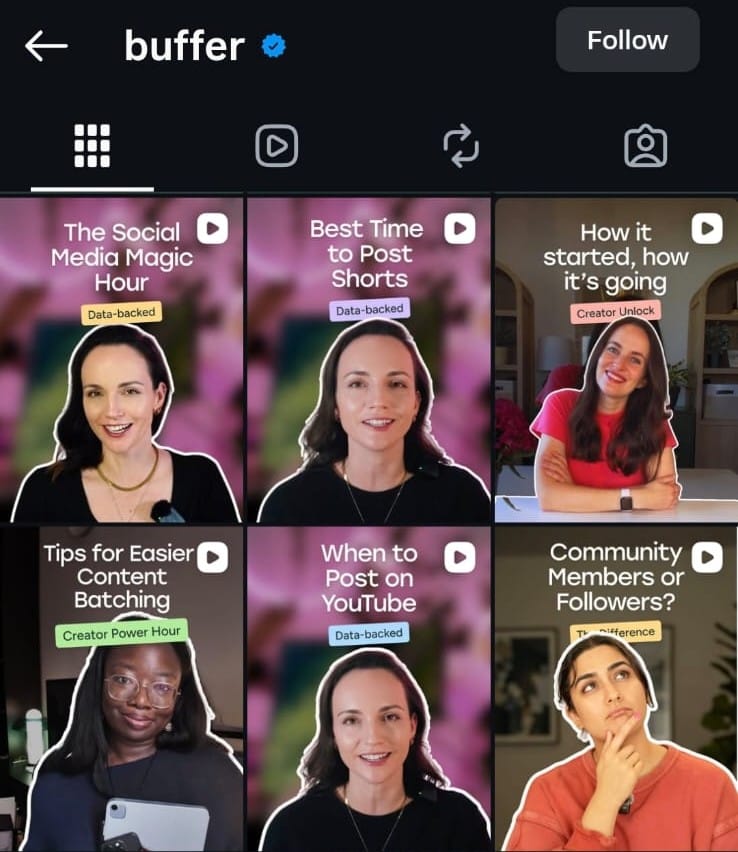
Imagine how quickly you'd be able to create similar posts. You swap the content, nudge the graphics if needed, and everything else is already done. Templates in your back pocket make posting feel a lot less like starting over every morning.
2. Mix content curation into your social media calendar
Content curation (organizing useful posts you didn't create into a digestible roundup) fills your calendar without making you create everything from scratch.
You've seen these: someone rounds up helpful content from other creators around one topic, or collects the best posts from a single thought leader. That's content curation, organizing information that isn't necessarily your own in a way that's useful to your audience.
It's easier than starting from a blank page, which helps when you're posting across several accounts. It's also genuinely useful for your audience, because you're doing the work of finding and organizing things they might have missed (and saving them time hunting for social media post ideas).
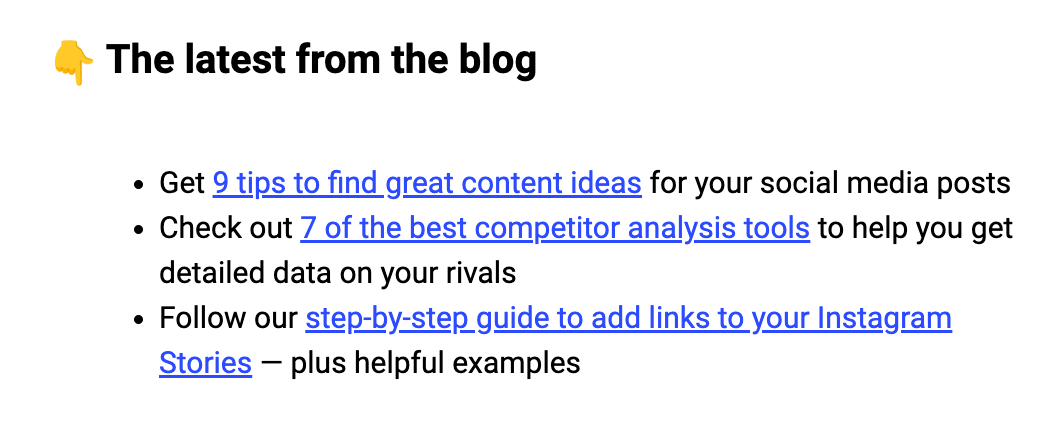
Mix curated content with your original posts. It keeps you publishing consistently and can become a content series that people look forward to. At Buffer, we do exactly this in our weekly newsletter, rounding up the best of what's happening in social.
3. Crosspost and repurpose your existing content
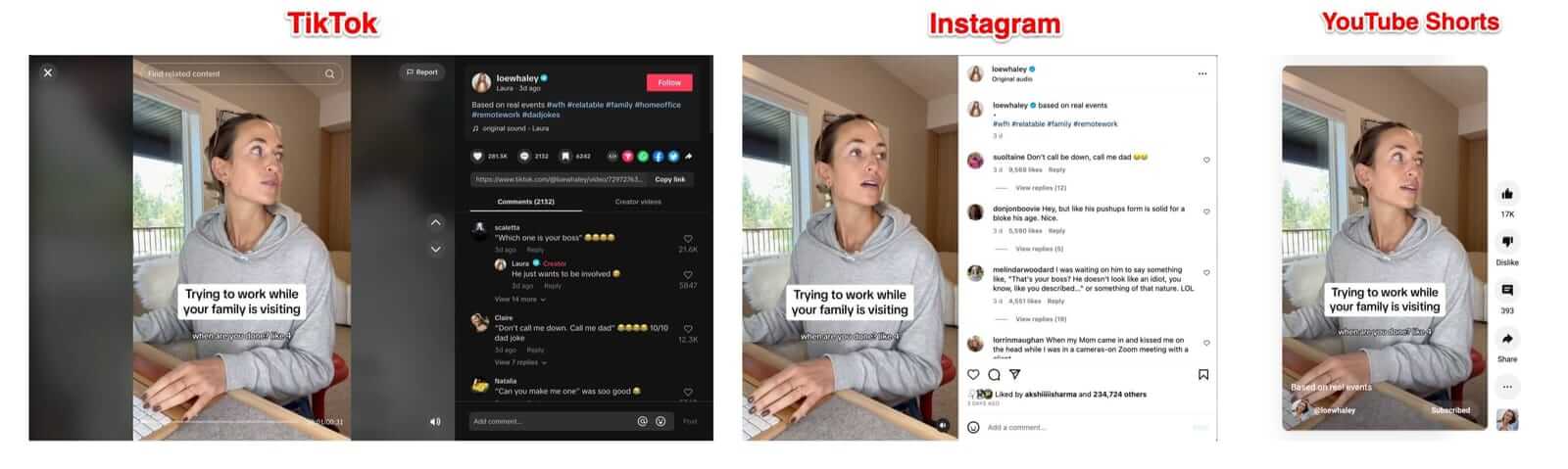
Crossposting means posting the same content across multiple platforms with little or no change. Laura Whaley, for instance, posted the same video on Instagram, TikTok, and YouTube Shorts.
| Term | What it means | Example |
|---|---|---|
| Crossposting | Posting the same content across platforms, with little to no change | The same short-form video on reels, TikTok, and YouTube Shorts |
| Repurposing | Adapting one piece of content into a different format | Turning a blog post into a carousel, or a long video into clips |
Crossposting works best for platforms that take the same kind of content. Instagram Reels, TikTok, and YouTube Shorts all love short-form video, so a reel that did well can go straight to TikTok with no edits. That's the payoff of testing one network at a time: you build a content library you can lean on for the next one.
Posting to all your accounts at once is where a management tool earns its keep. Instead of opening each app and pasting the same thing five times, you write the post once in a single composer, pick the networks you want it on, and schedule it. The tool sends it to each platform for you, which is the fastest way to keep every account active without the copy-paste tax.
Content repurposing goes a step further: you use one piece to make new ones. We turned our long-form article on brands using Threads well into an Instagram carousel.
You can turn your:
- Long-form writing into Instagram carousels, X or Bluesky threads, or LinkedIn posts
- Long YouTube videos into short-form clips for Instagram and TikTok
- Research reports into Instagram and Pinterest infographics
4. Automate routine tasks in your social media workflow
Social media automation means letting software handle the repetitive tasks (scheduling, reporting, caption tidying) so your time goes to the creative and strategic work. A few tasks worth automating when you're running several accounts:
- Scheduling: Use management software to queue posts for every account at once
- Analytics: Use analytics tools (like Buffer's Insights) to measure performance across platforms in one view
- Customer replies: Use chatbots to field the most common questions
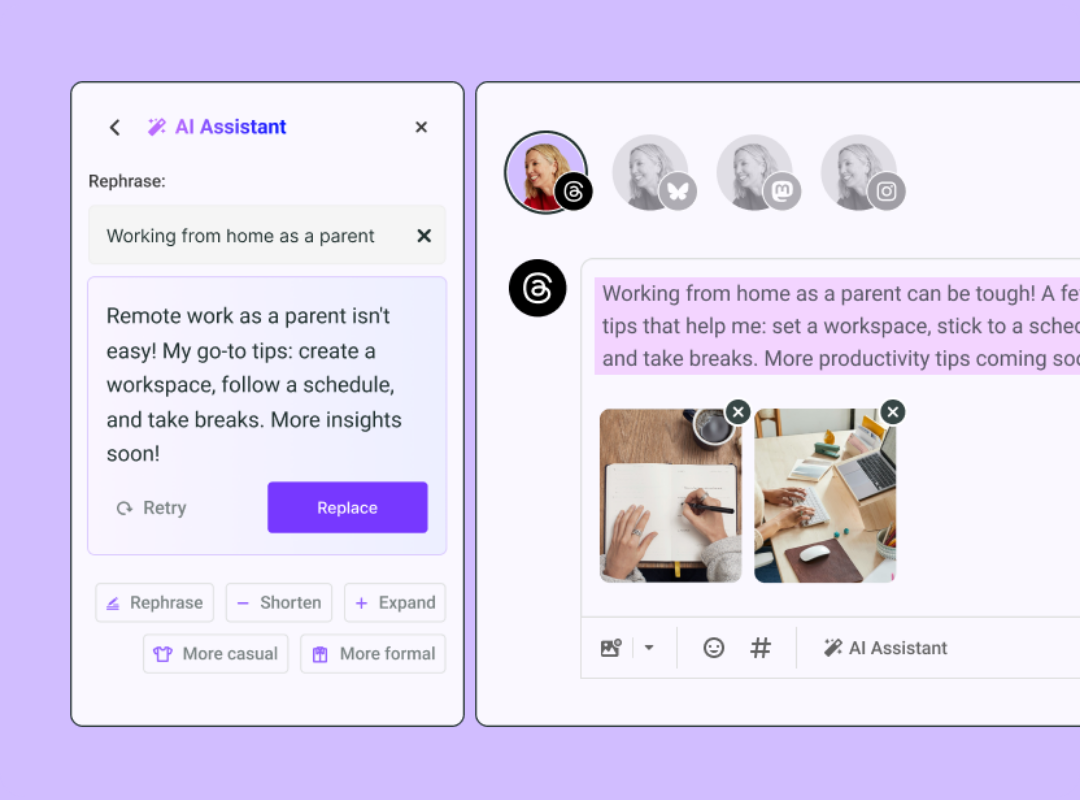
- Caption writing: Use AI tools to refine your captions
For instance, Buffer’s AI assistant can shift the tone of a caption to be more formal, casual, or funny in a click.
Start by listing every task involved in running your accounts, from finding content ideas to adapting posts for different platforms. Then find the tools that take those off your plate, or at least make them faster.
5. Create a solid social media strategy and content calendar
A clear strategy is what tells your content calendar what to do. Without it, you're posting on instinct. Having one means you know your:
- Target audience and their pain points
- Networks your audience actually uses
- Goals, and how they ladder up to your business goals
- The content you can create to meet those needs
From there, your strategy fills in an actionable content calendar: what goes live, on which network, at what time, and why. That's the part that makes running several accounts feel orderly instead of frantic.
6. Use a social media management tool to run all your accounts in one place
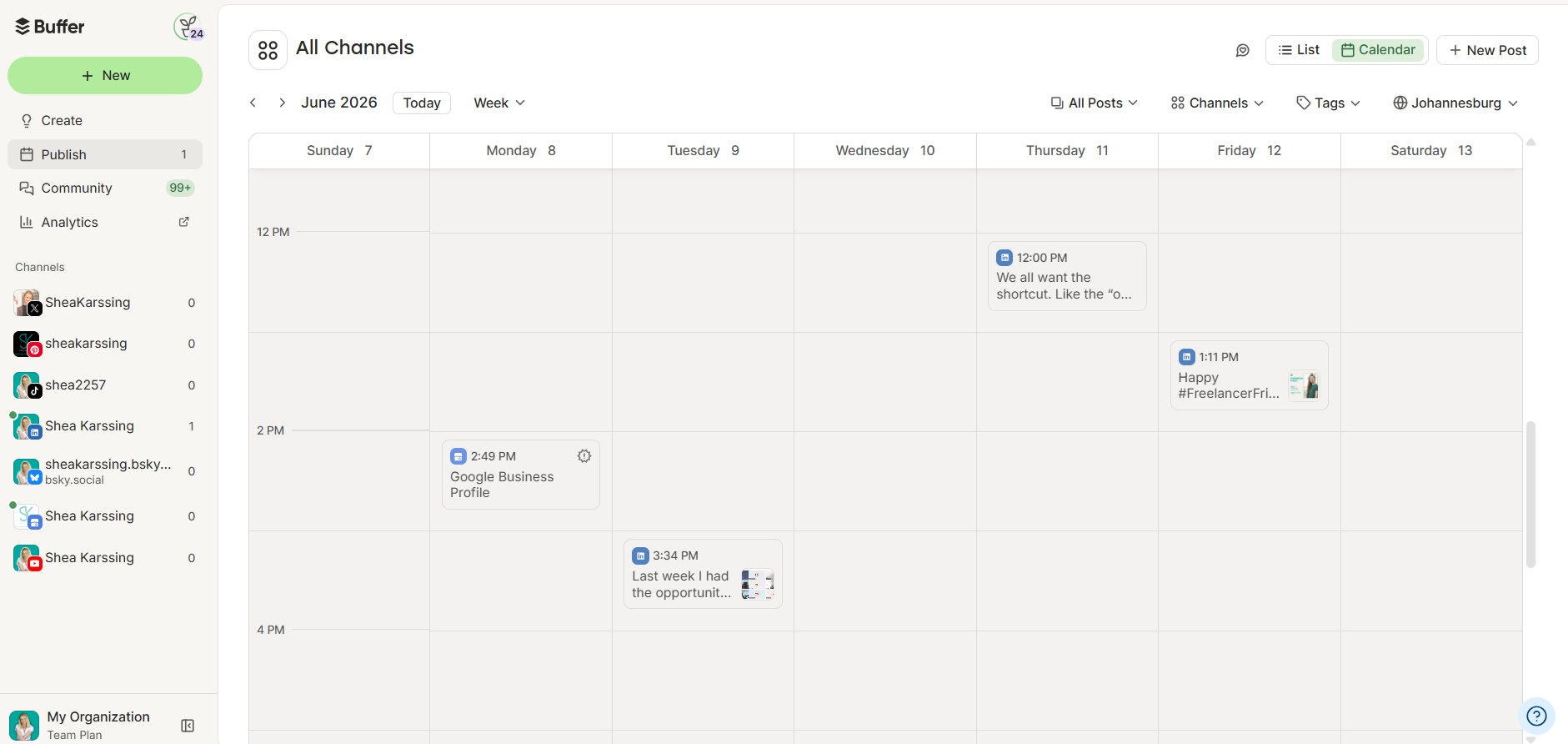
A social media management tool is the single biggest lever here: it brings every account into one place so the whole thing feels manageable. Most tools let you:
- Connect accounts from multiple platforms in one dashboard
- Schedule posts in advance from a shared calendar
- Manage engagement across accounts, including comments, DMs, and more
- See built-in insights so you can measure what's working and adjust
Connecting all your accounts takes one pass: you sign up, authorize each network once, and from then on, every account lives together, so you plan and publish from a single calendar instead of hopping between logins.
They're popular with teams and agencies, but they're just as useful for a solo creator or a small business.
Once you've got a strategy, shortlist a tool that supports the networks you're on and can grow with you.
If you're looking for something affordable (or free to start), Buffer lets you connect up to three channels at no cost and schedule ten posts per month. The free plan also includes the AI assistant, a landing page builder, and an ideas board, which is enough to actually run a couple of accounts before you pay anything. You can try it for free and see if it fits your workflow.
Buffer is built specifically for creators and small business owners who need something straightforward and affordable. You can try it for free to see if it works for your workflow.
👀 One honest caveat: No tool publishes natively to every feature of every platform. Instagram first comments and some TikTok formats can still need a manual step. It still beats logging into five apps, but it's not 100% hands-off.
Managing multiple social media accounts for clients
If you're running accounts for clients rather than just your own, the job shifts from posting to keeping things separate and accountable. The fix is the same dashboard, organized differently: keep each client's accounts in their own space, with their own calendar, approvals, and reporting, so nothing crosses wires.
A tool built for agencies and freelancers lets you collaborate and switch between clients, schedule across each one's channels, hand drafts to a teammate or the client for approval, and pull per-client analytics at the end of the month. The two things that save the most time here are approval flows (so you're not chasing sign-off in email) and per-client reporting (so monthly updates take minutes, not an afternoon).
7. Join new social media platforms slowly and with intention
Add new platforms one at a time rather than all at once. Mastering one network before expanding prevents burnout and lets you reuse what already works. It's tempting to be everywhere immediately, but that's the fastest route to feeling underwater.
First, narrow down where your audience actually is, based on your business type. As a general guideline, many D2C brands see strong results on TikTok, Instagram, and Pinterest, while B2B brands often prioritize LinkedIn, X, and Bluesky.
Different audiences discover products in different places, so don't assume. Ask your existing audience how they found you and where they look for new products in your niche.
Your audience might be on several networks, but they aren't in a buying mindset on all of them. If you sell shampoo, someone might scroll LinkedIn all day and never want to hear about it there — but catch them on TikTok, and they'll click through and buy.
So say you learn your audience discovers products like yours on Instagram, TikTok, and Pinterest. Don't launch all three at once. Start with Instagram, spend a few months learning what works and getting comfortable with the calendar, then bring on TikTok and repeat. Going slow pays off three ways:
- You don't overwhelm yourself by running everything on day one
- You carry lessons from one network to the next and skip repeating mistakes
- You build a backlog of content to repurpose onto each new account
There's no rule that says you have to be on every platform. To manage multiple social media accounts without losing your mind, you need to add new platforms slowly and intentionally. No one says you need to jump into managing multiple social media accounts at the same time. There are only benefits to moving in an unhurried manner and only risks in moving too fast.
Manage multiple social media accounts with ease
None of this is effortless. Even teams with a dedicated social person feel the grind of running several accounts. You're creating the content, learning each platform's quirks, and keeping up with what your audience responds to, often while wearing every other hat in the business.
So don't try to do all seven at once. Pick the two that fix your most annoying bottleneck this week (for most people, that's building a few templates and setting up a scheduling tool), get them running, and leave the rest for next month. It gets easier as you build the systems that fit how you actually work.
FAQ about managing multiple social media accounts
What is the best way to manage multiple social media accounts?
Start with a plan, then use the right tools. Choose the networks your audience already uses, build a simple content calendar so you always know what to post and when, and repurpose your best posts across platforms to save time. Then use a social media management tool (Buffer is a good option) to schedule content, reply to comments, and review analytics and insights from one dashboard.
How can I post to all my social media accounts at once?
Yes, you can post to all your accounts at once with a social media management tool. In Buffer, you write the post once, select every channel you want it on, and schedule it. Buffer formats and sends it to each network automatically, so you're not copying and pasting into five apps.
What's the easiest way to manage Facebook, Instagram, and LinkedIn from one dashboard?
Connect all three to a single management tool. With Buffer, you link Facebook, Instagram, and LinkedIn once, then schedule posts, reply to comments, and view analytics for all of them in one place, with no logging in and out.
How do I manage social media accounts for multiple clients?
Keep each client's accounts in their own workspace inside one tool, with separate calendars, approval flows, and reporting. A tool built for agencies lets you switch between clients, schedule across their channels, and pull per-client analytics without anything getting mixed up.
What is the best tool to manage multiple social media accounts?
The best tool is one that lets you schedule posts, respond to comments, and track performance from a single dashboard without adding complexity. Buffer is popular with creators and small businesses because it’s easy to use, affordable, and designed to scale as your needs grow.
Is it OK to post the same content on multiple platforms?
Yes, especially on platforms that take similar formats. Crossposting short-form video between Instagram, TikTok, and YouTube Shorts saves time and extends the reach of your best content.
What is the difference between crossposting and repurposing content?
Crossposting means sharing the same piece of content across multiple platforms with little or no change. Repurposing goes a step further by adapting one piece of content into different formats, like turning a blog post into a carousel or a long-form video into short clips.
Do I need a content calendar to manage multiple accounts?
A content calendar makes it much easier. It keeps track of what to post, where it goes, and why it matters, so you're not deciding on the fly every day.
More social media marketing resources
- Buffer vs. Hootsuite: Which Social Media Management Tool Is Right For You?
- The Best Social Media Scheduling Tools (+ How to Find the Perfect Fit)
- The 11 Best Social Media Management Tools — Tried + Tested
- 9 Tools for Social Media Automation (+ Automation Pro Tips)
- The Best Social Media APIs for Developers + Vibe Coders
Try Buffer for free
200,000+ creators, small businesses, and marketers use Buffer to grow their audiences every month.