
Link sharing on social media is always an adventure. Some social media platforms make it easier than others — Instagram allows you to link directly from your Stories and in your bio — but adding a link to your TikTok bio is still a fiddly process.
In this article, I’ll walk you through exactly how to add a link to your TikTok bio step by step, why it might not be working for you (and what you’ll need to do to overcome that), plus a way to direct your followers to multiple links with Buffer’s free link-in-bio tool.
Jump to a section:
- Why a website link matters in your TikTok bio
- Who can add a link to their TikTok bio?
- How to add a link to your TikTok bio
- Help! I can’t add a link to my TikTok bio
- 5 tips for maximizing your TikTok link in bio
- Create a Start Page to get the most out of your TikTok link in bio
- More TikTok resources
- FAQ about your TikTok link in bio
Why a website link matters in your TikTok bio
If you’re running a business, you’ll likely want your followers to know where they can find you whenever they’re intrigued by your TikTok content.
Whether you use a link-in-bio tool or send them straight to your homepage, that link is essential for guiding viewers toward the next step.
For content creators, that link out is equally essential. Maybe your TikTok followers want to find your YouTube channel or support you on Patreon. Keeping it in one easy-to-access spot can make all the difference.
If you’re hoping to monetize your content in some way, a link is even more essential. As an influencer or brand partner, you can direct followers to your sponsored products, affiliate pages, or merch.
If you’re monetizing in another way, say, e-commerce partnerships, affiliate deals, or selling a course, linking to your external page can streamline the path from curious viewer to customer.
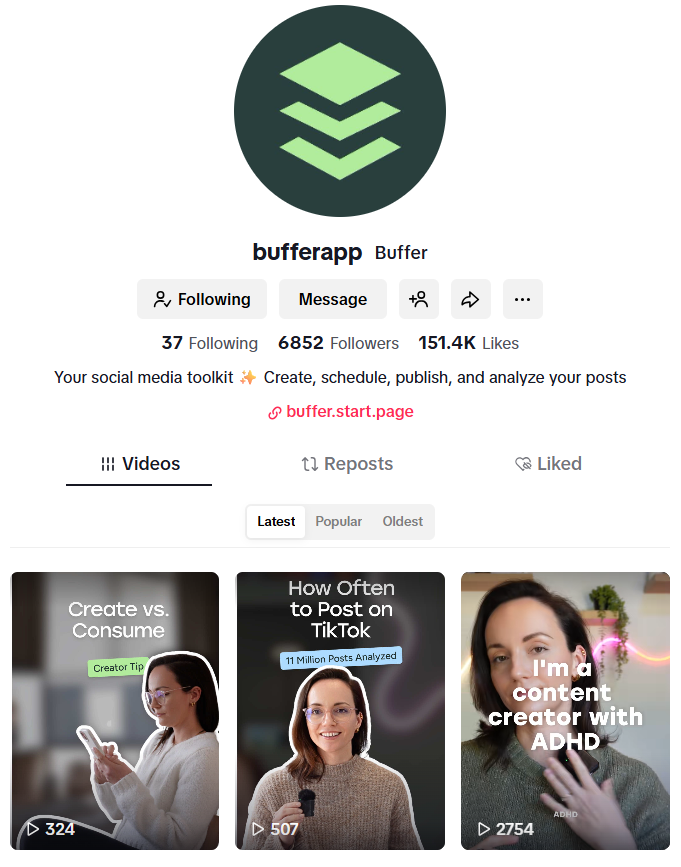
Who can add a link to their TikTok bio?
TikTok unlocks the clickable website field when:
- You meet the latest follower or regional requirements outlined by TikTok.
- OR You’ve switched to a TikTok business account.
- And you've submitted proof of business registration (if you don’t have 1,000 followers)
If you’re not a registered business and you’re under the 1,000-follower threshold, you won’t be able to add a link to the Website section of the TikTok bio. However, there is a workaround of sorts for that. I’ll walk you through what to do further in this article.
How to add a link to your TikTok bio
- If you have less than 1,000 followers and you run your own business, start at step 1, below.
- If you have more than 1,00o followers, jump to step 2.
1. Switch to a TikTok business account
Step 1 is to make sure you have a TikTok Business Account, if you have less than 1,000 followers.
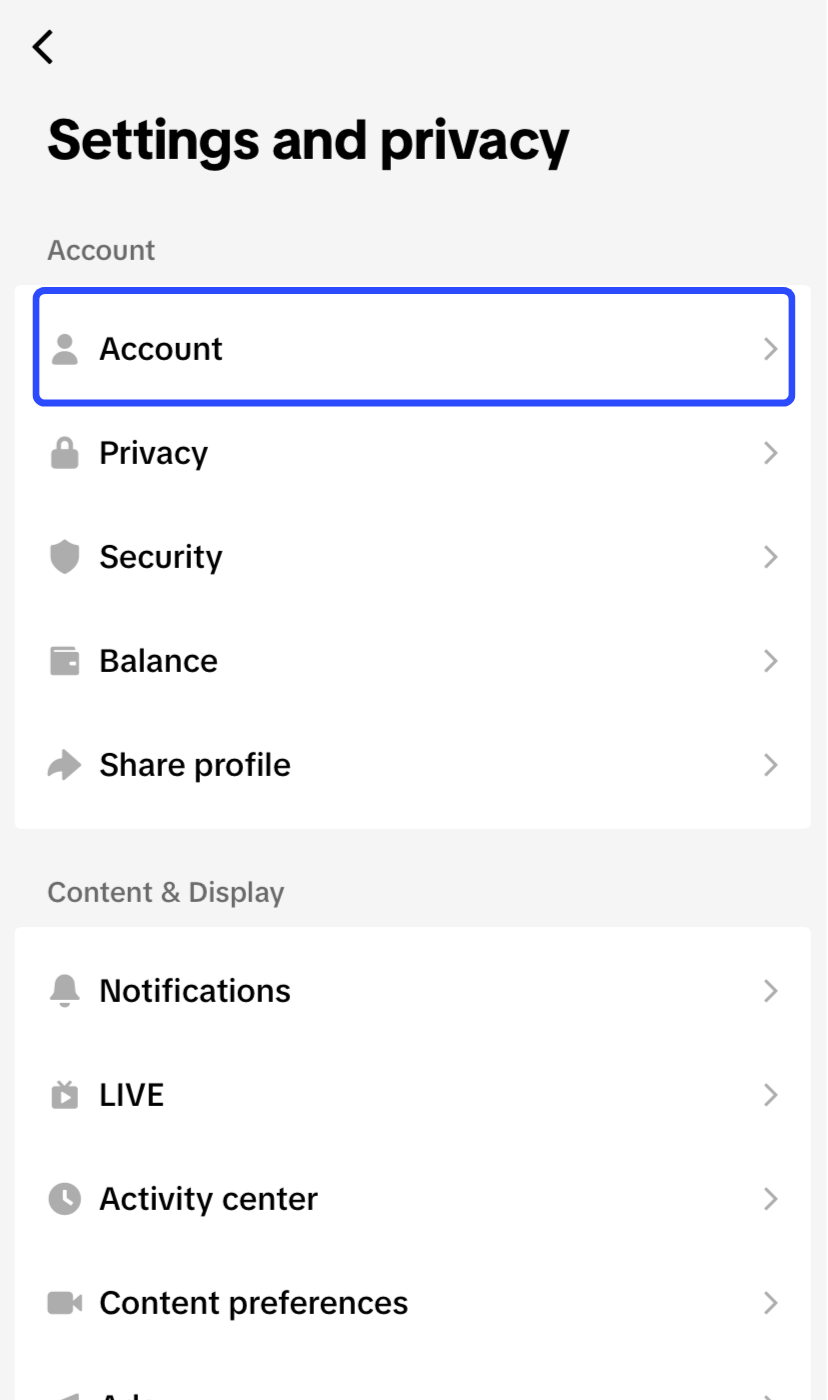
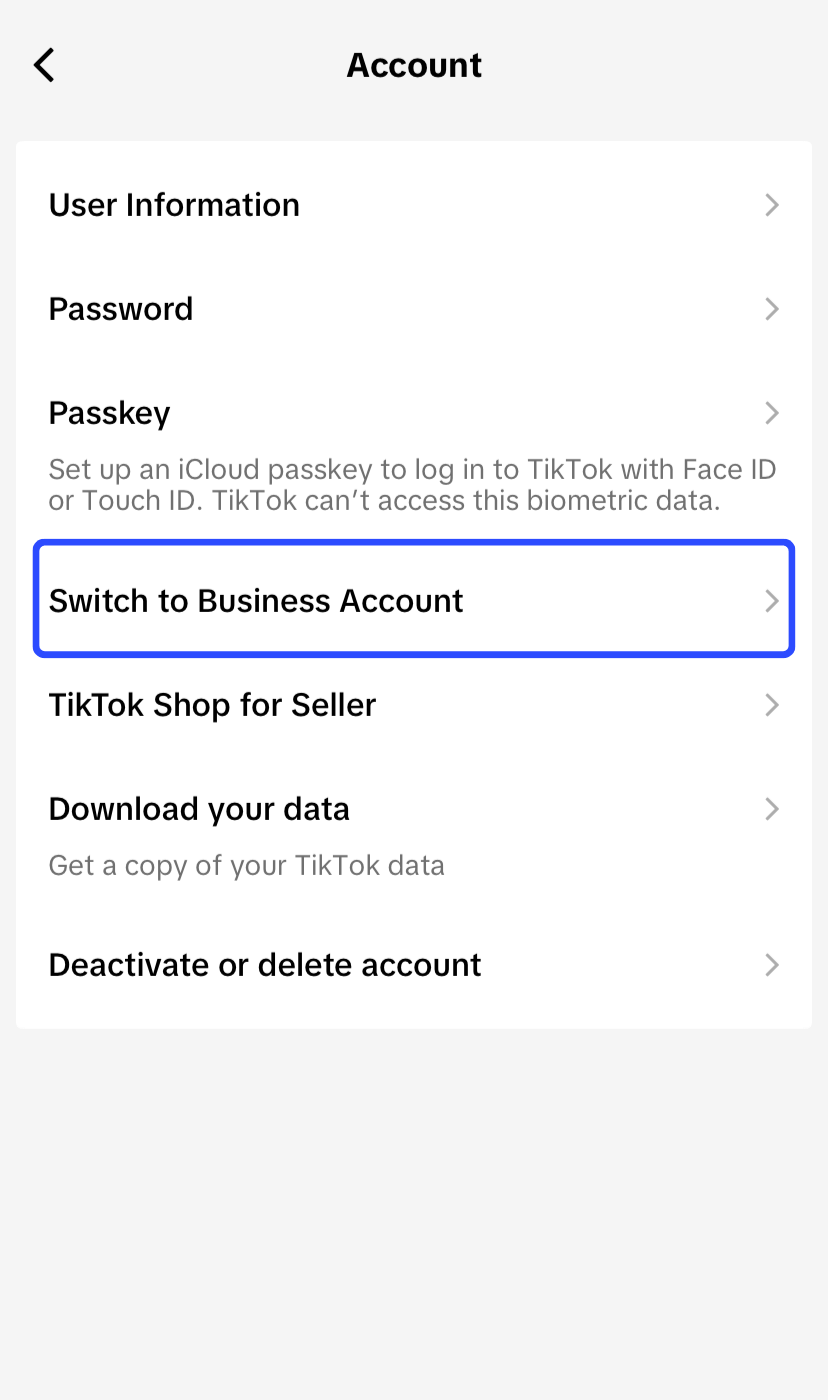
To switch from the default personal account, head over to your profile and tap the hamburger menu on the top right (the three lines). Choose Settings and privacy→ Account → Switch to Business Account.
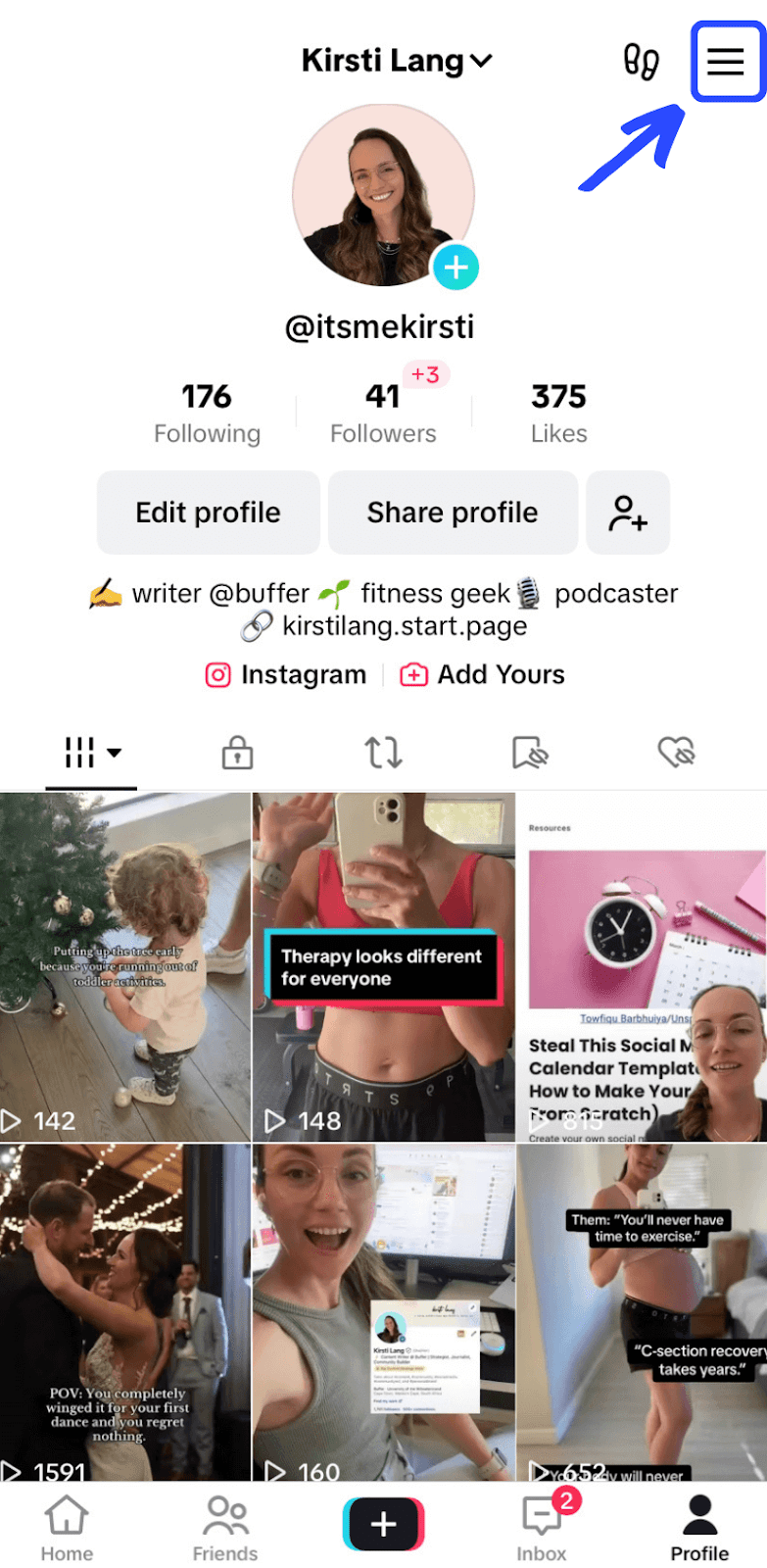

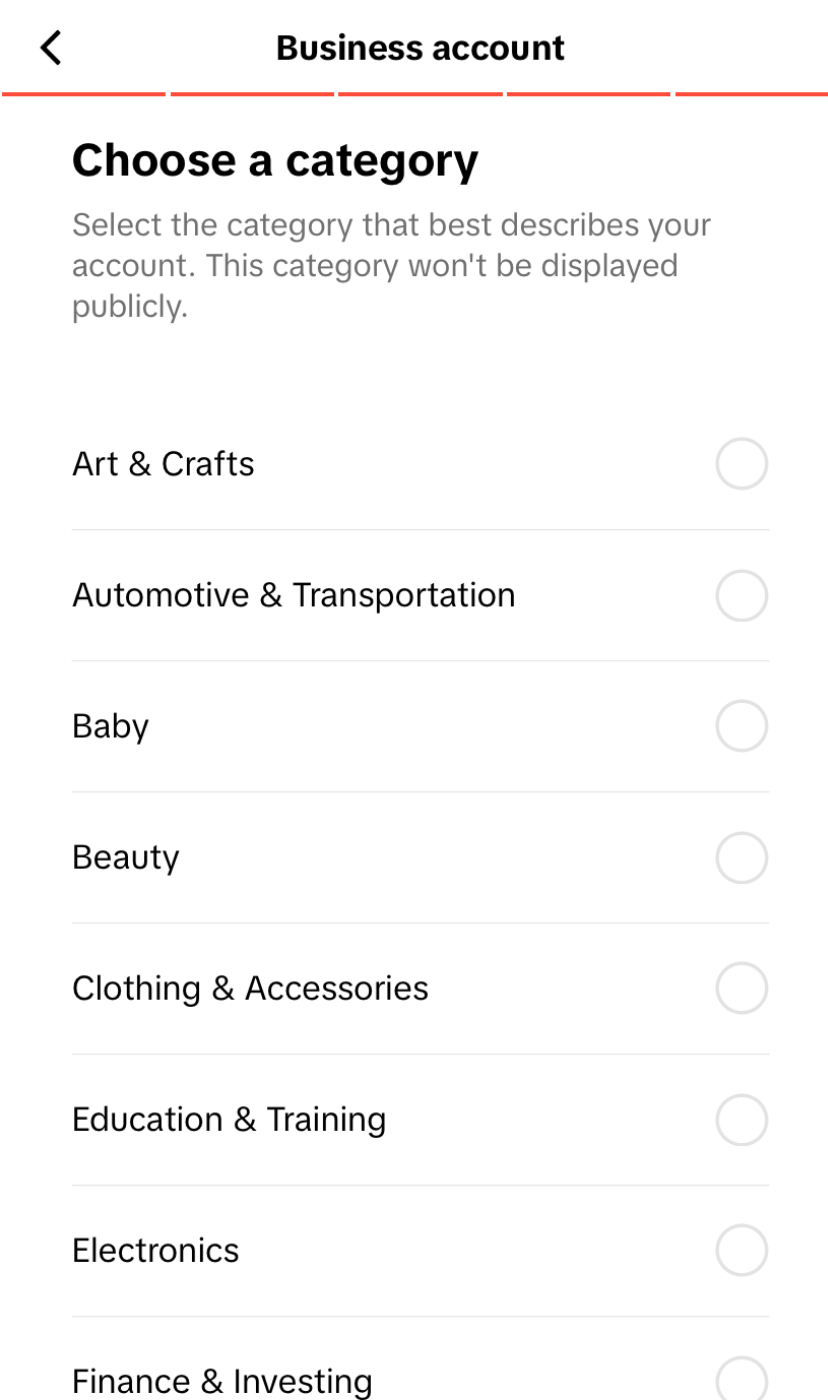
Follow the prompts to learn more about the TikTok business account features. Then, choose the most appropriate category for your business account from the list, and you’re good to go!
2. Add your website link on TikTok
Click the Edit profile button, scroll down to Website, and enter your preferred link into the website field.
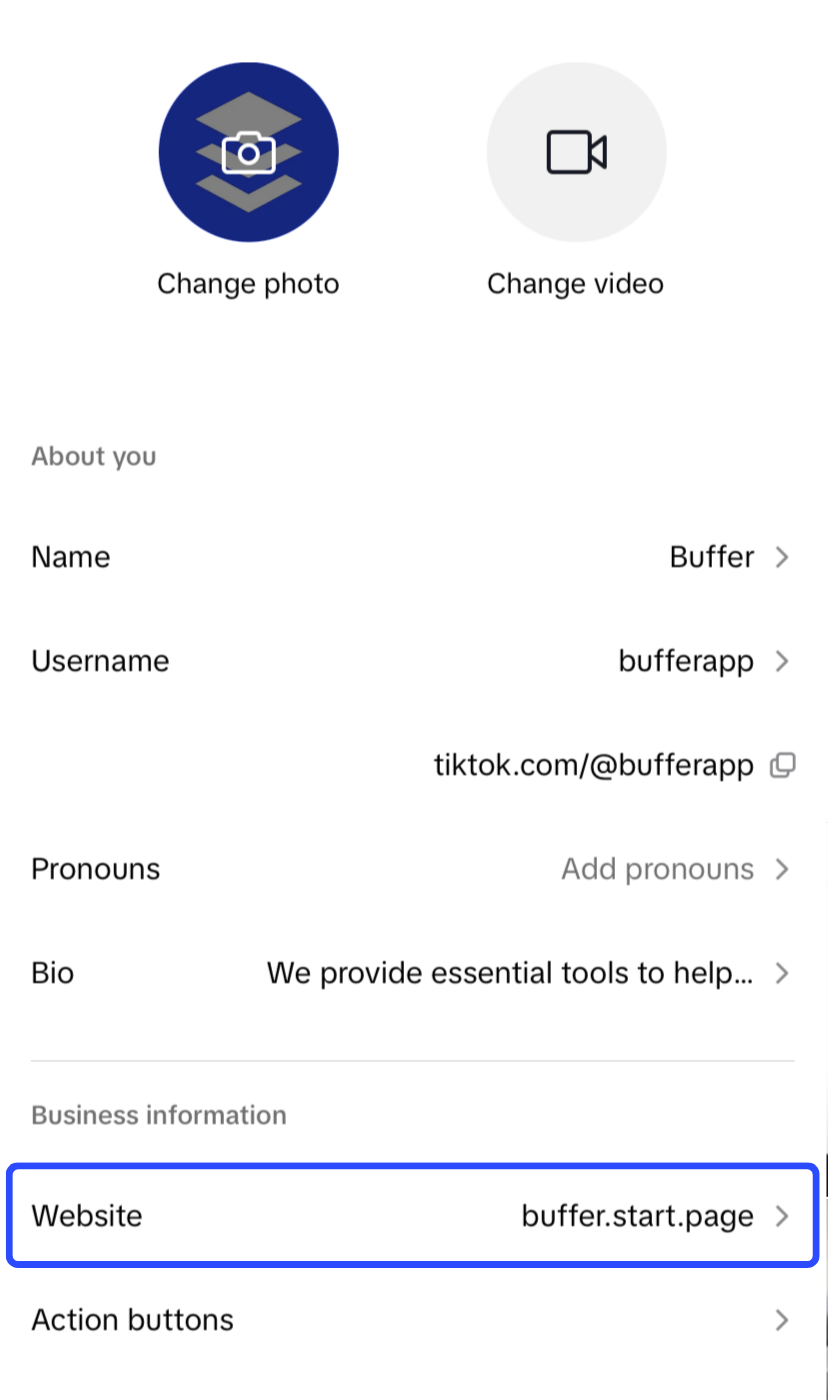
If you have under 1,000 followers, you may be prompted to register your business. The process is pretty straightforward once you have all your relevant information ready. That includes your legal business name, address, and, depending on your region, your business license ID.
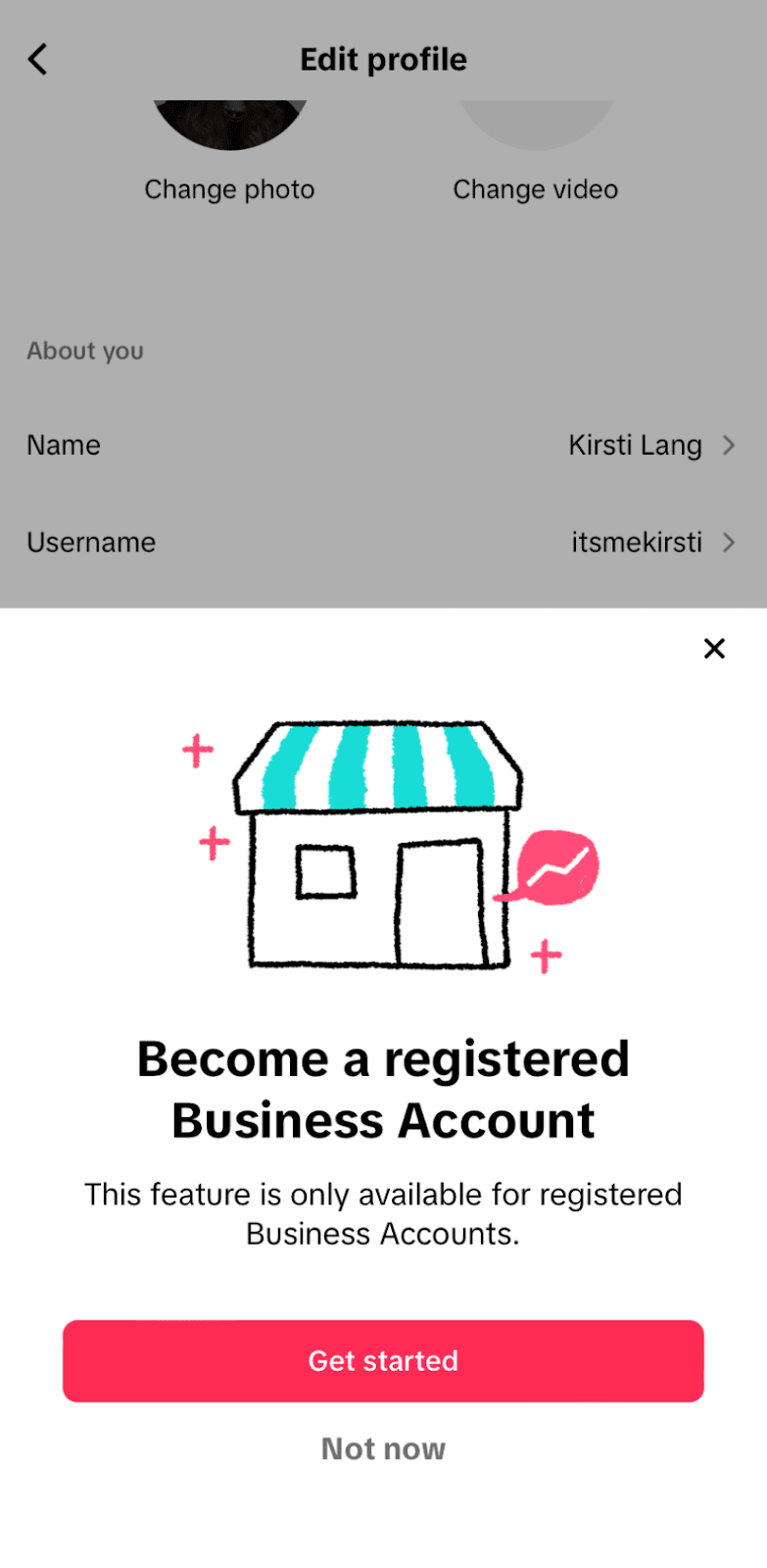
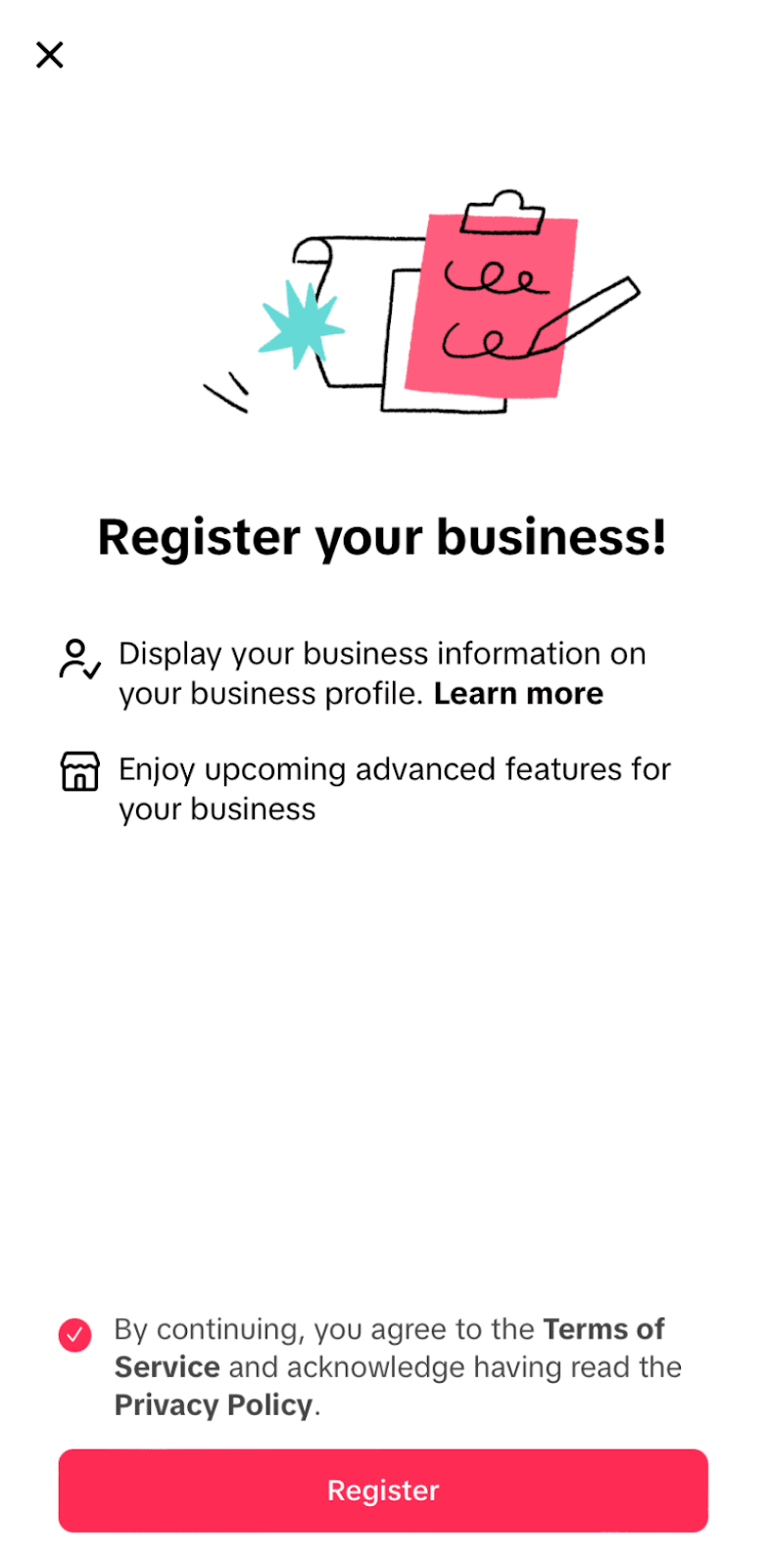
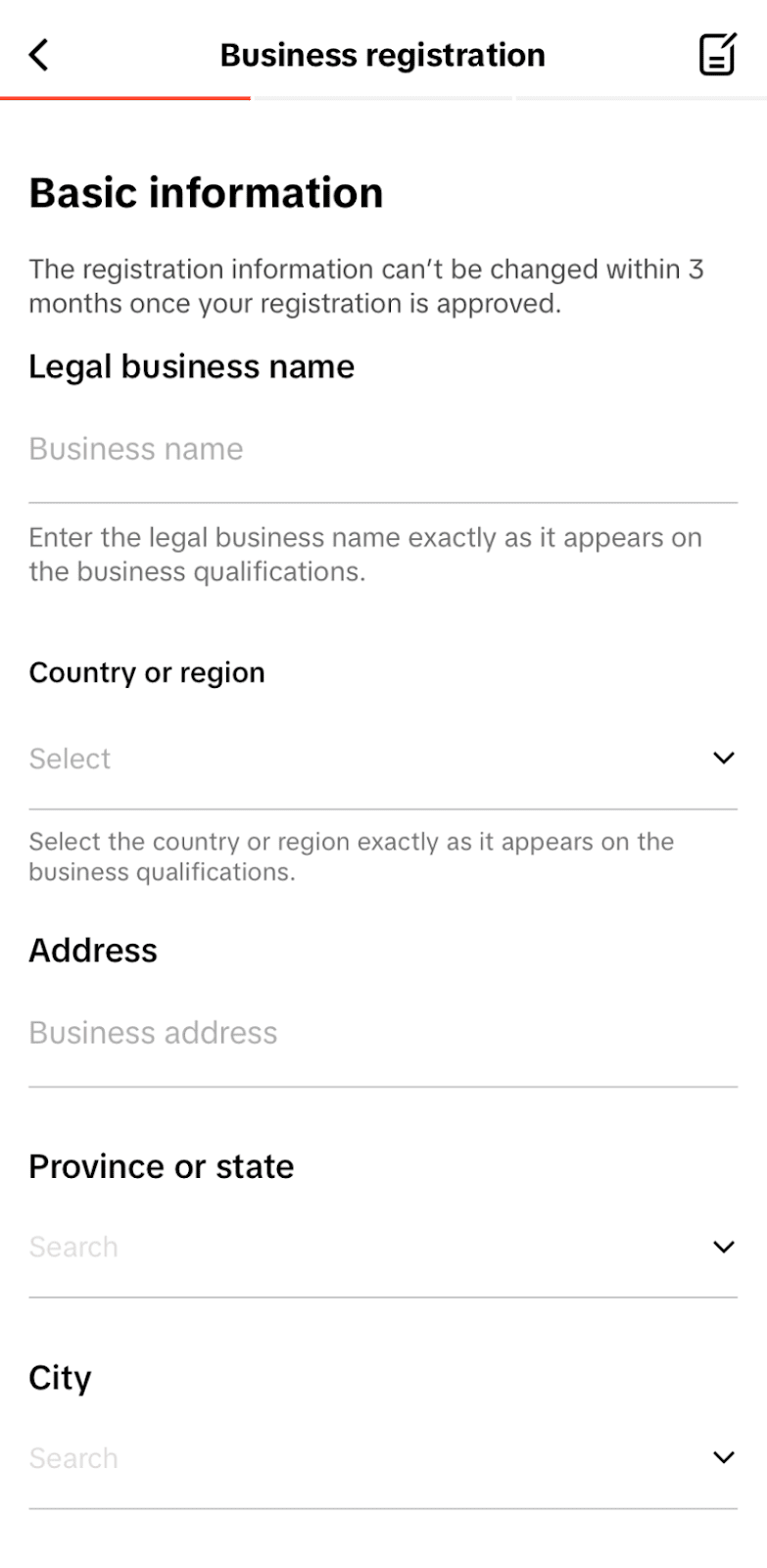
Right now, the registered business option is only available in certain countries, but the social media app plans to add more soon.
Help! I can’t add a link to my TikTok bio
If you can’t add a link to your TikTok bio, check these possible reasons:
- You don't have enough followers.
- You're using the wrong device.
- You haven't switched to a TikTok business account.
Let’s troubleshoot.
1. You don’t have enough followers
If you have fewer than 1,000 followers and you're using TikTok as an individual rather than a business, try this workaround: Add your link in the bio description field.
It won’t be clickable, which isn’t ideal, but it’s still a helpful way to direct people to your content. Make the URL short and easy to remember, so visitors can type it manually or copy and paste it into a browser.
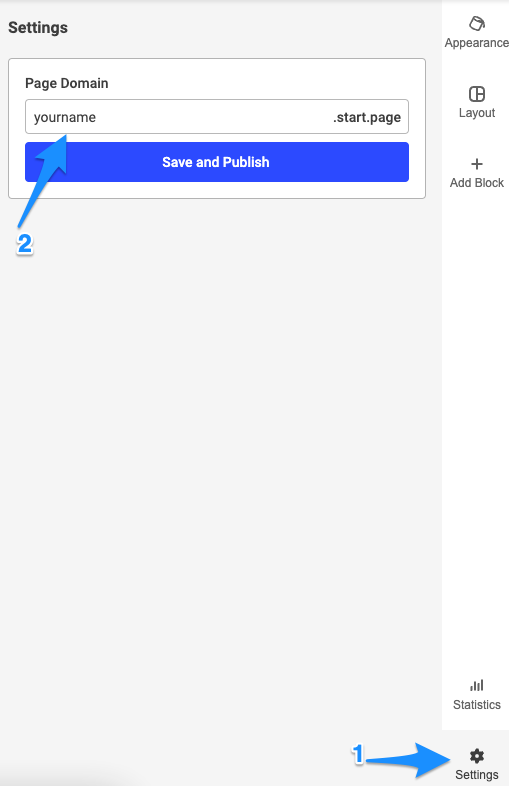
Buffer’s Start Page is a free tool that will help you spin up a beautiful custom landing page within minutes. You can even choose your own simple URL to make it as easy for potential customers or fans to find you as possible. For example, mine is just my name + .start.page.

To add a link to your description, go to your profile and tap Edit profile, then scroll to the Bio section. Simply paste your link in there, save it, and you’re all set.
2. You’re using the wrong device
Right now, only the TikTok mobile app allows you to add clickable links to your bio. So, make sure you’re using the TikTok app on your phone and not your computer.
3. You haven’t switched to a TikTok business account
Even if you set up a TikTok profile as a brand or business, you will still have a personal account by default. You need to manually switch to a TikTok business account (follow the steps in the paragraph above, ‘Switch to Business Account’).
This is the most common reason you can’t add a link. Double-check your account type by following these steps:
- Go to your profile
- Tap the hamburger icon in the top right corner
- Choose Settings and privacy
- Click Account
If you still see the Switch to Business Account option, you’re on a personal account.
6 tips for maximizing your TikTok link in bio
The TikTok link in bio can be a great marketing tool for creators, brands, and businesses. Using a landing page tool like Start Page, you can direct your followers to more of your online presence.
Here are some tips for maximizing the potential of your link in bio:
1. Highlight your most important links
Keeping it simple works best — you don't need to link to every single platform you're on. You want to direct your audience to what’s important. Some good things to highlight:
- Website or blog
- Recent content
- Press mentions
- Sales/promotions/giveaways
- Other social media accounts
- Online store/product page
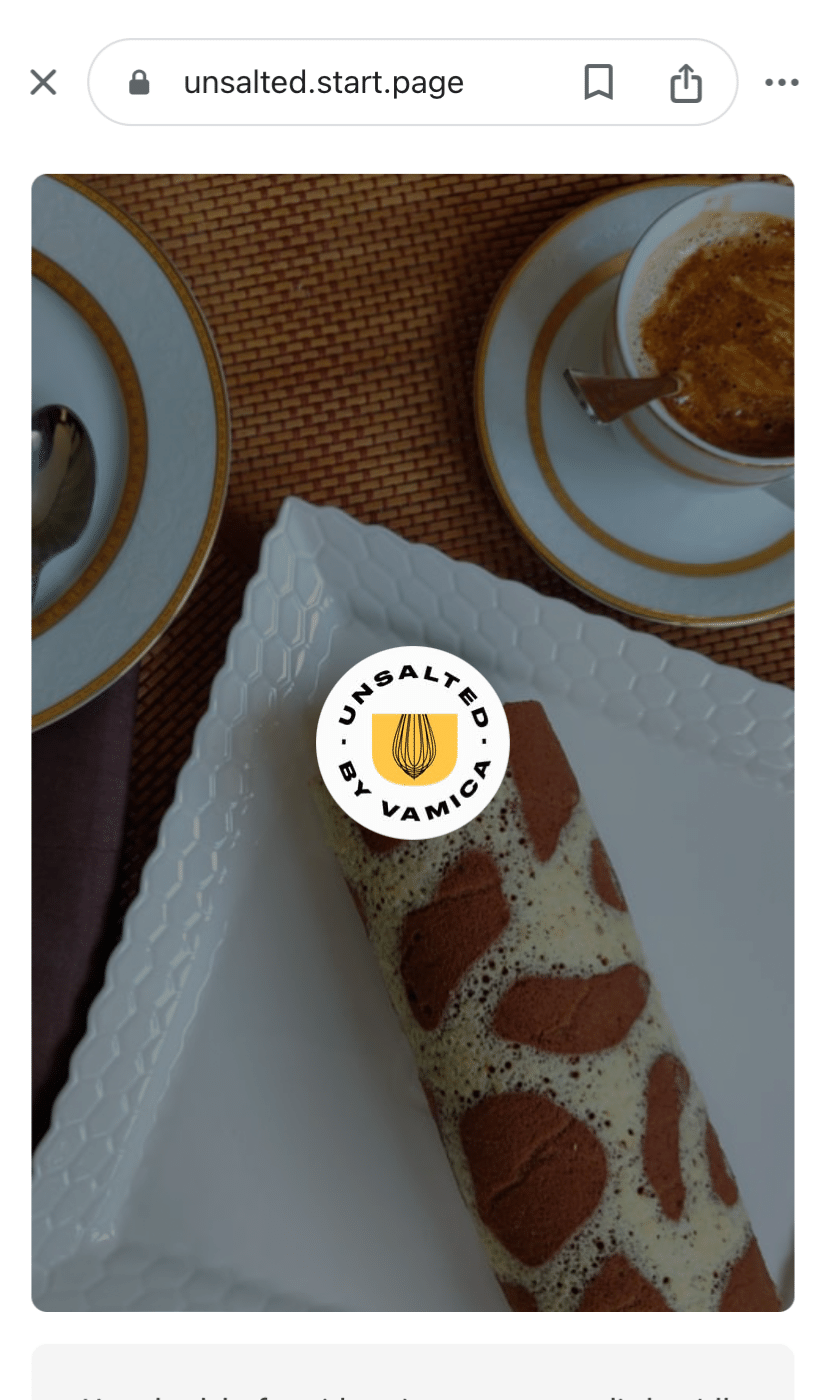
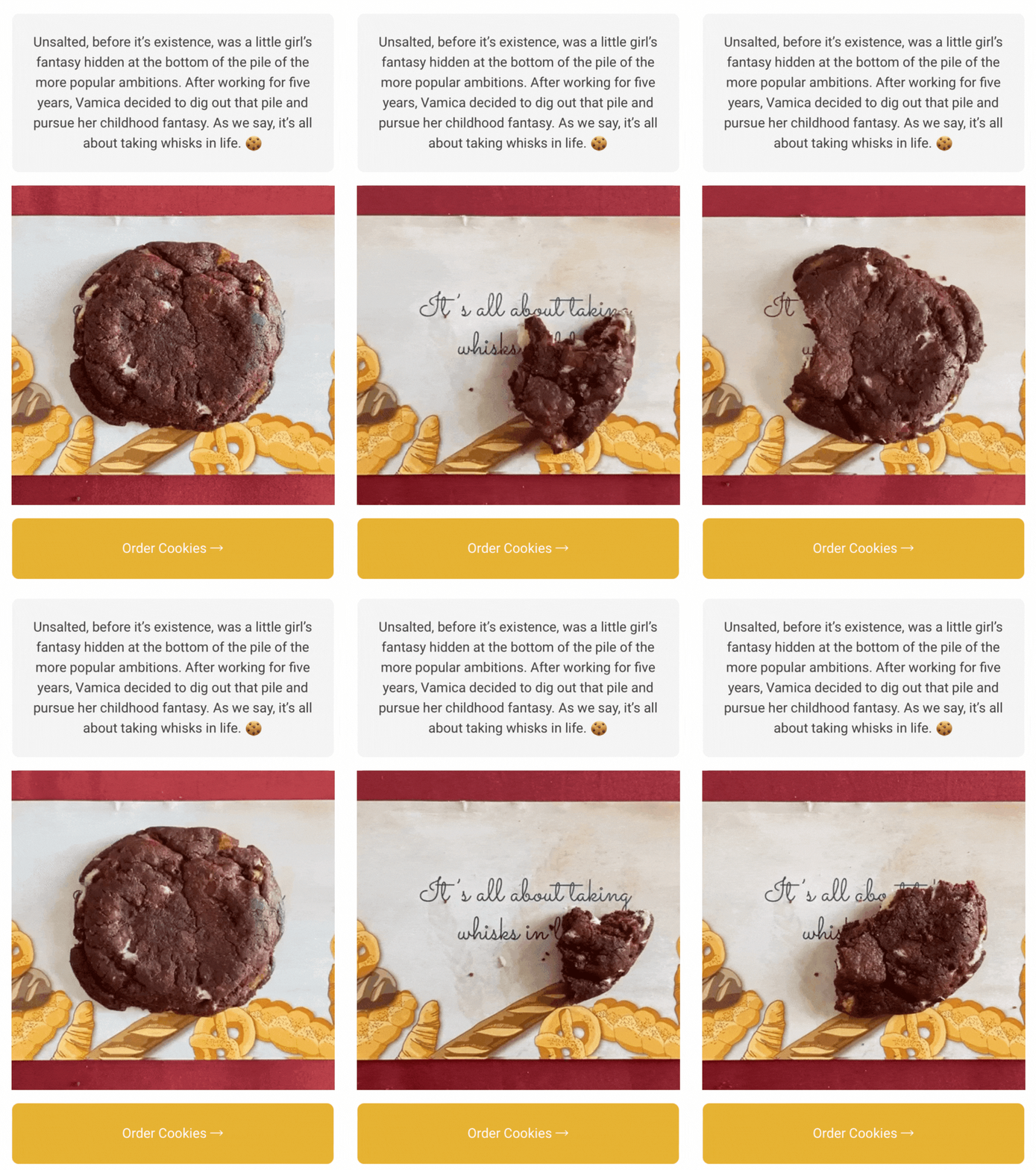
Unsalted Cookies has a great Start Page that acts as a website for their brand and directs visitors to visit their menu or place an order.
2. Determine what’s important
How do you know which links are important? It all depends on your goals and what you want your landing page to achieve.
- If you want to drive sales, direct attention to your store or sales
- If you want to grow your followers on other platforms, highlight your social media first
- If you want to increase brand awareness, include press mentions
- If you want more pageviews, highlight your blog
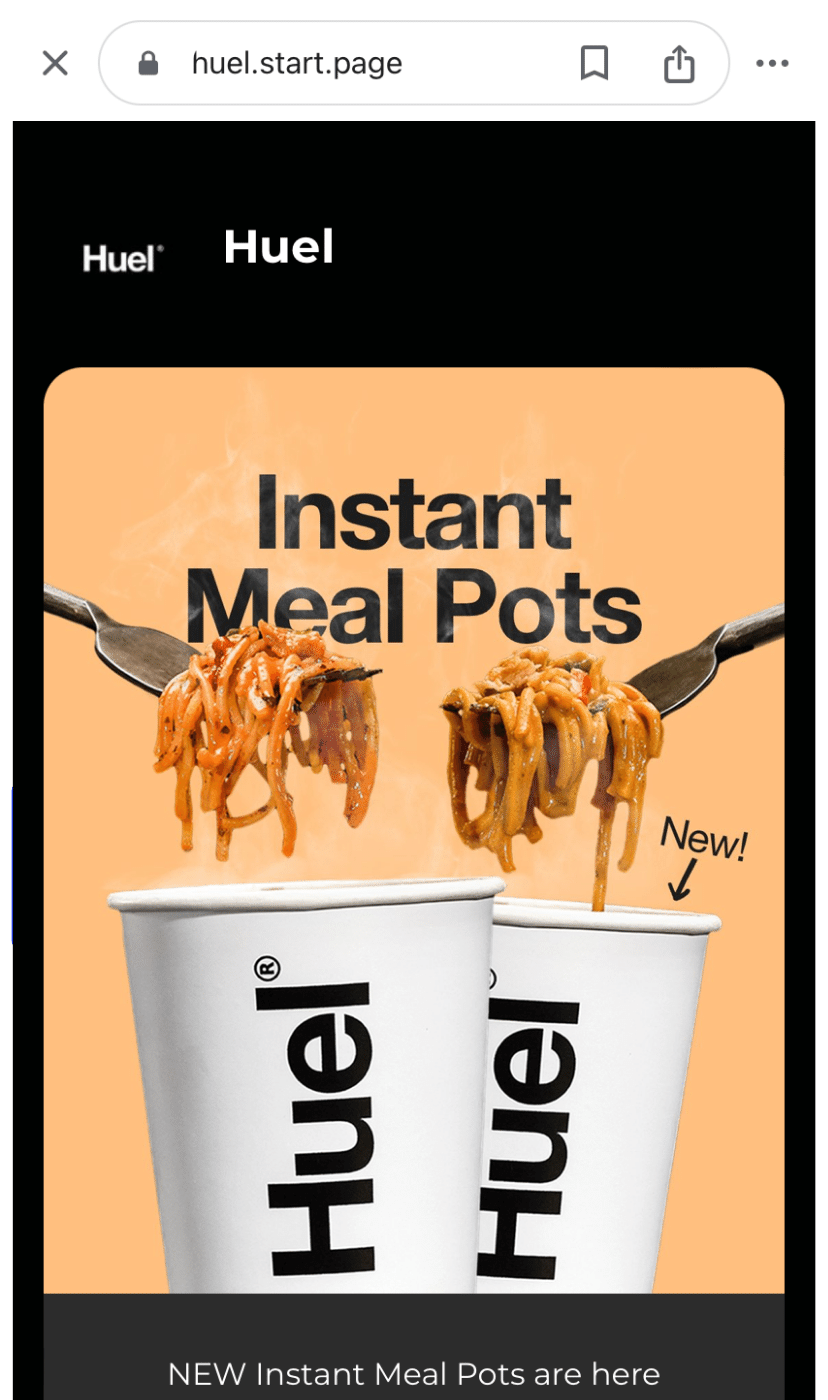
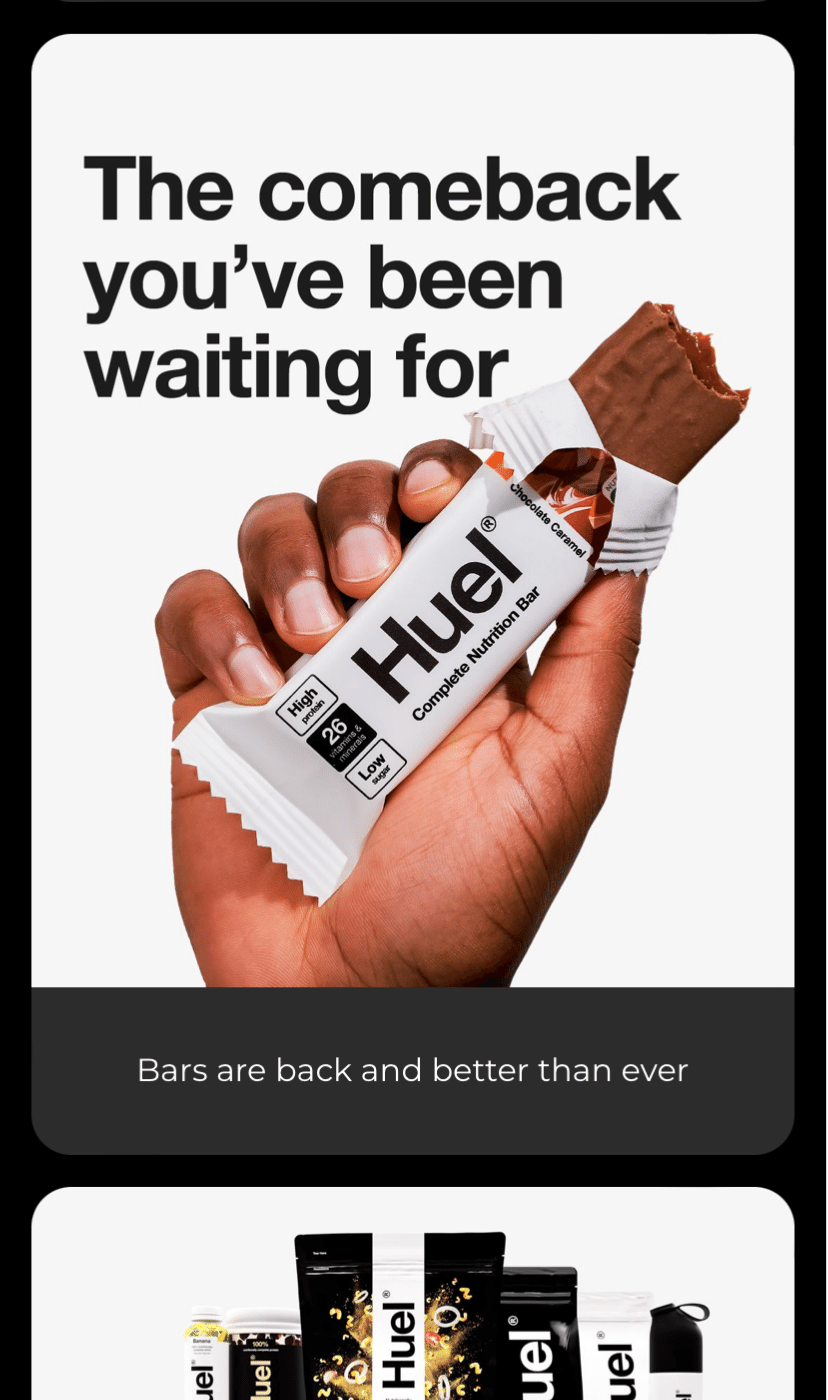
Huel’s Start Page leads with their latest and greatest products upfront. With one click, the visitors will find themselves directly on the product page to purchase.
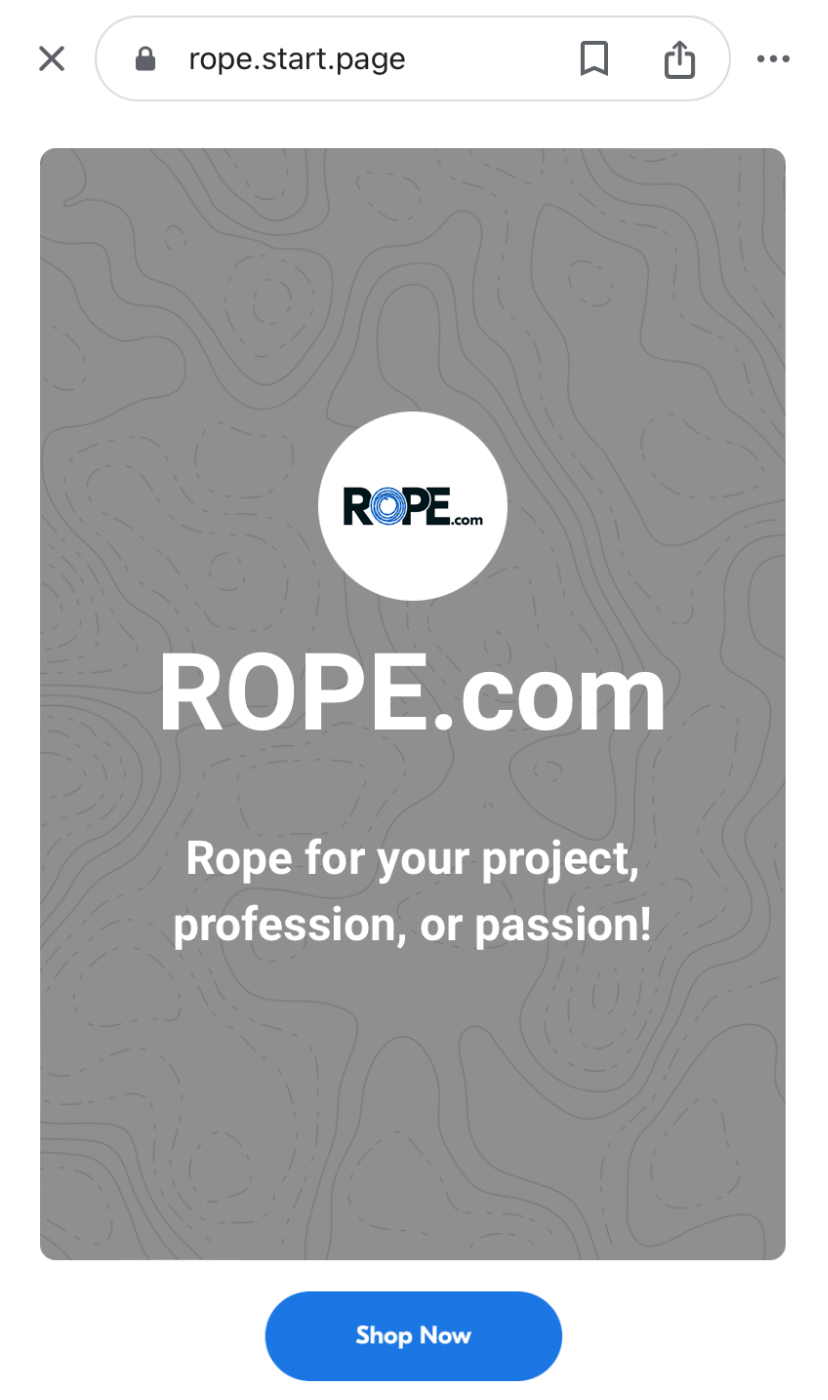
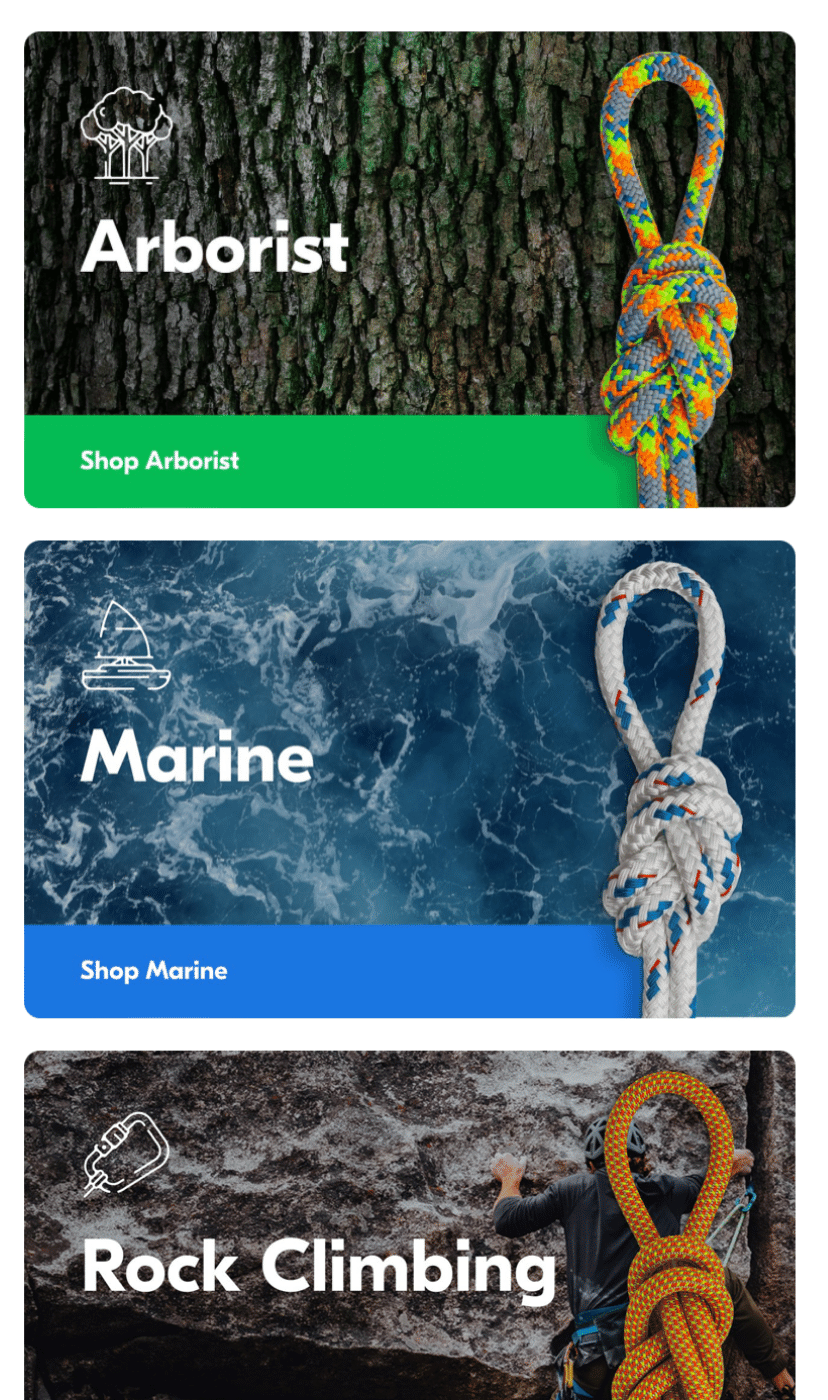
Visitors to Rope’s Start Page are also immediately directed toward the brand’s goal: purchase. The product categories are highlighted on the Page for visitors to click on immediately.
3. Show your value upfront
Just like your website, you need to communicate the value of your page upfront, especially to hook new visitors. Look for ways you can offer value to your audience, such as:
- Offering exclusive discounts for people who buy via your landing page.
- Sharing a valuable piece of content like a template or guide
- Including a good and concise introduction to you or your brand
Another excellent example of a value offer comes from Pinecone Papers. They share a useful template tying into their website’s (and audience’s) focus.


4. Keep your link in bio short
Your link will be displayed in full, so you need yours to be short and punchy. Some link in bio tools allow you to customize your URL. If yours will enable customization, take advantage of it.
5. Go for shorter links for your link in bio
Customized links are easy to remember and also more likely to inspire clicks. And if you can’t create a short URL for your landing page, try a URL-shortening tool like Short URL or TinyURL to make short links quickly.
6. Highlight your link in bio
Once you’ve added your link, you’ll want to try extra hard to drive traffic to the page. Try using emojis and a CTA to draw your audience's attention – think 👉 or ⬇️.
While it's tempting to set it and forget it, mentioning your link in your content can help you get more clicks to your page.
Create a Start Page to get the most out of your TikTok link in bio
Start Page is our flexible (free!) landing page tool that anyone can build and update in minutes from their Buffer account. It’s super easy to start, too. Here’s how to get your very own Start Page:
- Log in to Buffer and click Start Page in the navigation menu, or visit start-page.buffer.com. You should see a pre-populated page.
- Customize your page by trying one of the templates or playing around with the Appearance tab.
- Once you’re satisfied with the look of your landing page, you can move on to Layout to mix and match your content blocks. These blocks allow you to add boxes for text, images, videos, social links, and more to create your desired layout. You can also move the blocks around until you’re satisfied with the formatting.
- Once you’ve created and customized your page, simply hit publish to claim your unique URL and start sharing it on social media and in your TikTok link in bio.
FAQs about your TikTok link in bio
What does 'link in bio' mean on TikTok?
It simply signals that the creator or brand has placed an important external link (website, shop, newsletter, etc.) in their bio (on their profile page) for viewers to click.
Do I need 1,000 followers to add a TikTok bio link?
Not always. You’ll need 1,000 followers unless you switch to a business account and meet TikTok’s regional requirements or submit proof of business registration where available.
Why can’t I add a link to my TikTok bio?
Most likely, your account doesn’t meet the eligibility requirements, or you’re not using a business account. Check TikTok’s latest guidelines to be certain. If you still don’t see the option, be sure your app is updated and review regional restrictions that may apply.
Why isn’t my TikTok link clickable?
Clickable links only appear in the Website field for eligible business accounts. If you're pasting it into your bio description, it will display as plain text only.
How do I get a link in bio without 1,000 followers?
Use the bio description field as a workaround or register your business (if available in your region).
Can I add multiple links to my TikTok bio?
TikTok only allows one website field, but you can use a link-in-bio tool like Start Page to house multiple links and share just one clean URL.
Why can’t I see the website field in my profile?
Most likely, you’re still on a personal account. Switch to a business account and then check again.
Can I add a link from desktop?
No, TikTok currently only allows you to add or edit clickable links from the mobile app.
What’s the best type of link to add to my TikTok bio?
Anything that supports your goals — your website, shop page, newsletter, newest content, or a multi-link landing page. Keep it short, memorable, and aligned with what you want followers to do next.
More TikTok resources
- 13 Trending Songs on TikTok (+ How to Use Them)
- TikTok LIVE Can Help Boost Your Following — Here’s How to Go Live and Why You Should
- How to Go Viral on TikTok: 10 Actionable Tips (With Examples)
- How to Find Trending TikTok Sounds in 2026
- TikTok Analytics for Creators and Brands: The Metrics That Actually Matter
Try Buffer for free
200,000+ creators, small businesses, and marketers use Buffer to grow their audiences every month.