
I'm not a developer, but I am a content creator who's spent way more time than I'd care to admit experimenting with every social media API I could get my hands on.
That’s partly because I'm helping shape how we're talking about Buffer's API, and partly — OK, mostly — because I've been vibe coding my own little tools and workflows for months now. As a self-professed tools nerd, I love testing and experimenting when new ones hit the market.
One thing I’ve learned on my travels: to say the social media API space exploded in the last year would be an understatement. There are plenty of contenders in the space, most of them less than two years old, and all of them built with developers and AI agent builders in mind.
But there's plenty of nuance in social media APIs. Some are built for solo developers building one tool, while others cater to agencies managing dozens of client accounts. Some ship MCP servers ready to plug into Claude or your agent of choice; others don't. The answer to which social media API is best isn’t one-size-fits-all.
So let’s get into the weeds: Here's the rundown of every social media API worth knowing about right now, and my thoughts on what each one is best for.
Jump to a section:
The short answer
The best social media API depends on what you're building and how much polish you need. Buffer is the strongest free-tier option from an established brand, with a public MCP server, CLI, and 11 supported channels. Ayrshare is the most mature for enterprise teams that need analytics and comment management. Postiz is a great open-source option, with 30+ platforms and a free self-hosted version. Upload-Post and Zernio are strong newcomers for indie devs and AI agent builders.
Key takeaways
- Most unified social media APIs range from free (like Buffer) to $30/month entry pricing, with Ayrshare and Phyllo at the enterprise end ($149/month+ and custom quote, respectively).
- MCP server support is the fastest-growing new feature. Buffer, Upload-Post, Zernio, and Genviral all ship MCP servers in 2026, letting you connect AI agents like Claude or Cursor directly to a posting workflow.
- Buffer's API is available on every Buffer plan (free accounts get 1 API key, paid accounts get 5). Buffer is also the only established brand with a fully open MCP server.
- Postiz is the only fully open-source option, with 30+ platforms supported, self-hosting available, and a cloud version starting at $29/month.
- Phyllo is a little different: it pulls creator data (audience demographics, content performance, earnings) rather than publishing content. Worth knowing about if your product needs creator analytics.
Before we get into the crux of things, I hope devs reading this will forgive me for explaining a couple of things for my fellow vibe-coders. If you’re an engineer, skip to the tools list.
What is a social media API?
A social media API (short for application programming interface) is a way for one piece of software to talk to another.
In this case, your app talks to social networks like Instagram, TikTok, X, or LinkedIn so you can do things programmatically that you'd normally do by logging into each app: publish posts, schedule content, pull analytics, manage comments, or upload media.
Every major social network has its own native API that allows you to do most of our some of that. Meta's Graph API covers Instagram and Facebook. X, LinkedIn, TikTok, YouTube, Pinterest, Threads, and Bluesky all have their own.
They're free for the most part (X has pay-per-use pricing), but each one has its own login flow, rate limits, and… special quirks. If you want to publish to all of them from a single app, that's at least eight separate integrations to build and maintain.
That's where unified social media APIs come in. They sit on top of the native APIs and give you one consistent way to talk to all of them. I like to think of it as good cable management: instead of a tangle of mismatched wires, you have one multiplug that handles and connects everything.
Buffer, Ayrshare, Postiz, and the rest of the tools in this comparison are all different types of multiplugs. That’s why I’m zeroing in on those for this article.
A handful of them also do other useful things on top of publishing, like pulling creator analytics, generating AI content, managing comments and DMs, or letting your AI agent post on your behalf via an MCP server.
We'll get into all of that in the comparison below.
API vs. MCP server: what's the difference?
An API is how your code talks to social networks. An MCP server is how your AI agent talks to social networks, usually through that same API.
When you build a traditional app or workflow, you write code in Python, JavaScript, or another language to call the API directly. You handle the auth, format the data, parse the response, and handle errors yourself.
It’s a little different when you build with AI agents like Claude or Cursor. You're not really writing all that integration code anymore. You're giving the agent access to tools and asking it (in plain language) to use them. The MCP server, short for Model Context Protocol server, is the standardized layer that lets the agent “call” those tools without custom integration code for every single one.
So an MCP server for Buffer doesn't replace Buffer's API. It sits in front of it and exposes it in a format an AI agent can understand and use.
That's why "MCP server" appears as its own column in the comparison table below. If you're vibe-coding with Claude, an MCP server is what makes your agent able to post to social networks on your behalf without you writing wrapper code. If you're building a traditional app, you'll use the API directly, and the MCP server matters less (though it doesn't hurt to have one if you might add AI agent features later).
Quick comparison: the 10 best social media APIs for developers
| API | Platforms | Starting price | Open source? | MCP server? | Best for |
|---|---|---|---|---|---|
| Buffer | 11 | Free (1 API key) | No | Yes — open | Developers, vibe-coders, and no-code builders |
| Ayrshare | 13+ | $149/mo Premium · $499–599/mo Business | No | No (as of May 2026) | Agencies and enterprise teams needing analytics |
| Postiz | 30+ | Free (self-hosted) · $29/mo cloud | Yes | Limited | Developers who want full data control |
| Upload-Post | 10 | Free (10 uploads/mo) · $16/mo+ | Partial (MCP server only) | Yes — open | Solo builders who want a free tier with MCP |
| Zernio | 15 | $19/mo | No | Yes | Best for paid campaign management |
| Phyllo | 20+ | Custom (sales-gated) | No | No | Creator data, audience analytics (not posting) |
| Post for Me | 9 | $10/mo (1,000 posts) | Partial | No | Indie SaaS with predictable per-post pricing |
| Outstand | 10+ | $0.01 per post | No | No | Pay-as-you-go and bursty workloads |
| Genviral | 6 | Custom | No | Yes | AI-generated content workflows |
| PostEverywhere | 7 | $19/mo Starter · $79/mo Pro | No | No | Predictable monthly plans with AI built in |
- These prices and packages do change frequently, so please do double-check the cost on their sites before you sign up!
Buffer
Best for developers, vibe-coders, and no-code builders who want reliability and polish
Platforms: 11 — Instagram, Facebook, LinkedIn, TikTok, X, Threads, Bluesky, Pinterest, YouTube, Google Business Profile, Mastodon.
Pricing: Free users get 1 API key. Paid users get 5 API keys.
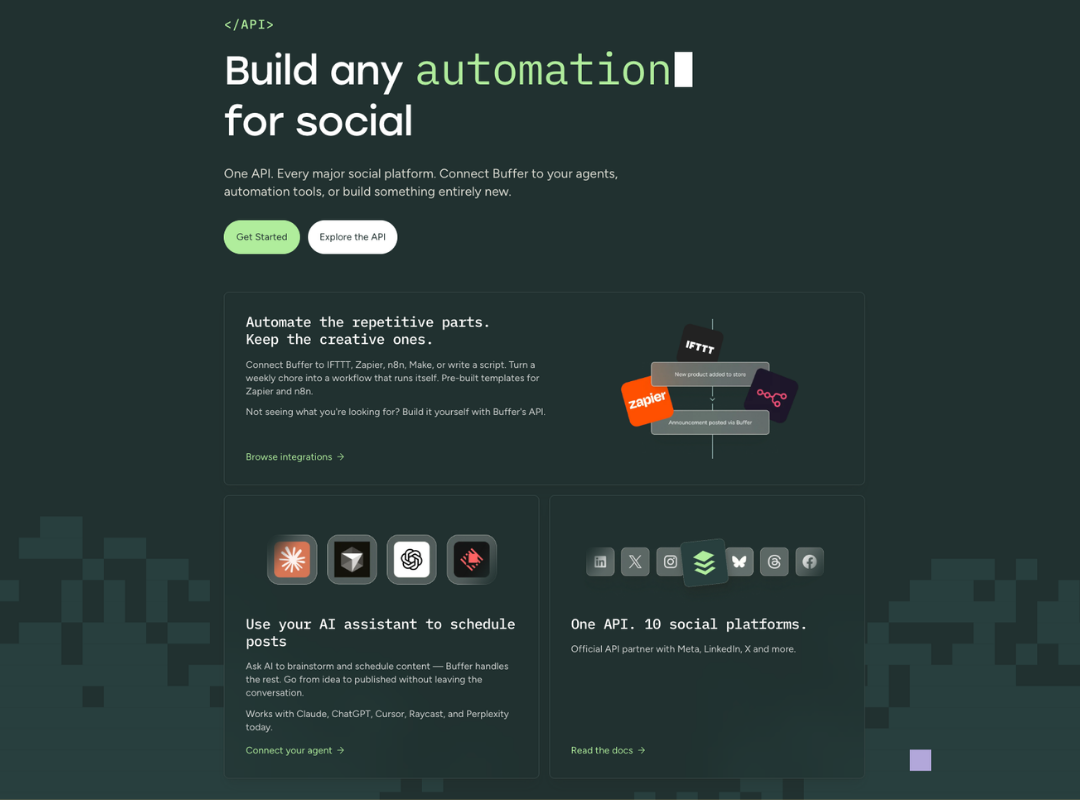
Buffer’s API uses GraphQL (a modern way for apps to query and share data), and the current version covers post creation, scheduling, content ideas, and basic account and channel metadata. We’ve been rebuilding the API from the ground up over the past few months, with a focus on documentation, AI-tool readiness, and developer-friendly tooling.
And if you're working from the command line, the new CLI (Command Line Interface) means Buffer fits into your stack the same way every other dev tool does: scriptable, version-controllable, and automatable. Posting to Buffer as part of a deployment script is now a one-liner. Most of the API-only tools in this comparison don't have a CLI at all.
On the other end of the spectrum, we have ready-made integrations with N8N, Zapier, and Make, if you’re after a more plug-and-play experience.
I've been building with the API and MCP for several months now (a blog and newsletter content calendar, plus a personal content OS that connects directly with Buffer), and it's been totally seamless.
I'm not the only one, either! Marin Nedelev, marketing coordinator at Atena, built a reporting system that replaced hours of manual work across 77 channels in nine countries. Shivani Shah, a content creator, built a Friday morning Slack bot that tells her what she posted that week, plus a whole LinkedIn analytics app on Lovable.
Sure, I’m biased, but I love how dependable the Buffer API is. It makes sense — it's the only API on this list from a brand with 15+ years of social media integration experience. Buffer is an official partner of every major social network, which is not true for many of the newer tools
Plus, building with Buffer means you already have a working dashboard you can use alongside the API and whatever tool or workflow you’re building, if you need it. Every other tool on this list is API-only or has a much rougher UI.
If you build something on Buffer's API, your users can also log in to Buffer's web app to manage their social media accounts without you having to build your own dashboard.
Honest limitations: Social media analytics aren't available via the API (yet — we’re hoping to make those available through the API soon)! You'd need to pull those separately or use the native Buffer dashboard.
Ayrshare
Best for agencies and enterprise teams that need full analytics
Platforms: 13+ — Instagram, Facebook, X, LinkedIn, TikTok, YouTube, Pinterest, Reddit, Telegram, Snapchat, Google Business Profile, and more.
Pricing: Premium starts at $149/month. Business starts at $499/month (sometimes listed at $599/month for 30 social profiles). There's a free tier, but it's limited to image posts and 20 posts per month, which makes it primarily useful for testing.
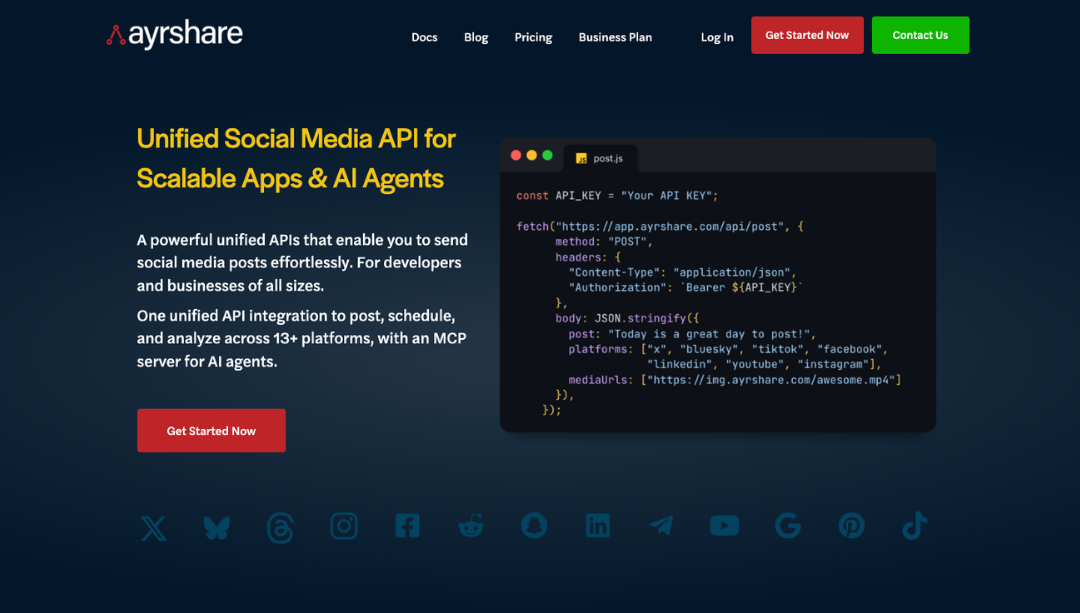
Ayrshare is the longest-running API-first player in this space. Software Development Kits (SDKs) are available for Node.js, Python, PHP, C#, Go, Java, and Ruby on Rails (the widest SDK coverage of anyone on this list).
The feature set goes beyond publishing, with comment and review management, messaging with auto-responses, advanced analytics, and hashtag automation.
If you're an agency managing dozens of client social profiles and you need granular analytics + DM handling + webhooks in one place, this is where you could probably justify Ayrshare’s premium price.
Honest limitations: The catch is price. At 50 social profiles, Ayrshare runs about $770/month, which makes it expensive for B2C products with thousands of customer accounts. And as of May 2026, there's no MCP server.
Postiz
Best open-source option for full data control
Platforms: 30+ — including X, LinkedIn, Instagram, Facebook, TikTok, YouTube, Pinterest, Threads, Bluesky, Mastodon, Discord, Nostr, and Farcaster.
Pricing: Free if self-hosted. Cloud starts at $29/month for 5 accounts and 400 posts (14-day trial).

Postiz is a solid option, and it’s open source. The full source code lives on GitHub, and you can deploy it on Railway, your own server, or anywhere you can run Docker. Every paid plan includes an API for creating posts, uploading media, and managing integrations, and it integrates with n8n and Make.com if you'd rather wire it up via no-code automation.
The platform list is the widest I’ve encountered. Like Buffer, it covers Mastodon and Bluesky — but Postiz goes further with Nostr and Farcaster too, making it the broadest API on this list for decentralized networks.
Honest limitations: Self-hosting means you're responsible for uptime, scaling, and platform API changes breaking your builds. Price is also a factor, as the cloud version starts cheaply but climbs quickly if you need more than 5 accounts.
Upload-Post
Best free tier with an open-source MCP server
Platforms: 10 — TikTok, Instagram, YouTube, LinkedIn, Facebook, X, Threads, Pinterest, Reddit, Bluesky.
Pricing: Free tier with 10 uploads/month. Paid plans start at $16/month (billed annually).
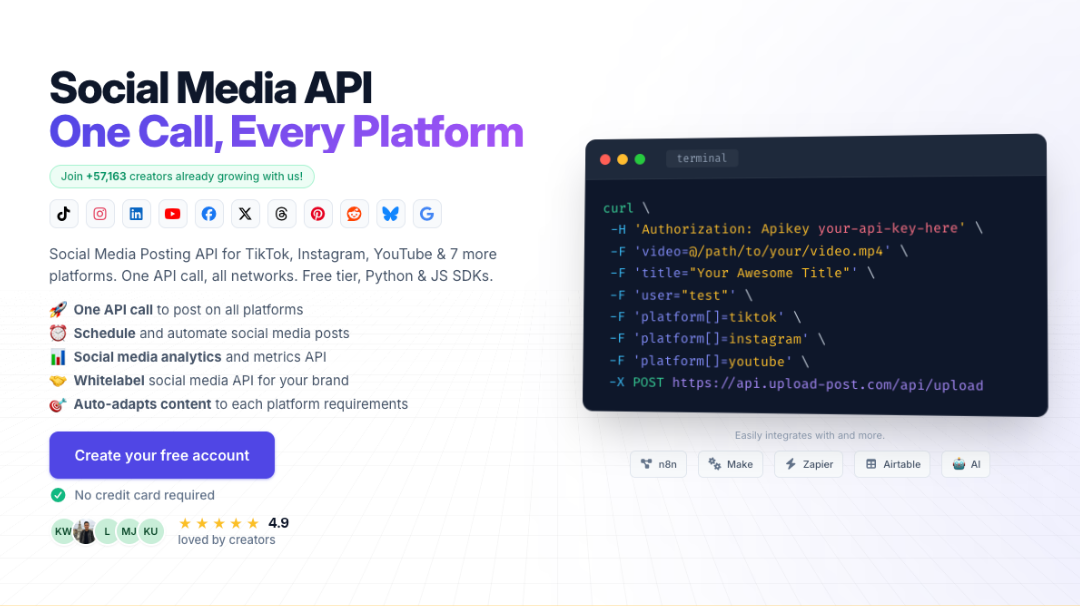
Upload-Post is one of the strongest newcomers. It's API-first, ships Python and JavaScript SDKs out of the box, has 30,000+ users, and runs an open-source MCP server, with 40 tools for AI agents. That MCP server (hosted on GitHub for auditing) makes Upload-Post one of the more interesting options if you're plugging Claude or Cursor into a publishing workflow.
Honest limitations: The free tier caps at 10 uploads per month, which is generous for having a play around, but not ideal for anything beyond personal use. And while the platform list covers the mainstream networks, it's narrower than Postiz's 30+ if you need emerging or decentralized networks.
Zernio
Best for paid campaign management
Platforms: 15 — X, WhatsApp, YouTube, Pinterest, Snapchat, Meta Ads, TikTok Ads, Instagram, LinkedIn, Threads, Bluesky, Google Business, Google Ads, Pinterest Ads, TikTok, Facebook, Reddit, Telegram, Discord, LinkedIn Ads, X Ads
Pricing: Starts at $19/month.
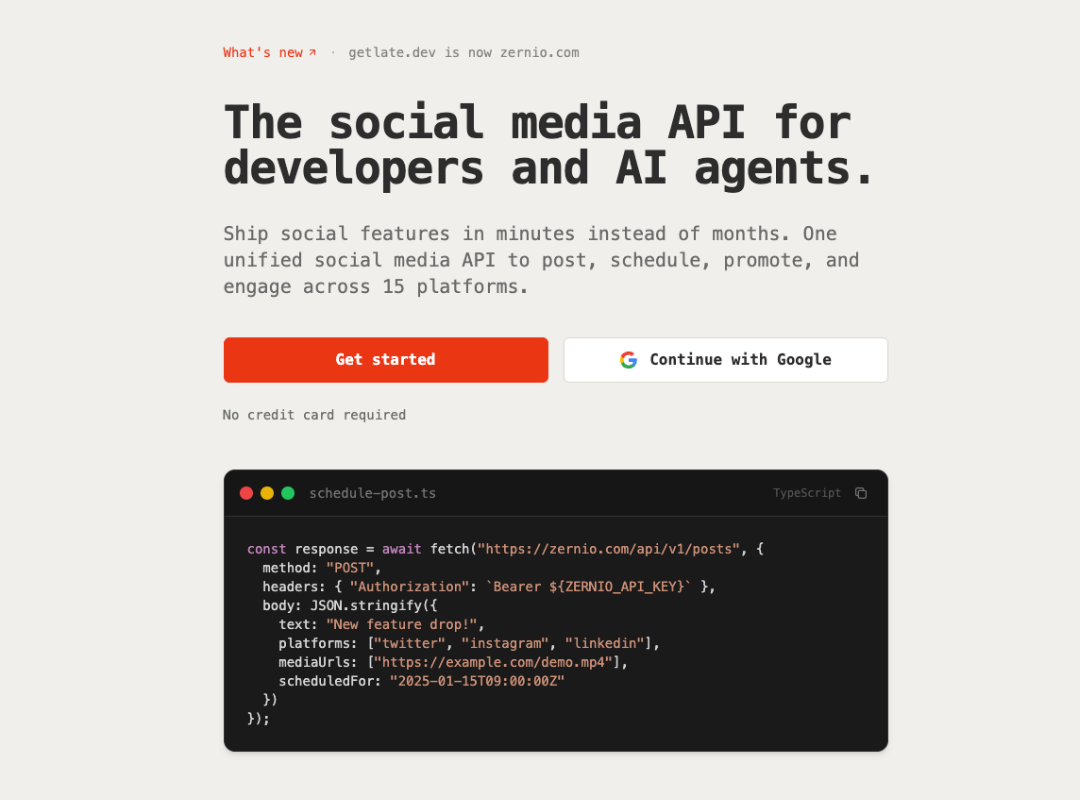
Zernio (formerly Getlate.dev) markets itself to indie developers and AI agent builders, with a flat $19/month entry point.
Zernio offers connectivity to various ad platforms, including Meta Ads, TikTok Ads, Google Ads, Pinterest Ads, LinkedIn Ads, and X Ads. It’s the only tool on this list to do so, so it’s a great call if you’re more concerned with paid than organic content.
It ships a dedicated MCP server alongside the REST API, making it useful if you're plugging Claude, ChatGPT, or other agents into a publishing workflow.
Honest limitations: Zernio is a newer option with a smaller community.
Phyllo
Best for social media analytics
Platforms: 20+ — YouTube, Instagram, TikTok, Twitch, Facebook, and other long-tail creator platforms.
Pricing: Custom, sales-gated.
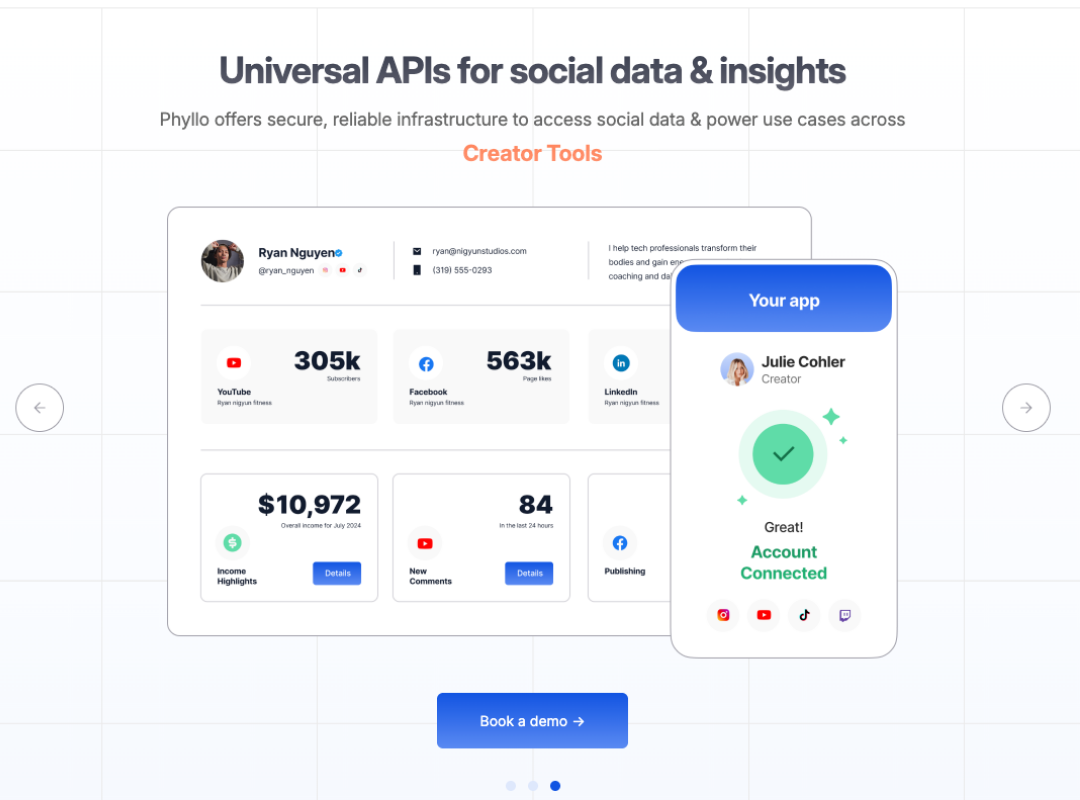
Phyllo isn't technically a posting API. It's a creator data API that pulls audience demographics, engagement stats, content performance, and earnings data (where available) directly from the platforms. If you're building a creator marketplace, an influencer analytics tool, or anything that needs to display real audience data from a creator's profile, Phyllo is in a category of its own.
Honest limitations: Pricing is gated behind a sales call, which is fine for enterprise procurement but frustrating for indie devs who just want to see if it fits the budget. And because it's data-focused, you can't use it to actually publish content. You'd pair it with one of the publishing APIs on this list.
Post for Me
Best for indie SaaS with predictable per-post pricing
Platforms: 9 — TikTok, Instagram, Facebook, X, LinkedIn, YouTube, Threads, Pinterest, Bluesky.
Pricing: $10/month for 1,000 posts. Plans run $10 to $1,000/month with unlimited accounts and unlimited API keys.Post for Me
Best for indie SaaS with predictable per-post pricing
Platforms: 9 — TikTok, Instagram, Facebook, X, LinkedIn, YouTube, Threads, Pinterest, Bluesky.
Pricing: $10/month for 1,000 posts. Plans run $10 to $1,000/month with unlimited accounts and unlimited API keys.

Post for Me prices on post volume rather than profile count, which works well if you have many low-activity accounts. Unlimited accounts and unlimited API keys are included on every plan, with no per-seat fee, which is really handy if you’re building a SaaS app and don't want pricing surprises as you grow.
Honest limitations: The platform list is shorter than the bigger players. No MCP server yet. And while the per-post pricing is predictable, you'll want to tread carefully if you have high-volume accounts.
Outstand
Best for pay-as-you-go publishing
Platforms: 10 — X, LinkedIn, Instagram, Facebook, TikTok, YouTube, Threads, Bluesky, Pinterest, Google Business Profile.
Pricing: $0.01 per post.
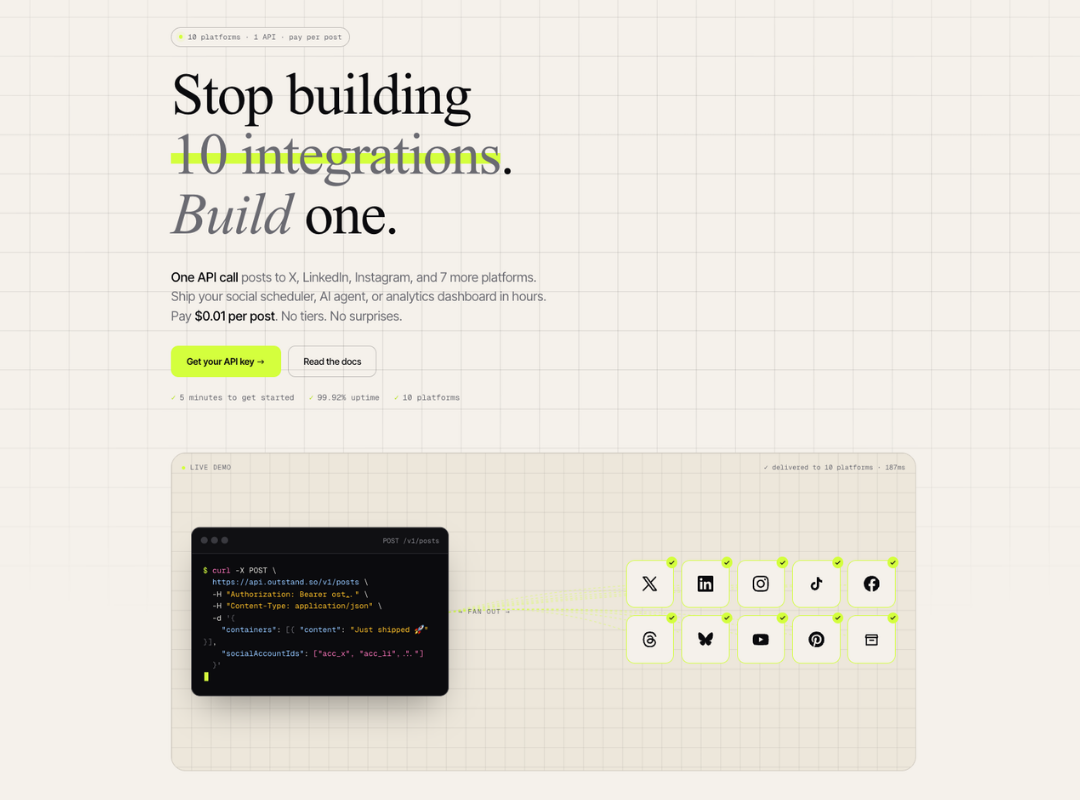
Outstand's per-post pricing is pretty unusual in this market. For a low-volume side project or a proof-of-concept build, it can come in under any flat paid plan. For a high-volume product, the math gets less friendly, and you'd want to compare it carefully against Postiz self-hosted or Post for Me's flat plans.
Honest limitations: No MCP server. Pricing model favors sporadic publishing; at scale, you're better off on a flat plan.
Genviral
Best for AI-generated content workflows
Platforms: 6 — TikTok, Instagram, YouTube, Pinterest, LinkedIn, Facebook.
Pricing: Custom (varies by usage).
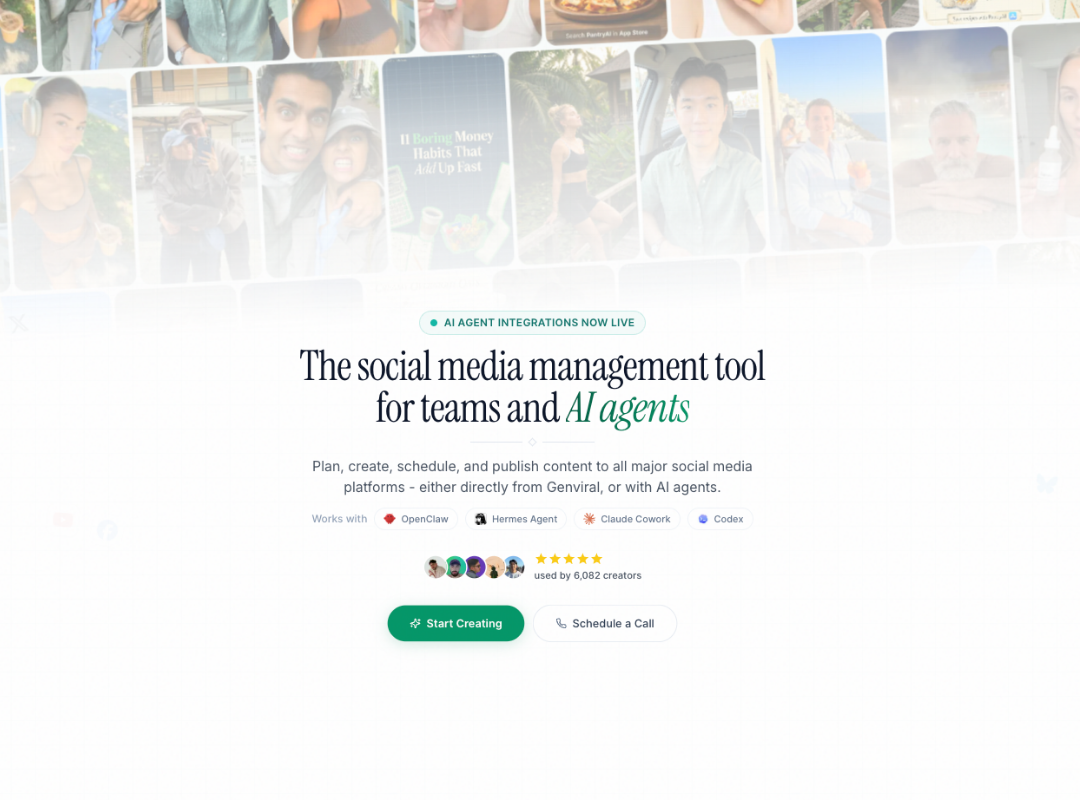
Genviral is the most explicitly AI-native option on this list. The API includes a full content pipeline: generating AI slideshows, managing image packs, creating reusable templates, rendering final assets, and tracking analytics across all six platforms. There's a TikTok draft mode (you can add trending sounds before publishing) and direct posting to the other five.
It's built around an OpenClaw integration with 42+ commands for AI agents, which makes it interesting if your product's core loop is "AI generates content, then publishes it."
Honest limitations: Smaller platform coverage (6 vs. the 10-30 range of competitors). No public pricing tier list, so you'd need to talk to sales. And the focus on AI-generated content means it's probably a bit much if you just want to programmatically schedule existing posts.
PostEverywhere
Best for predictable monthly plans with AI built in
Platforms: 7 — Instagram, X, LinkedIn, Facebook, TikTok, YouTube, Threads.
Pricing: Starter $19/month (10 accounts, 50 AI credits, unlimited posts). Growth $39/month (25 accounts, 500 AI credits). Pro $79/month (40 accounts, 2,000 AI credits). All plans include unlimited posts and full API access. 7-day free trial.
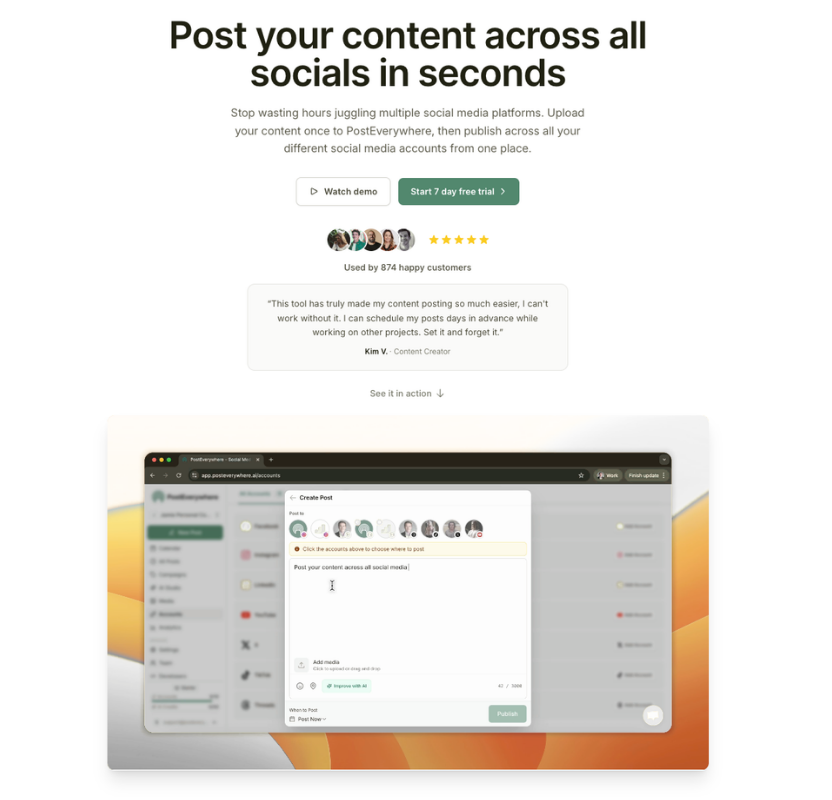
PostEverywhere is the most "all-inclusive" plan on this list. API access is included on every tier, AI image generation is built in, and rate limits are generous: 60 requests/min, 1,000/hr, 10,000/day.
Honest limitations: Only 7 platforms. No MCP server. AI credits are limited at the lower tiers, which can pinch if you're using the image generation heavily.
How to choose the best social media API for your work
Here’s a handy framework if you’re still unsure which one might work best for you:
- If you want a free tier from a brand you've heard of, start with Buffer or Upload-Post. Both are free for low volume, both have MCP servers, and both come from teams actively maintaining their developer experience.
- If you're building for enterprise teams that need analytics, Ayrshare is the safe choice. It's expensive, but the feature set goes deeper than anyone else on this list.
- If you want full control and don't mind running your own infrastructure, self-hosted Postiz is unbeatable on cost (free) and platform coverage (30+).
- If you're building an AI agent, the MCP server matters. Buffer, Upload-Post, Zernio, and Genviral all ship one. Try each in your dev environment and see which docs land best.
- If you need audience data (not just posting), Phyllo is the only one in this list built for that.
- If your pricing model needs to be unusual (very high account count, very bursty publishing, very predictable monthly), look at Post for Me, Outstand, or PostEverywhere, respectively.
Frequently asked questions
What's the cheapest social media API for developers?
Buffer, which offers 1 API key on the free plan, and Upload-Post (free for 10 uploads/month) are the lowest entry points, while self-hosted Postiz is free if you can run it yourself.
Which social media API has the most platforms?
Postiz, with 30+ platforms. It's the only one that supports decentralized networks like Nostr, Farcaster, and Mastodon alongside the mainstream ones. Zernio offers 15. Ayrshare covers 13+. Buffer's API supports 10 channels.
Which social media APIs have an MCP server?
As of May 2026: Buffer, Upload-Post, Zernio, and Genviral all ship MCP servers. Buffer's and Upload-Post's are open and well-documented, which is really helpful if you're plugging AI agents like Claude, Cursor, or ChatGPT directly into a publishing workflow.
Is Buffer's API publicly available?
Yes. Buffer's API is publicly available to every Buffer customer. Free accounts can generate one API key; paid accounts get up to five. It covers post creation, scheduling, content ideas, channel management, and account metadata, with built-in no-code integrations (IFTTT, Make, Zapier) and a CLI for scripting. There's also an open MCP server for AI agents like Claude, Cursor, and ChatGPT.
Do native social media APIs cost money?
Most don't. Meta Graph (Instagram and Facebook), LinkedIn, TikTok, YouTube, Pinterest, Threads, and Bluesky are all free to use, though each has rate limits and quota systems. X is the exception: as of February 2026, new developers pay per request, with text posts at roughly $0.015 and URL-containing posts at $0.20.
Ready to build?
If you're taking Buffer's API for a spin, we've got resources to get you moving. Our developer docs cover the GraphQL schema, auth flow, and quick-start examples. The Buffer MCP server docs walk through plugging it into Claude or any MCP-compatible AI agent.
If you need hands-on help, our support team is around, or you can join our Discord server and chat with other people building with the API.
We'd love to hear about what you make. Find us in Discord, or @buffer on all major social channels.
Try Buffer for free
200,000+ creators, small businesses, and marketers use Buffer to grow their audiences every month.