Publish Your Overdue Draft
You have two drafts waiting, one overdue. Share your thoughts on Buffer's open API to engage your audience.Substack Notes
Note to self: schedule it.
A Substack Notes scheduler that also shares your Notes to LinkedIn, X, Threads, Bluesky and more.
Get started nowCreate Post

What would you like to share?


Substack analytics
See which Notes earn you subscribers
Buffer tells you how many free and paid subscribers each note brings in, plus other useful insights like impressions and follows.
Get started now
theashes_band
Weekly Takeaways
Repost Your Popular Post
Repost your engaging post about your ambitious project. It resonated well, with a reach of 1781.Boost Posting Consistency
Your posting goal is 3 posts per week, but you've only sent 2 so far. Consider scheduling more posts to maintain momentum.All Insights
- Posts
67
1.7% - Followers
2.2k
2.6% - Likes
7,295
6.3% · vs last period - Comments
152
2.3% - Impressions
520k
12% - Shares
12
1.2% - Saves
21
12% - Reach
120k
1.2%
Jun 11 - Jun 17, 2026
| Posts · 4 | Impressions | Reactions | Restacks | Follows | New Subscribers |
|---|---|---|---|---|---|
| 1Three mornings in Lisbon with one roll of film. Most of what I learned about photographing strangers came from the ones who said no.Jun 11, 2026 | 18.4k | 1,204 | 96 | 148 | 212 |
| 2The market at Campo de Ourique opens before the light does. New post on shooting in the half-dark, link below.Jun 4, 2026 | 14.1k | 968 | 71 | 117 | 164 |
| 3A question for the photographers here: do you ask first, or shoot first and ask after? I have changed my answer twice this year.May 29, 2026 | 11.7k | 1,032 | 58 | 92 | 73 |
4 Contact sheets from the tram depot. Twelve frames, one keeper, and the keeper is not the one I expected.May 24, 2026 Contact sheets from the tram depot. Twelve frames, one keeper, and the keeper is not the one I expected.May 24, 2026 | 9.8k | 744 | 41 | 66 | 58 |
Scheduling
Plan all your social content in one place
Share content to Substack Notes, Instagram, X, TikTok, Facebook and more from one easy-to-use workspace.
Features
- Save drafts, collaborate with others,
and schedule for the optimal times - See everything in one calendar view
- Tag and organize your content
All Channels
June 2026
June 17
| Sun 14 | Mon 15 | Tue 16 | Wed 17 | Thu 18 | Fri 19 | Sat 20 |
|---|---|---|---|---|---|---|
Feeds
Promote any post from your Substack
Add your Substack as a feed in Buffer and easily promote evergreen posts to Notes and to other social channels.
Get started nowCreate
The Oscars: Who Will Win and Who Should Win
Culture: TV, Movies, Music, Art, and Theatre News and ReviewsEvery awards season is one battle after another, and the ninety-eighth Academy Awards ceremony promises a more climactic showdown than most.Briefly Noted Book Reviews
Culture: TV, Movies, Music, Art, and Theatre News and Reviews“End of Days,” “Tiny Gardens Everywhere,” “Floodlines,” and “Murder Bimbo.”‘Lettres Décoratives’ Is a Celebration of Fin de Siècle Sign Painters’ Vibrant Typography
ColossalThe book from Letterform Archive celebrates the vivacity of French sign painting from the 19th and early 20th centuries. Do stories and a lot of decorative letterforms.
Turning Idle California Farmland Into A Clean Energy Powerhouse
Explore Current Climate NewsletterSolar developers are leasing fallowed fields across the Central Valley, turning land that can no longer be irrigated into some of the cheapest power in the state.
- Add Feed
- Import OPML
- Explore Feeds
- New collection
Integrations & API
Works with Claude, ChatGPT, and more
Buffer plugs into the tools you already use to create and manage content, so you can do everything you need through an agent.
Get started now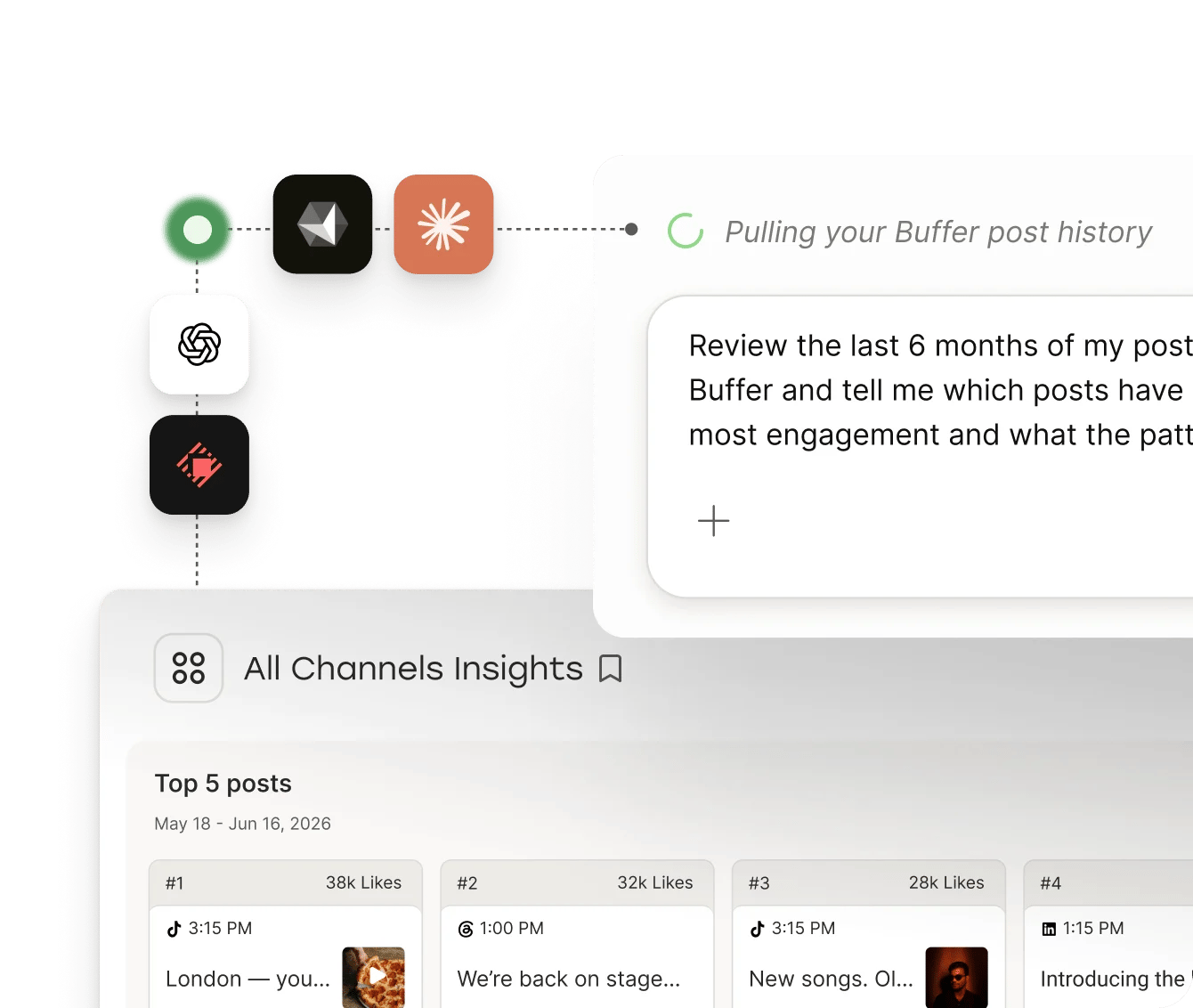
What people are saying

Publishing is only half the job, you also need a repeatable way to distribute your work. Buffer makes that much easier, and keeps a good post from disappearing after publication day”
Resources
Learn more about growing on Substack
Tips, guides, and stories for writers building their audience with Substack Notes.

How to Use Substack
Learn how to use Substack from my experience on the platform in this detailed guide.


Danny Hieber Explains Language to the Internet
Linguist Danny Hieber turns each issue of his Substack newsletter into dozens of posts for Substack Notes and six other platforms, then schedules them in Buffer to go out over the following weeks.

How To Start A Newsletter
In this article, we’ll be sharing the steps to starting your own newsletter.
Forever free with team options
Connect your Substack account and schedule your first Notes on Buffer's free plan. No credit card, no catch.
FAQs
Can you schedule Substack Notes?
Can you schedule Substack Notes?
Yes. You can schedule Substack Notes in Buffer by connecting your Substack account, writing your Note, and picking a time for it to go out. Substack added native Note scheduling in its own composer too, so the reason to use Buffer is what happens around the Note: one calendar covering every channel you post to, the same Note sent to LinkedIn, X, Threads and Bluesky, and analytics showing which Notes brought in subscribers.
Can I schedule Substack posts as well as Notes?
Can I schedule Substack posts as well as Notes?
Substack handles scheduling for full posts inside its own editor, where you can pick a publish date for a draft. Buffer works on the layer around that: add your Substack as a feed and Buffer will pull in published posts so you can queue them to your social channels, or share them again as Notes weeks later. Notes are the part Buffer schedules directly.
Does Substack integrate with Buffer?
Does Substack integrate with Buffer?
Yes. Connect your Substack account to Buffer and your Notes become another channel in your queue, sitting alongside LinkedIn, Instagram, X, TikTok and the rest. You can also add your Substack as a feed, which pulls your published posts into Buffer so you can promote them without copying links by hand.
Can I share my Substack Notes to LinkedIn, X, Threads and Bluesky?
Can I share my Substack Notes to LinkedIn, X, Threads and Bluesky?
Yes. Write a Note in Buffer and you can send the same text to LinkedIn, X, Threads, Bluesky, and any other channel you've connected, editing each version if you want it to read differently. Notes tend to stay locked inside Substack otherwise, so this is the part most writers set up first.
Is there a free Substack Notes scheduler?
Is there a free Substack Notes scheduler?
Yes. Buffer's free plan lets you connect your Substack account and schedule Notes without paying or entering a card. Paid plans add more channels, analytics history, and collaboration for teams.
What Substack analytics does Buffer show?
What Substack analytics does Buffer show?
Buffer shows how many free and paid subscribers each Note brought in, plus impressions, follows, and engagement. Because your other channels sit in the same dashboard, you can also compare a Note against the LinkedIn or Threads version of the same idea and see which one earned more.
Can I automate my Substack Notes?
Can I automate my Substack Notes?
Yes. Buffer's API and MCP connector let you schedule, repost, and report on Notes from outside the app, so you can wire Notes into Claude, ChatGPT, Zapier, or a script of your own. A common setup is asking an assistant to draft Notes from a published issue and drop them into your Buffer queue for review before anything goes out.
Do I need a Chrome extension to schedule Substack Notes?
Do I need a Chrome extension to schedule Substack Notes?
No. Buffer schedules Notes from the web app and the mobile apps, so there's nothing to install. Several third-party Chrome extensions do the same job for Substack alone, but they only cover Notes, and they stop working whenever the extension breaks or Substack changes its page.
Can I connect more than one Substack publication?
Can I connect more than one Substack publication?
Yes. Each publication connects as its own channel in Buffer, so writers running two or three Substacks can schedule for all of them from one account and keep the analytics separate.
How do I start scheduling Substack Notes?
How do I start scheduling Substack Notes?
Sign up for Buffer, connect your Substack account, and write your first Note. You can start on the free plan without a card, add your other channels whenever you want the Note going out to more than one place, and pick up a 14-day trial of the paid plans if you need analytics or team access.