
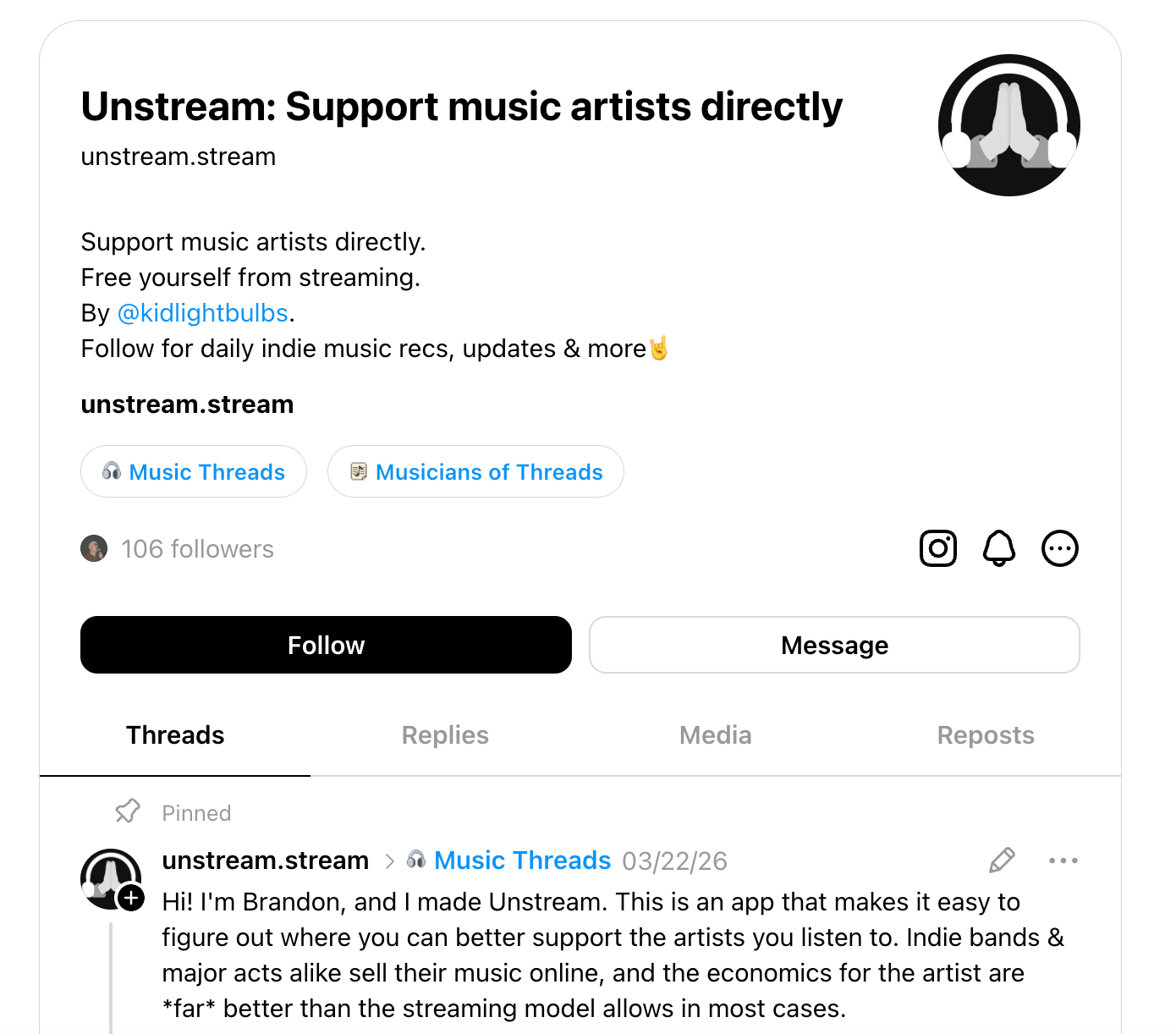
Last year, I built Unstream, a side project that helps music fans find better ways to support the artists they actually love beyond the streaming apps. The first iteration came together over a weekend of vibe coding, but there have been a lot of iterative improvements and refinements that have caused marketing to take a back seat.
My marketing strategy, if you could call it that, was impulse posting. I'd think of something, drop everything to write it, push it to Threads or Instagram, then try to get back to what I was actually doing. It worked occasionally. It wasn't sustainable.
Then I realized I'd been sitting on a content engine the whole time with my database of artists, a log of every feature I'd shipped, and all I had to do was automate the assembly. Here’s how I did it.
The raw material was hiding in the product
When I built Unstream, I ended up with two useful data pools without really thinking of them as content.
The first was a database of indie artists. About a month before I built the automation, I'd added a way for artists to claim and verify their profiles on Unstream. They could curate their own links and confirm their presence on different platforms. One hundred and fourteen artists signed up, giving me a clean, verified list of smaller independent musicians, and every way you can support them directly.
The second was more established artists. I used Claude Code to build a script — originally just for SEO — that pulled from the WikiInfo and MusicBrainz APIs to generate pages for musicians at a certain level of prominence. They aren’t quite Taylor Swift-popular, but that second- or third-tier of working artists most people don't realize they can support outside of Spotify. I also filtered out anyone who wasn't active anymore to highlight musicians who actually benefit from that support right now.
And then there was a third source of content I almost overlooked: a shipped features log. Every time I ship something, I add an entry with the feature, the date the feature rolled out, and a rough description. It powers a changelog in the app and is also a running list of things worth talking about on Unstream’s socials, at least when I get around to it.
The tools that run my automation
If I had to distill the workflow, here's the order it runs in:
- GitHub Actions fires the job on a schedule: every Monday at 9 a.m.
- The artist databases and features log supply the raw material
- My templates (drafted with Claude Code, following my voice-and-tone guidelines) shape each post
- The Buffer API schedules and publishes everything across Instagram, Threads, and Bluesky
⚡ To be clear: Claude didn't write these posts. I built a small set of templates (some with Claude's help) that the automation reuses for every post — closer to a daily syndication of artist and feature updates than AI churning out content.
It's a bit more involved than those four lines, though, so here's everything that goes into running the automation.
Claude Code is what I've been using to build Unstream from the start. It helped me write the scripts that populated my artist databases, and it helped me build the TypeScript automation that assembles the posts from my templates. It was the natural choice because I was already working in it every day, so there was no context-switching involved.
The Buffer API is how I schedule and publish posts. Once the automation generates a week of content, it pushes everything to Buffer, which handles the publishing across Instagram, Threads, and Bluesky. The API also lets me do platform-specific things, like adding Threads posts to the Music topic and appending hashtags on Instagram and Bluesky, without having to manually adjust each post.
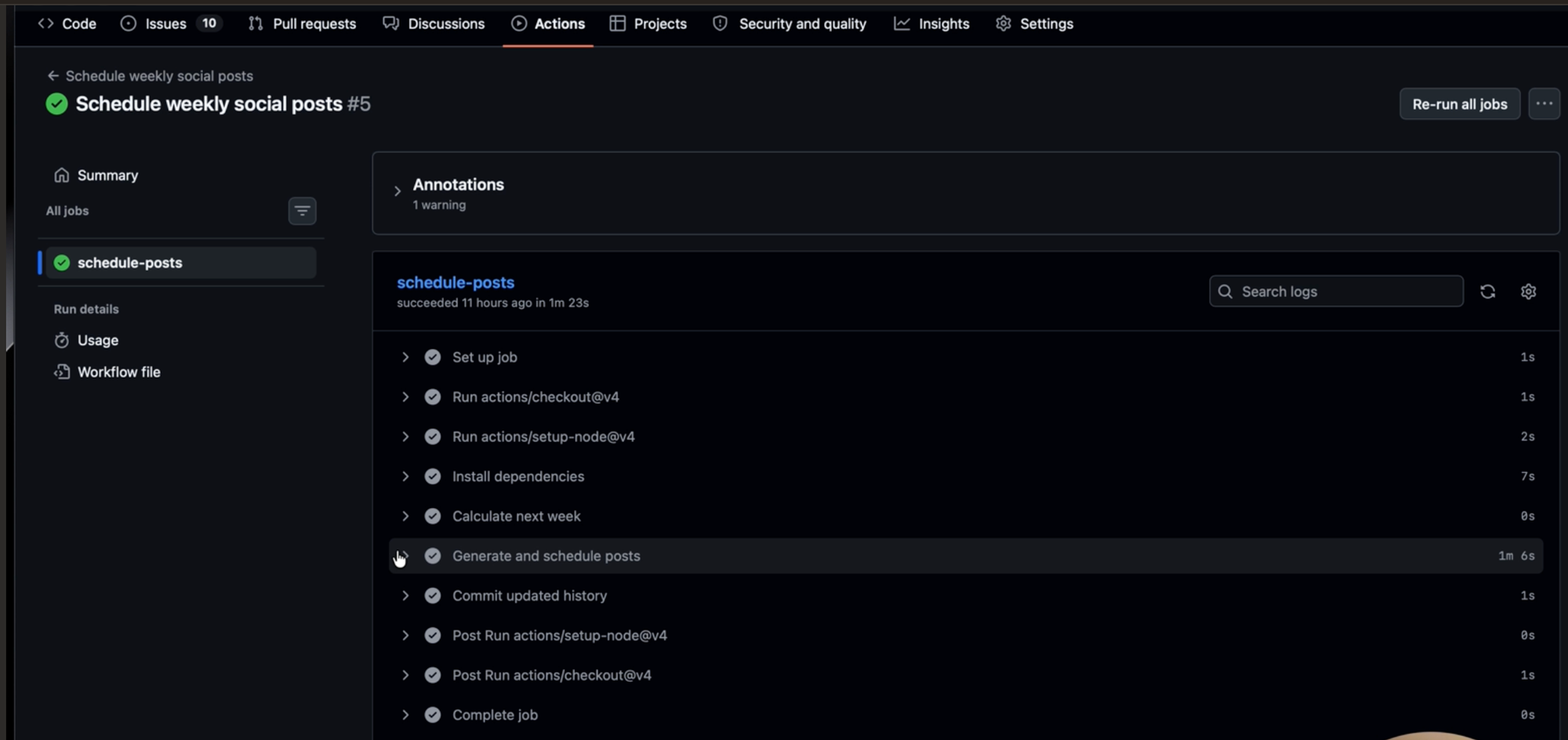
GitHub Actions is where the job runs. I have one action — "schedule weekly social posts" — that fires every Monday at 9 a.m. It calculates the upcoming calendar week, runs the TypeScript script, and that's it. No need for a manual trigger means there's no scheduled task I need to revisit.
iA Writer, a distraction-free text editor, is where I do spot-checks. All the generated posts and the upcoming schedule are stored as Markdown files in the repo, so I can pull them up in iA Writer whenever I want to review what's going out. It's not a required step since the system runs fine without me looking, but it's nice to have a window into it.
MusicBrainz is the large music database I use to populate platform links and artist data for the more established artists. It's one of the APIs that powers Unstream's search, so the content pipeline is pulling from the same data source the product itself uses.
Inside the automation that generates 21 posts each week
Every Monday at 9 a.m., GitHub Actions fires the script. Then:
Step 1: Pick the artists
The TypeScript script starts by selecting six artists: three from the verified indie pool and three from the established artist pages. Indie artists come from the 114 musicians who’ve claimed their Unstream profiles. Established artists come from the WikiInfo and MusicBrainz-generated pool.
Each artist gets flagged as “promoted” once they’ve been featured. They won’t appear again until every artist in the pool has had a turn. This is one of the details that make the system work in the long term. More on that in a bit.
Step 2: Build the seven-day content calendar
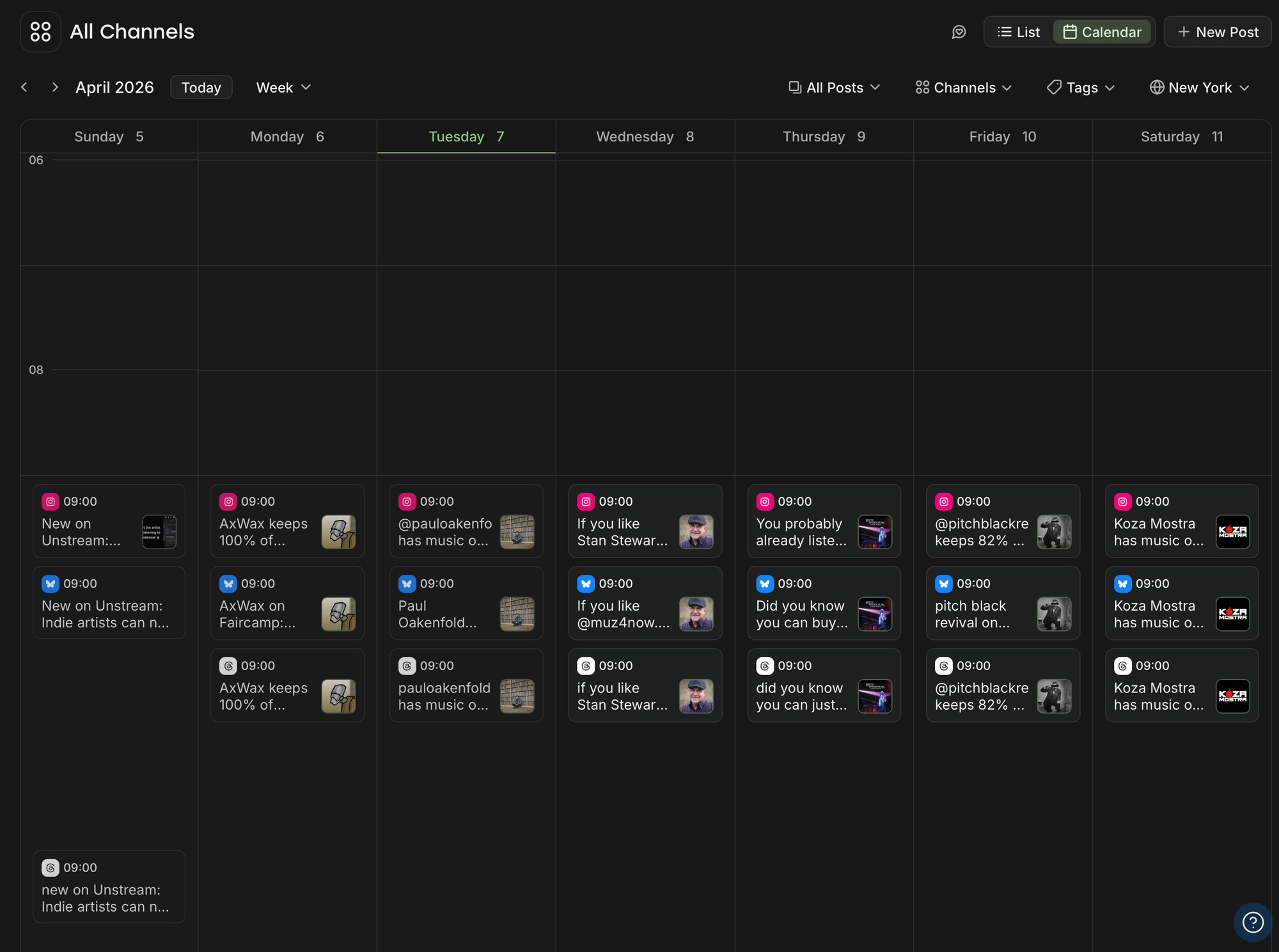
The six artists get organized into a seven-day schedule, one post per day. Indie and established artists alternate every other day for variety. The seventh day is reserved for a feature spotlight, pulled from my shipped features file.
This runs across three platforms: Instagram, Threads, and Bluesky — for a total of 21 posts per week. It’s the same content calendar, adapted for each platform.
Step 3: Generate the post content
This is where the TypeScript (code written in plain text) file does the heavy lifting. For each post, it handles the business logic: pulling the artist’s Instagram handle if they have one, listing the platform names where you can support them, and generating copy from a set of standard post templates.
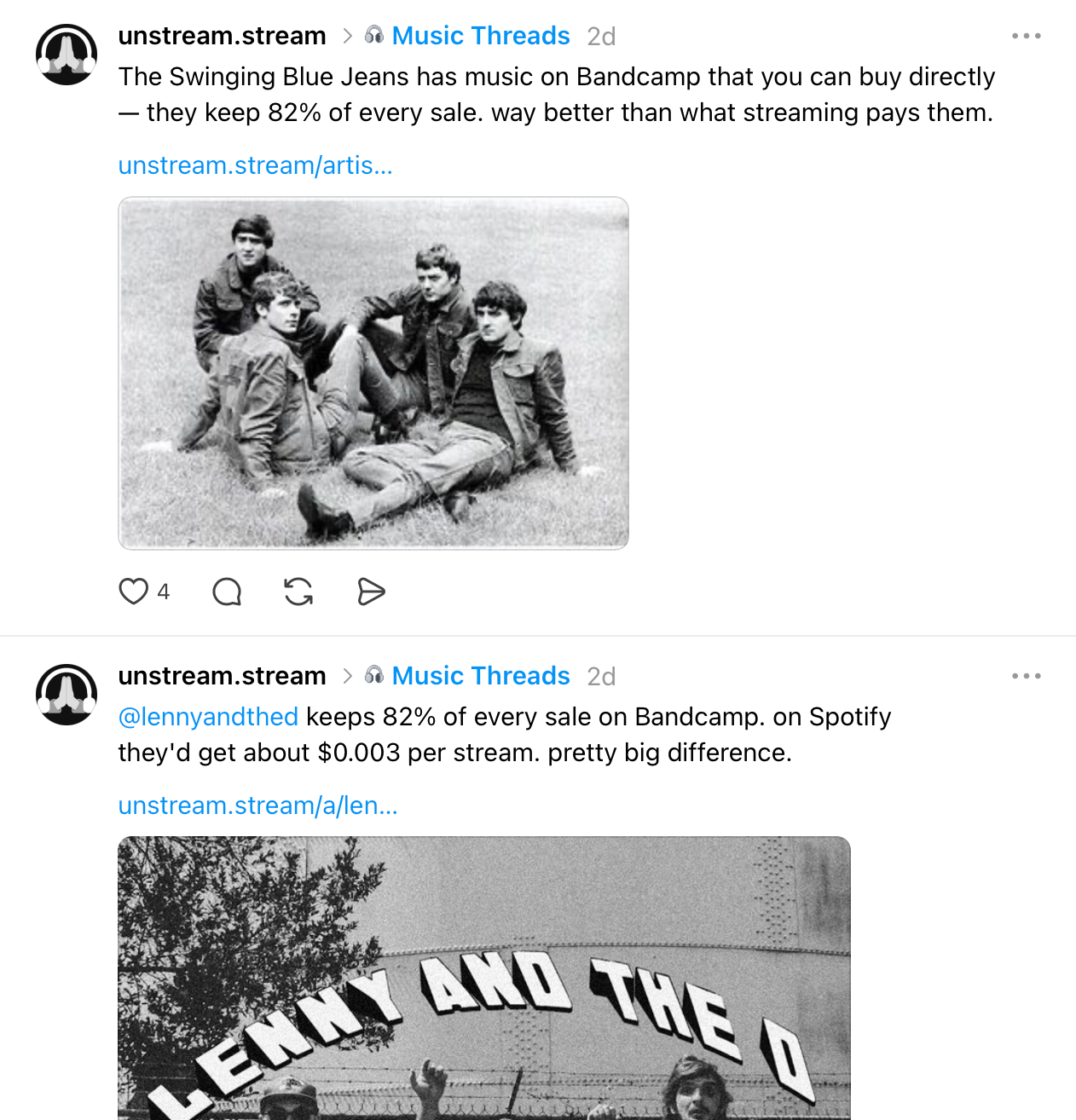
The copy varies based on the type of artist. For indie artists, the angle is exposure and awareness (check out this artist, here’s how you can support them). For established artists, it’s more like, “That artist you love on Spotify? You can support them better through these platforms”. Feature posts are straightforward — what’s new and why it matters.
Artist photos get pulled automatically, either from the artist’s verified page on Unstream or from the same search API that powers the platform itself. Hashtags get applied in the code for Instagram and Bluesky. Threads posts get added to the Music topic.
To give you a sense of the range: my upcoming queue right now includes Neccos for Breakfast (a friend of mine from Threads), Steve Reich (a composer I very much love), and Bear McCreary (who has scored a bunch of sci-fi TV shows). It’s pulling from all over the place, which is exactly the point.
Step 4: Schedule through the Buffer API
At the end of the script, all the generated content is written and scheduled through the Buffer API. Posts land in my Buffer queue at 9 a.m. daily across all three platforms.
The result: I open Buffer and see a full week of content, ready to go.
Step 5: The deduplication layer
This is the part that makes the system sustainable, rather than something that runs out of steam after a few weeks.
Every artist gets flagged as promoted once they’ve been featured. The system won’t pick them again until every other artist in the pool has had a turn. Once everyone’s been covered, the whole list resets and the cycle starts over.
Features work the same way. Each entry in the shipped features file has a true/false "announced" tracker. It flips to true once that feature has been posted about. When everything’s been announced, the whole list resets to false, and we go again.
The nice thing about this approach is that the system naturally expands. As more indie artists verify their profiles and more features ship, the content pool grows without any extra work from me. I don’t need to feed it new material — the product growth feeds the content engine.
Teaching the automation to sound like me
One thing I knew from the start: if the posts sounded like generic AI, this whole thing would be pointless. Consistency only matters to me if the content actually sounds like it came from someone who cares about what they're saying.
So before I wrote a single template, I spent time teaching Claude how I actually talk. I did it in a few steps:
First, I had it trained on my entire back catalog of published blog posts. They live at bgreen.lol, but I keep local copies as Markdown files, so I pointed Claude at those to get a feel for how I write long-form.
Then I pulled my last 50 Threads posts using an alpha version of the Buffer API. Blog posts and Threads posts are different animals — the blog shows how I think, but Threads shows how I write short. Since the social posts were going to be short, that second sample mattered just as much.
From there, I had Claude study the tone across both, with a few instructions: stick to the talking points I cared about, and bias toward my Threads voice and shorter lengths, since these were meant to be quick posts, not essays.
All of that became a voice-and-tone.md file — a set of guidelines describing how I talk about music, artists, and Unstream. Claude then proposed the boilerplate templates, and I made a few manual tweaks to get them exactly to my liking.
The templates give the posts structure, but the voice guidelines are what give them personality. They're what make the difference between a post that reads like a press release and one that sounds like me sharing something I'm genuinely excited about.
The results so far
Each post gets a handful of likes and reposts, and Threads posts land somewhere between a few dozen and a few hundred views. But it’s OK because I have a different goal for my workflow.
I went from posting impulsively whenever I remembered to posting 21 times a week across three platforms, all without touching my workflow. Consistency was always Step 0, as you can't grow anything organically on social if you're not showing up. Now I'm showing up every day across three platforms without it costing me the time I need to actually build the product.
The system is also getting better on its own. Every artist who verifies their profile and every feature I ship expands the content pool without any extra work, so the pipeline and the product are growing together.
Next up: I'm thinking about expanding to TikTok and posting artist photos there. Adding a new platform is mostly just adding another API call, so it should be fairly straightforward.
What you can steal from this, even if your stack looks nothing like mine
My setup is specific to my project, which is to be expected, but the underlying approach works for anyone who’s building something and struggling to market it consistently. Here’s what can apply to most situations:
You probably already have your content. I started with a database I’d already built for product reasons. If you work with any sort of structured data — a list of customers, projects, testimonials, features you’ve shipped, partners you work with — you already have the raw material for a content engine. You just might not be thinking of it that way yet.
The two-bucket approach keeps things interesting. I alternate between content that promotes other people (the artists) and content that promotes my product (the features). That balance is what makes it feel like a feed worth following instead of a billboard.
If you’re a freelancer, one bucket could be client wins, and the other could be things you’ve learned. If you’re running social for a SaaS company, one bucket is customer stories, and the other is product updates.
Deduplication is what makes it sustainable. Without the tracking logic that prevents repeats and cycles through the full pool, this system would have run out of steam in a few weeks. That’s the difference between a one-time batch of content and an engine that keeps running.
Voice guidelines are non-negotiable. If you’re using AI to draft content, the voice file is the single most important piece. Without it, you get generic posts that could belong to anyone. With it, you get content that sounds like a real person with real opinions.
Start with “good enough.” My engagement numbers aren’t super impressive and I’m OK with that. I went from zero consistency to daily posts across three platforms, and the system gets better as my content pool grows.
Ready to build?
If you're taking Buffer's API for a spin, we've got resources to get you moving. Our developer docs cover the GraphQL schema, auth flow, and quick-start examples. The Buffer MCP server docs walk through plugging it into Claude or any MCP-compatible AI agent.
If you need hands-on help, our support team is around, or you can join our Discord server and chat to other people building with the API.
We'd love to hear about what you make. Find us in our Discord server, or @buffer on all major social channels.
Try Buffer for free
200,000+ creators, small businesses, and marketers use Buffer to grow their audiences every month.