Great experiences rarely come from one big moment. They’re built through hundreds of small details that add up over time.
That idea guided how we spent some time this year focusing on customer experience at Buffer.
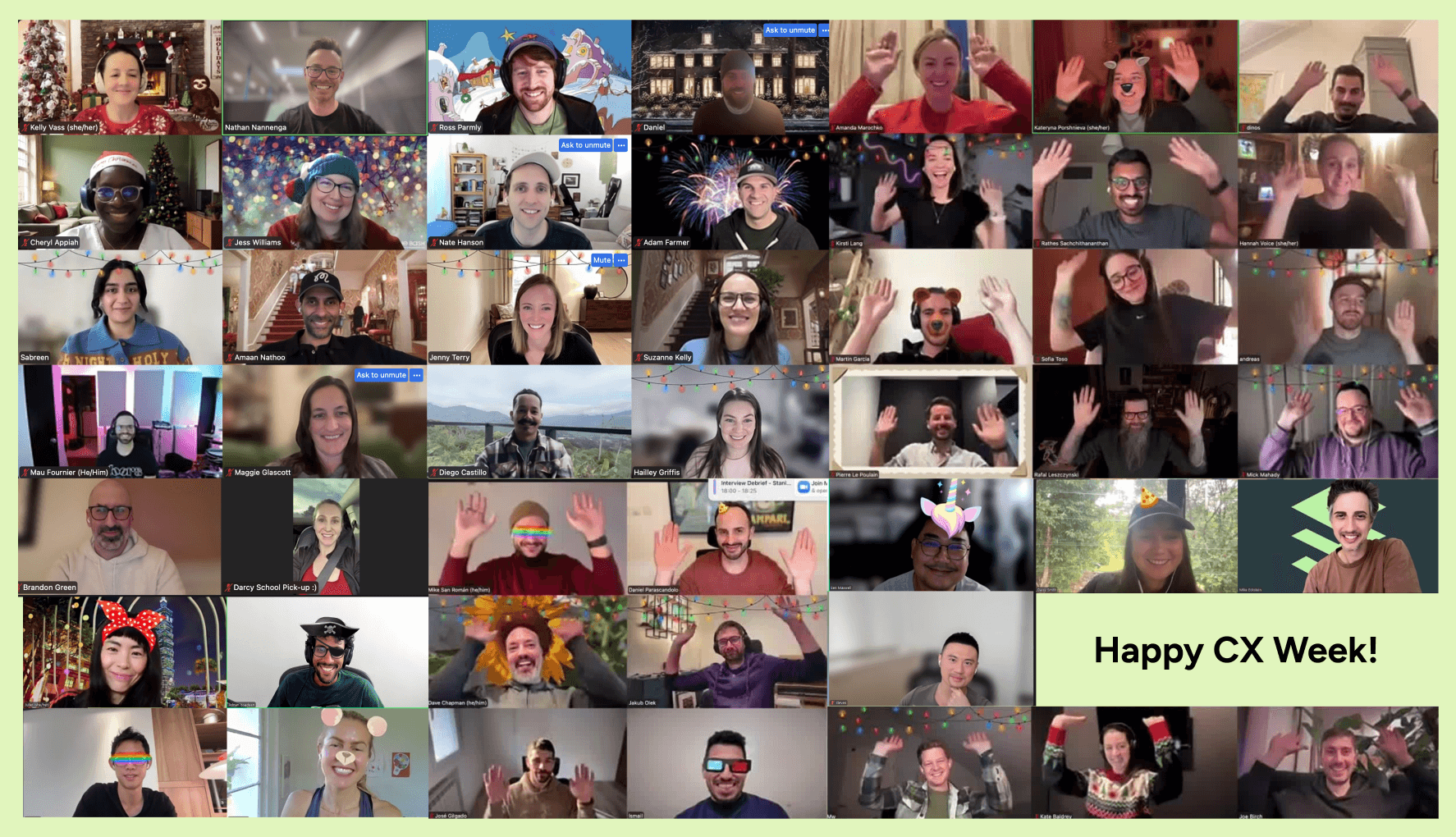
Customer Experience Week was our first dedicated, cross-functional sprint centered entirely on how Buffer feels to use. We took advantage of the natural slowdown at the end of the year to form small teams, each focused on one improvement they believed they could meaningfully ship in a short window.
This wasn’t our first experiment with focused building time. We’ve run initiatives like Build Week in 2022 and 2023, where teams explored new ideas and shipped experiments. Last year, we also ran an Engineering-only Fixathon to tackle bugs and technical debt.
Customer Experience Week builds on that foundation, but with a wider lens. Instead of focusing primarily on new features or technical wins, this week centered on the everyday moments customers experience across the product, our content, support workflows, and internal systems.
This year, 17 teams each worked on a dedicated project. By the end of the week, they shipped improvements across the help center, in-product experiences, onboarding, billing, analytics, and even a highly requested new integration.
Every project started with real customer feedback drawn from support conversations, feature requests, and patterns we see every day. The shared goal was simple: make Buffer clearer, smoother, and more supportive, especially during the moments that matter most.
Here’s everything we worked on this week, grouped into five categories of improvement.
1. Expanding what customers can do with Buffer
Some projects focused on extending Buffer’s capabilities — not through large platform changes, but through additions that unlock new (often highly requested) workflows.
n8n integration
Project: Automation-minded customers often rely on tools like n8n to connect content workflows across their stack, but until now, there was no direct way to create content in Buffer as part of those workflows. This project focused on making it possible to create ideas and posts in Buffer automatically, while keeping the core product simple and uncluttered.
Team: Joe B., Adnan, Steven, and Hannah
The team built a direct integration between Buffer and n8n, allowing customers to create Buffer ideas or posts as part of an n8n workflow. In practice, a trigger in n8n can send structured data to Buffer, where it becomes content ready for scheduling, review, or refinement — without manual copy-pasting.
Rather than prescribing a single ‘right’ setup, the n8n integration is designed to support workflows that range from simple triggers to more advanced systems, meeting automation-focused customers where they already work.
What you can do with the integration:
- Create Buffer ideas automatically from new Notion database entries
- Turn form submissions into posts using AI-generated or refined copy
- Publish posts when new videos are added to Google Drive, complete with generated captions
- Pull in and filter RSS content to create curated ideas
- Schedule posts through multi-step workflows that combine data from multiple tools
The integration isn’t yet available in the n8n store. It’s currently live for Buffer’s API Closed Beta users who run a self-hosted n8n instance. A broader release is planned to align with the Buffer Public API moving into Open Beta, at which point the team aims to expand the available actions and triggers.
Support reposts and quote posts for Threads
Project: Creators wanted a way to reshare and reference existing Threads posts through Buffer, but early platform documentation made it unclear how reposts would actually work. This project focused on supporting the right Threads post type, enabling creators to participate more fully in conversations on the platform.
Team: Amanda, Dinos, Cheryl, and Mw
As the team explored repost support, they discovered that Threads’ documentation didn’t behave as expected. Instead of forcing an incomplete solution, they adapted quickly when Threads introduced support for “ghost posts” — a post type that enables repost and quote-style sharing.

The team shipped support for ghost posts as a new post type for Threads in Buffer’s web composer. This gives creators a way to reshare and reference Threads posts directly from Buffer, aligning the publishing experience more closely with how Threads actually works.
This update helps creators engage more naturally on Threads, especially when responding to or amplifying conversations already happening on the platform. The team is continuing to explore follow-up improvements, including expanding support beyond web.
2. Making everyday product interactions clearer and easier
This category focused on reducing friction in the moments customers interact with Buffer most often — composing posts, previewing content, and navigating analytics.
The goal was to make existing experiences feel more intuitive, trustworthy, and aligned with how platforms actually work.
Projects in this category addressed areas where small mismatches or missing context could lead to confusion, second-guessing, or unnecessary support requests.
Simplify our analytics feature
Project: Parts of our analytics feature had become cluttered with deprecated metrics and unclear distinctions that made it harder for customers to understand their performance. This project focused on simplifying Analyze today while laying early groundwork for a clearer, more actionable approach to insights in the future.
Team: Brandon, Mike SR, Joel, and Dave
The team removed references to metrics and data we no longer have access to, including outdated Facebook Page and audience insights. With that clutter gone, they repurposed space in our analytics feature to clearly explain the difference between Overview and Posts metrics — a long-standing point of confusion for customers.
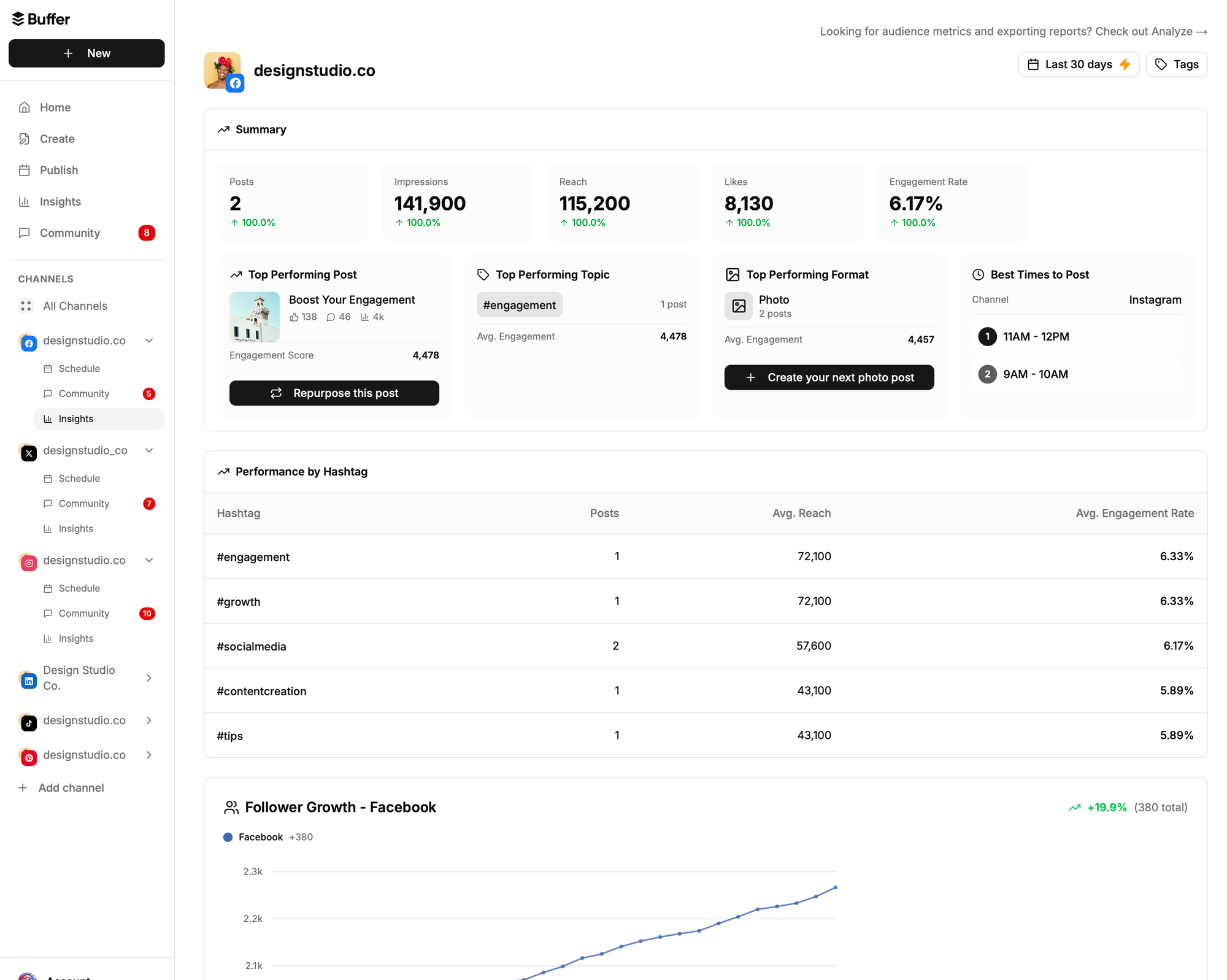
Alongside this cleanup, the team began shaping a future-facing Insights experience designed to help customers better understand engagement and adjust their strategy over time. They built and refined a working prototype, using Instagram as an initial test case, and made progress toward a production-ready version intended for early user testing.
Rather than treating cleanup and innovation as separate efforts, this work makes our analytics features clearer today while setting a foundation for how insights can become more useful, actionable, and aligned with how creators actually make decisions.
Refresh channel previews in the composer
Project: Buffer users rely on post previews to catch formatting issues before publishing, but outdated styling and missing interactions made some previews hard to trust. This project focused on bringing Buffer’s channel previews closer to how posts actually appear on each platform, so you can schedule with more confidence.
The team refreshed previews across multiple platforms, starting with a rebuild of LinkedIn previews to better match real-world behavior. This helps creators spot issues before a post goes live, rather than discovering them after publishing.

They also added key interactions that were previously missing. You can now click “See more” to expand longer posts directly inside the preview, and scroll through every image in Instagram carousels or stories before scheduling — including using arrow keys for faster review.
Beyond individual improvements, the team updated the overall look and feel of previews across Mastodon, TikTok, X, Instagram, Threads, YouTube, and Bluesky. These were small, deliberate changes, but together they make creating, reviewing, and approving posts feel clearer, more accurate, and more modern.
Getting previews right required hands-on testing and iteration. Social platforms don’t document preview behavior, and results can vary by context, but getting closer meaningfully improves trust — especially in high-stakes publishing moments.
Show previously used Threads topics in Composer
Project: Frequent Threads posters often reuse the same topics, but having to retype them every time created unnecessary friction. This project focused on making topic selection faster and easier during post creation.
Team: Diego C., Ben, and Daisy
The team added a smart dropdown to the Threads composer that surfaces previously used topics, sorted by recent usage. Instead of starting from scratch, creators can now select a topic with a single click.
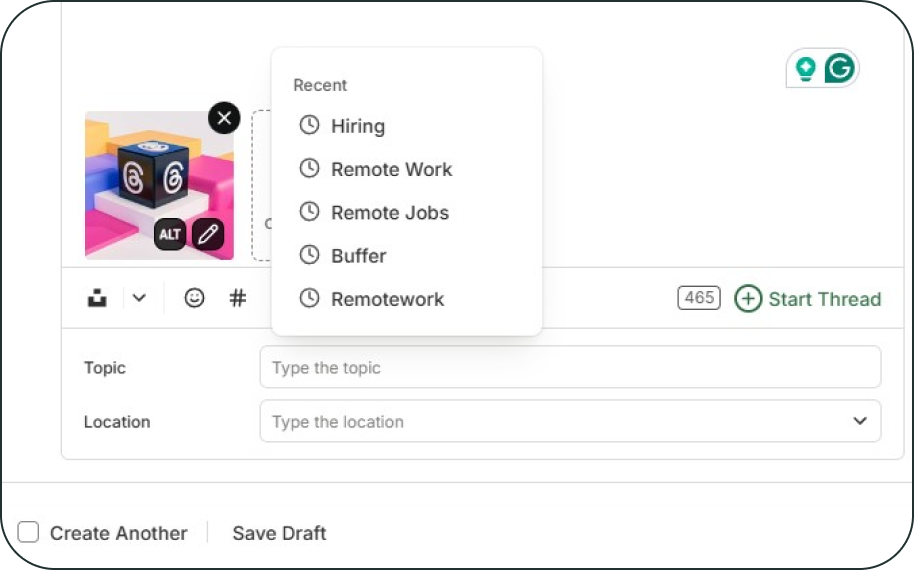
The dropdown shows up to five recent topics at a time and includes an option to search that filters as you type, making it easy to find the right topic even as your list grows. It’s a small interaction, but one that adds up for frequent posters, leading to fewer interruptions and smoother publishing.
The feature is currently deployed behind a feature flag and in internal testing, with the team continuing to refine the experience before a broader rollout.
Instagram in-app guidance
Project: Instagram has some of the most nuanced requirements and edge cases, which can make posting feel confusing or fragile — especially when errors appear without clear next steps. This project focused on adding clearer, more proactive guidance so creators can set up and publish Instagram posts with more confidence.
Team: Daniel P., Esther, and Jess
The team improved several key moments in the Instagram experience, starting with a redesigned connection screen that helps customers more clearly understand the difference between Personal and Professional accounts. By clarifying this early, creators are more likely to connect the right account and avoid issues later.
They also refined composer alerts when attaching media to Instagram posts. The updated alerts use clearer language and more consistent styling, guiding customers toward the right next step instead of feeling like hard errors or blockers.
Finally, the team introduced a proactive alert mechanism that can be toggled on during known Instagram video error spikes. When issues are detected, creators uploading videos are guided toward a more stable connection option before a post fails — helping prevent frustration rather than reacting to it after the fact.
Together, these changes make the Instagram experience feel calmer, clearer, and more supportive — especially in moments where confusion or errors are most likely to occur.
An in-app changelog to share updates more easily
Project: Customers want a clear, reliable way to understand what’s changing in Buffer — without needing to hunt for updates or piece together announcements. This project focused on creating a more transparent, consistent, and accessible changelog experience directly inside the product.
Team: Kateryna, Carlos, Juliet, Åsa, and Mike E., with support from Sofía
The team built a fully custom changelog system inside Buffer that allows updates to be created, edited, and published directly in the app. Each entry includes a live preview, rich formatting, and optional cover images, making it easier to share product changes clearly and consistently.
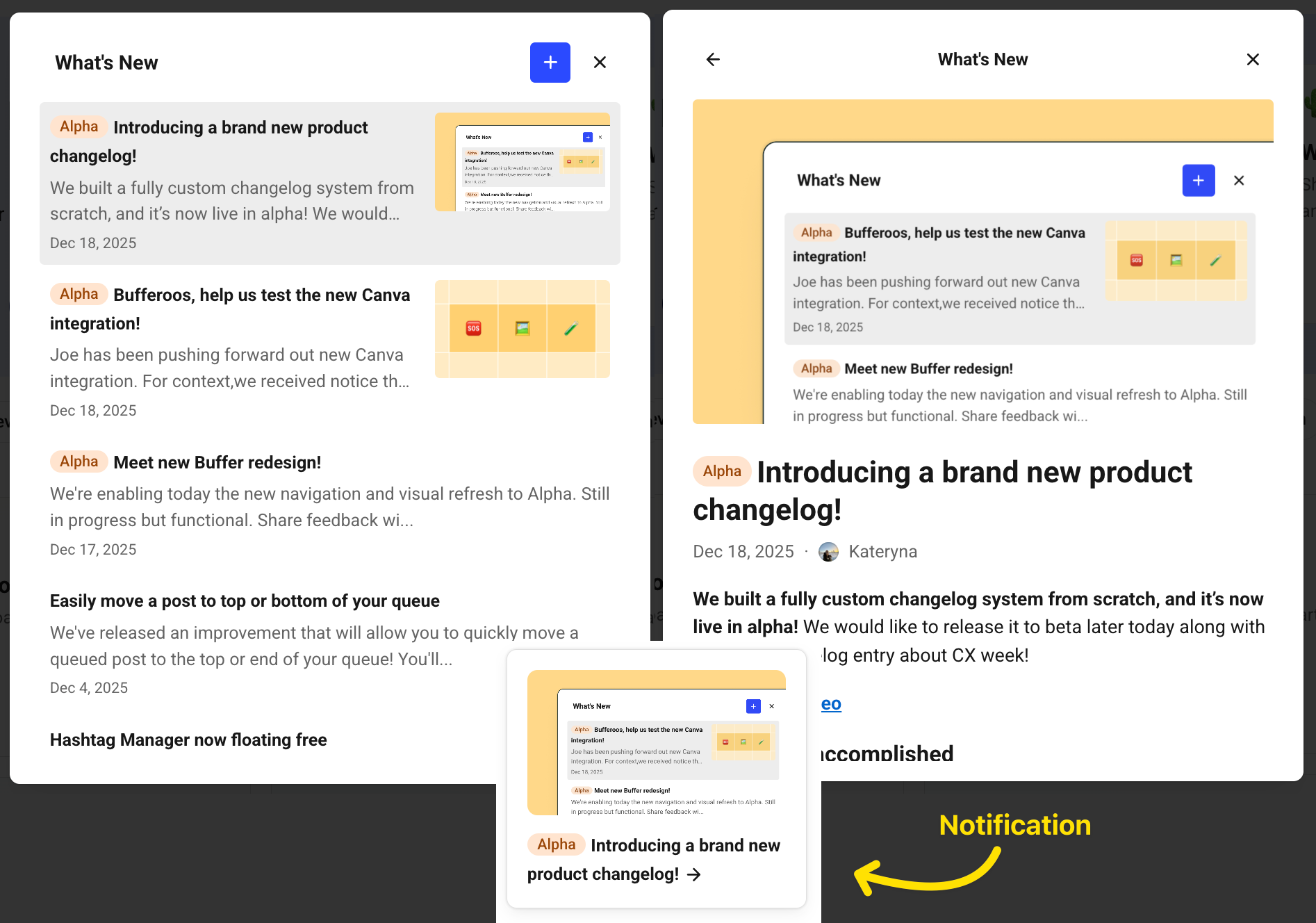
Customers now see a subtle in-app notification when there’s something new, without being overwhelmed. The system tracks which updates have been seen, supports different audiences (alpha, beta, or everyone), and brings historical changelog entries into one place for continuity.
Beyond the tooling itself, the team also established guidelines and templates to keep changelog entries clear, useful, and on-brand — along with a regular cadence for sharing updates. Together, this work strengthens Buffer’s commitment to transparency and helps customers stay informed about how the product is evolving over time.
3. Reducing support friction with better tools and data
Support teams often spend time solving the same problems repeatedly — not because the answers don’t exist, but because the information is scattered across tools, docs, and systems.
This category focused on giving our Customer Advocates faster access to the right context, smarter tools to diagnose issues, and cleaner data to spot patterns earlier.
AI-powered tool to diagnose failed posts
Project: When a post fails to publish, it’s often frustrating and time-consuming to figure out why — both for customers and for Advocates. This project focused on reducing that friction by making failed post errors easier to understand and troubleshoot, ideally before a customer even needs to reach out for help.
The team built a new AI-powered diagnostics tool that helps explain failed posts more clearly and suggest next steps. Instead of leaving customers with a generic error, the tool surfaces likely causes and relevant guidance directly from the error message inside the Buffer dashboard.

Alongside the customer-facing experience, the team also created an internal tool for Advocates that pulls in raw post data and context to speed up troubleshooting. Together, these tools reduce the time it takes to diagnose issues and make support conversations more focused and less repetitive.
The long-term goal is to help customers resolve common issues on their own, while giving Advocates better tools for the cases that do require human support. By bringing clearer explanations closer to the moment something goes wrong, this work helps make Buffer feel more supportive — especially in moments that can otherwise feel stressful.
Customer friction analysis
Project: Patterns in support conversations hold valuable insight into where customers get stuck, but that information was previously manual to gather and difficult to access. This project focused on automating how support friction is categorized and making those insights easier to see and act on.
Team: Adam, Eric, Peter, Jenny, and Julian
The team automated the process of extracting support conversations and analyzing them to identify common friction points. Conversations are now processed automatically, categorized, and logged in a shared system rather than living in hidden or manual workflows.
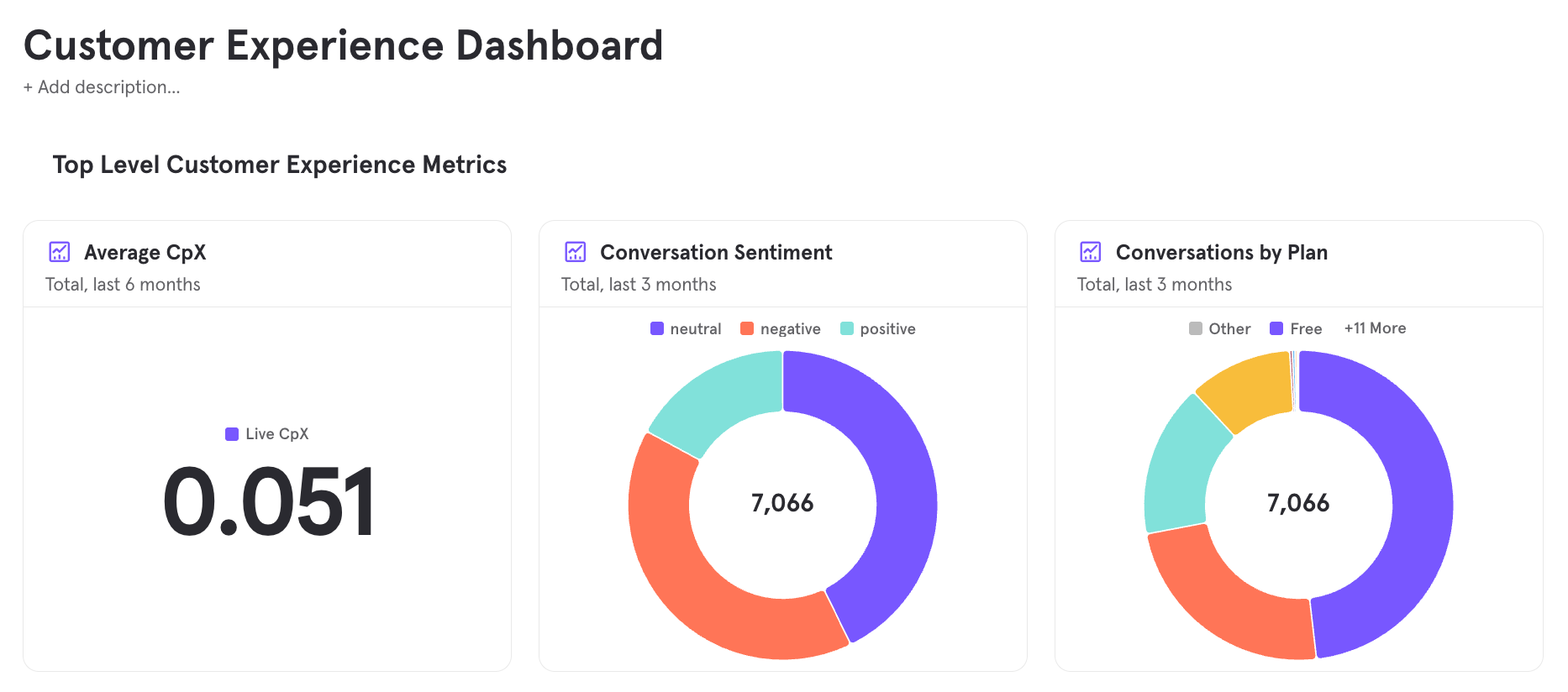
To make these insights more useful over time, the data is now connected to broader customer context and surfaced in a dedicated dashboard. This makes it easier to spot trends, track changes month over month, and understand where product, content, or support improvements could have the biggest impact.
While this work is internal, it directly supports a better customer experience by helping teams identify recurring issues earlier and prioritize improvements more confidently. By turning scattered conversations into visible signals, the project helps ensure customer feedback informs decisions more consistently.
Homegrown customer feedback widget
Project: In-app feedback is one of the most direct ways customers share what’s working — and what isn’t — but our existing widget made it hard to capture detailed context or act on responses meaningfully. This project focused on rebuilding the feedback experience so customers can share richer input and teams can review and follow up more effectively.
Team: Nathan, Julia, Hailley, and Jakub
The team rebuilt Buffer’s in-app feedback widget to support more thoughtful and actionable responses. Customers can now categorize their feedback, write freely without character limits, and upload images or videos to better show what they’re experiencing.
On the receiving end, feedback is automatically routed to a shared Google Sheet, making it easier to review, collaborate, and spot patterns over time. This removes friction from the feedback loop and helps ensure customer input doesn’t get lost or siloed.
Beyond the UI changes, the team also established a recurring product review process so this feedback is treated with the same level of care as feature requests and support conversations. While the new widget isn’t live to customers just yet, it’s complete, low-risk, and moving toward beta — setting a stronger foundation for listening and learning at scale.

4. Helping creators succeed, not just use the product
Many customers come to Buffer with a clear goal: they want to grow as creators. This category focused on supporting that goal more directly — through education, guidance, and reusable systems that make consistency easier.
Rather than treating content success as separate from the product, these projects bring creator support closer to where customers already are.
Connecting blog content to the Help Center
Project: Buffer users often visit the Help Center looking for answers, but the solution isn’t always technical. This project focused on connecting strategic blog content with Help Center articles so customers can find deeper guidance — such as planning, strategy, and interpretation — when they need it.
Team: Kirsti, Kelly, and Pierre
The team audited high-traffic Help Center articles and mapped them against existing blog content to identify where a blog post could meaningfully support someone already looking for help. The goal was to surface the most relevant educational resources without asking customers to search for them.
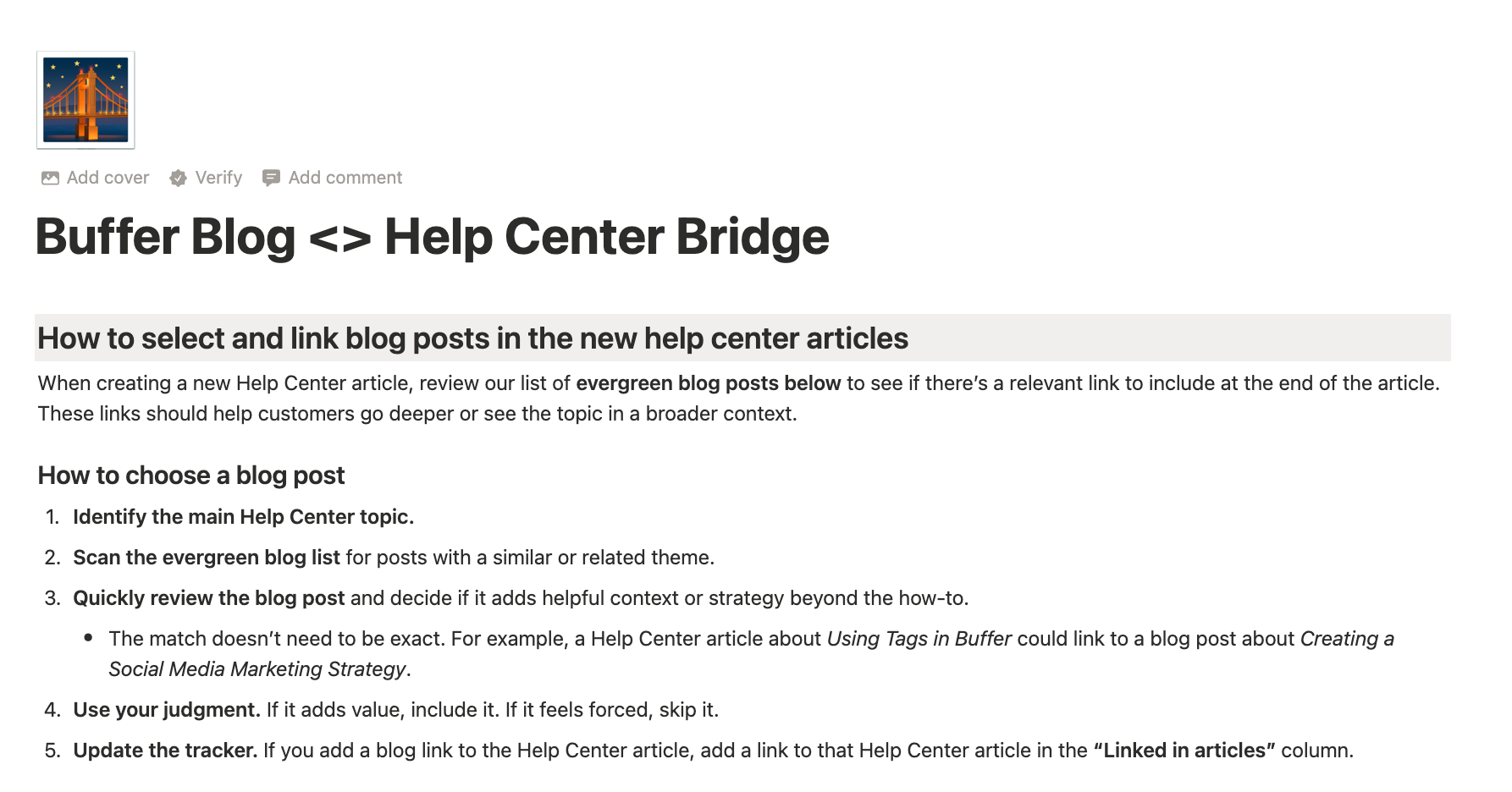
By the end of the week, they added 3 to 5 curated recommended resources to 47 Help Center articles, giving readers a clear path to go deeper into topics like content planning, posting strategies, and analytics interpretation.
To make this work sustainable, the team also created systems behind the scenes — including a Notion database of evergreen blog posts organized by category, automatic UTM generation for tracking links, and clear documentation so future connections can be added consistently. They also set up a dashboard to track weekly traffic from Help Center articles to blog posts, creating visibility into which resources are actually helping customers move forward.
New Creator Crash Course
Project: Many creators want to grow consistently, but most advice online focuses on hacks, virality, or chasing trends. This project focused on creating a calmer, more sustainable resource that helps creators reduce decision fatigue, build intentional habits, and learn from their work over time.
Team: Sabreen, Suzanne, Alicja, Simon, and Amaan
The team created The Creator Playbook by Buffer, a practical, people-first course designed to support creators at every stage. The course walks through choosing a clear focus, building sustainable posting rhythms, repurposing content thoughtfully, developing recognizable formats, using AI responsibly, and learning from results without spiraling or burning out.
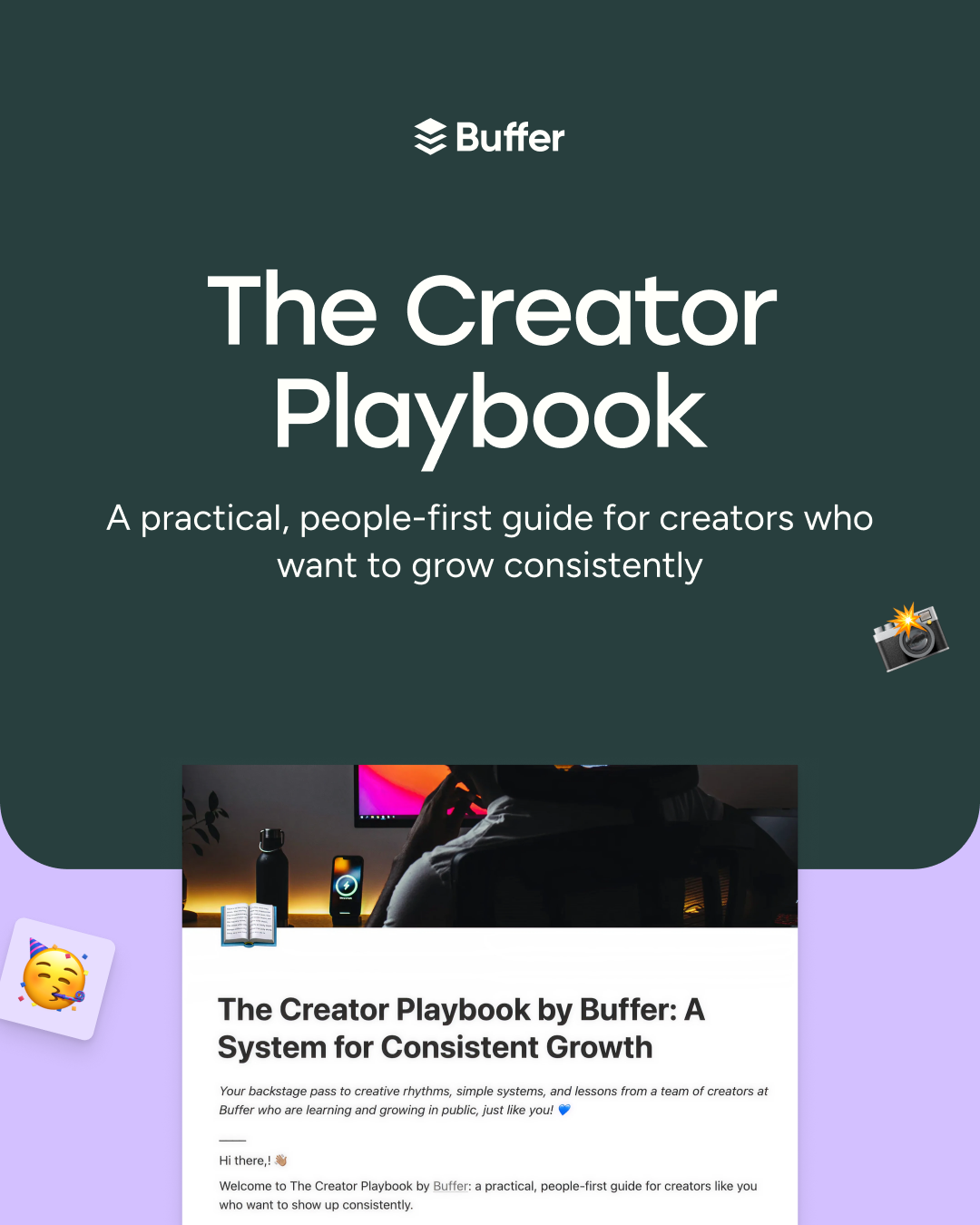
The playbook provides a repeatable system that creators can return to as their goals, capacity, and platforms change. It also sets a strong foundation for how Buffer can continue building high-quality educational resources grounded in lived creator experience — not trends or shortcuts.
Template Library campaign system
Project: Running community and content campaigns through the Template Library often required custom setup and repeated engineering work. This project focused on building a reusable system that makes it easier to launch, manage, and rotate template campaigns — without starting from scratch each time.
Team: Tami, Eduardo, Andreas, and Kate
The team introduced a more intentional release system for the Template Library, starting with three clear release states that reflect how templates are actually published. Each state has defined behavior and consistent banner designs across light and dark modes, helping releases feel more predictable rather than one-offs.

They also built a dedicated campaign database with simple setup logic, making it possible to manage ordering, timing, and visibility in one place — without ongoing engineering support. When no focused campaign is running, the system now surfaces underused or less-seen templates by default, giving more of the library a chance to be discovered.
Alongside this, the team refined how programs and collections work, including clearer labeling, cleaner transitions, and better handling of overlapping releases. To support future use, they shipped an explainer that walks through how a template release flows from setup to live, laying the groundwork for teams to run campaigns end-to-end on their own.
AI-generated alt text for images
Project: Most images shared on social media don’t include alt text, which makes content less accessible for people who rely on assistive technology. This project explored whether AI could help generate meaningful alt text — reducing the effort required from creators while improving accessibility for their audiences.
Team: David, Martín G.M., with support from Dave, Nathan, and Esther
The team improved the alt text experience in Buffer by making it clearer and easier to save manual updates, and by introducing AI-assisted alt text generation as a progressive enhancement. The goal wasn’t to replace human judgment, but to support creators in adding alt text where it might otherwise be skipped.
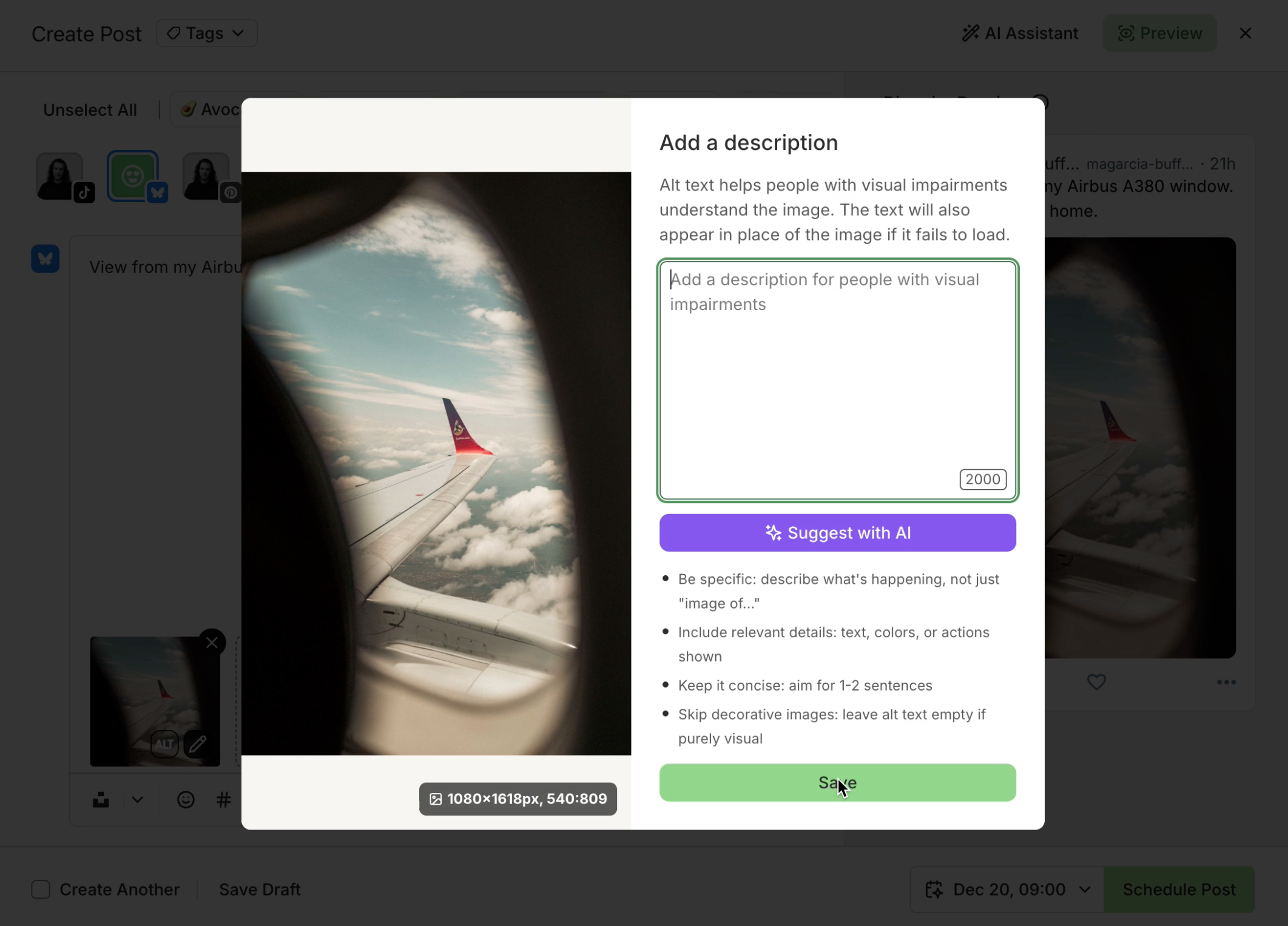
Early work focused on handling nuance — such as distinguishing between decorative and meaningful images, and understanding when an image adds value in context. In promising cases, the AI can recommend leaving alt text empty when an image doesn’t meaningfully contribute, helping avoid noise as well as omission.
This exploration also informed broader improvements to how AI is used within Buffer, opening the door to more flexible model choices over time. Overall, the project supports a more inclusive social experience while keeping accessibility practical and approachable for creators.
5. Creating smoother onboarding and re-engagement moments
First impressions matter — but so do second chances.
This category focuses on improving how customers experience Buffer when they return, join a team, or interact with billing and account workflows. The goal was to make these moments feel clearer, more relevant, and more human.
A smoother reactivation experience
Project: When customers return to Buffer after some time away, the first few moments matter. This project focused on reducing visual clutter and interruptions in the dashboard so returning users can get oriented quickly and get back to what they came to do.
The team improved how banners and announcements appear in the Buffer dashboard, especially for returning customers. They reduced the number of pop-ups users have to dismiss, removed outdated banners, and introduced clearer prioritization so important messages don’t stack or compete for attention.
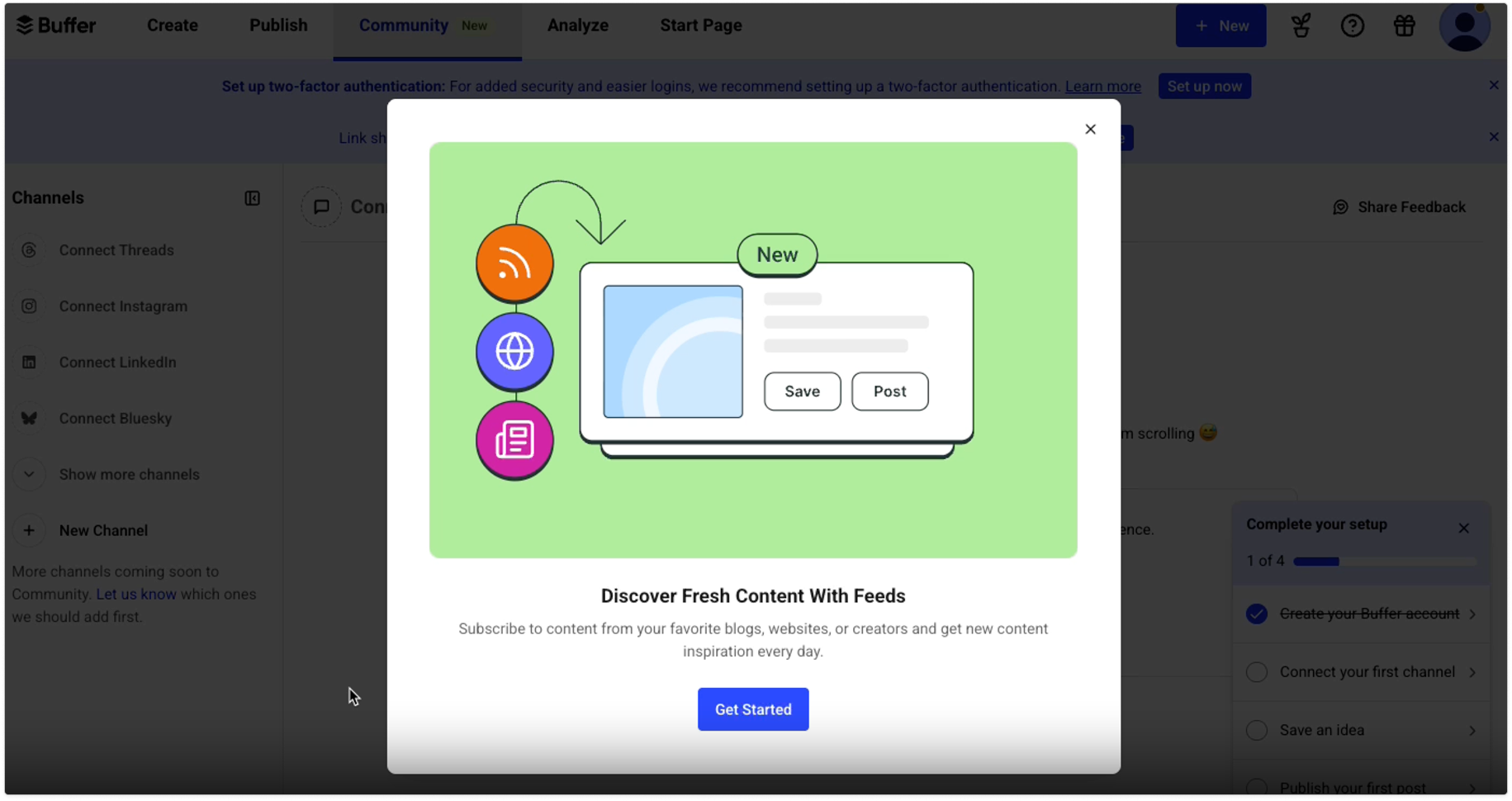
They also added smarter logic to banners, including expiry dates and account-based visibility, so messages feel more relevant and timely. With the new in-app changelog handling feature announcements, the dashboard experience is now calmer and more focused — making it easier for customers to jump straight into their work.
Alongside these improvements, the team explored future ideas for reactivation, including a more intentional “welcome back” moment that highlights what’s changed since a customer last used Buffer and guides them toward a clear next step. Together, this work lays the foundation for a more thoughtful, supportive experience when customers return.
Team onboarding improvements
Project: New team members joining a Buffer organization were often running into small but meaningful friction during onboarding — especially around permissions, access, and what to do next. This project focused on making team onboarding clearer, more supportive, and better aligned with how people actually build a posting habit together.
The team refreshed the entire team onboarding email series to reduce confusion and improve relevance. The updated flow mirrors Buffer’s Free and Trial onboarding more closely, with a stronger emphasis on habit formation alongside team-specific collaboration features.
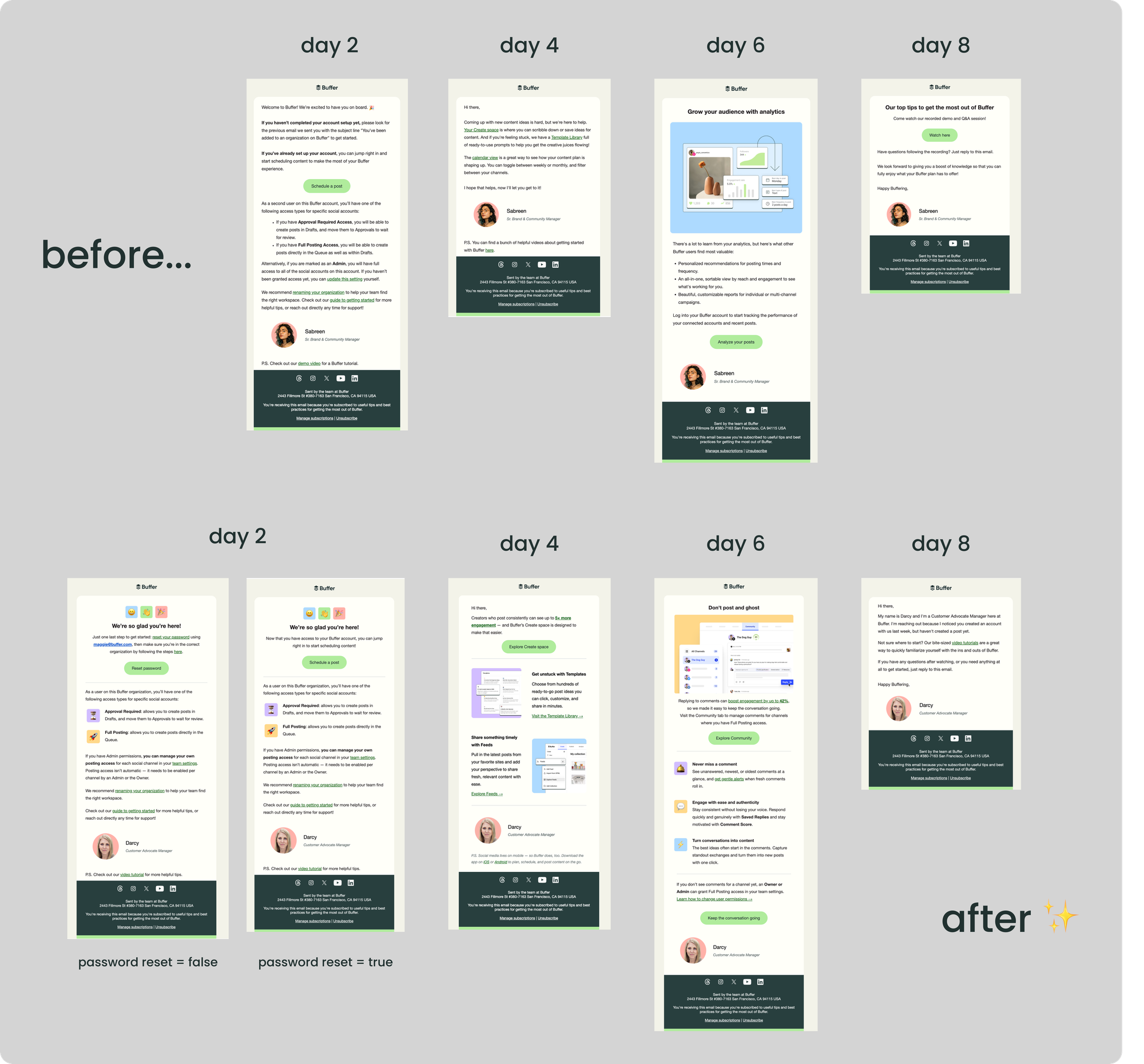
They also added smarter personalization and action-based logic to improve timing and reduce redundant messages. Roles and permissions are now explained more clearly, helping teammates understand what access they have — and how to get more — without needing to reach out to support.
To raise the bar on customer care, the series now comes from the Customer Advocacy team and ends with a personal check-in that only sends if signals suggest someone might be stuck. Together, these changes create a calmer onboarding experience that helps new team members get value faster while reducing avoidable support friction.
Billing quick wins
Project: Billing issues tend to surface during high-stress moments — payment failures, renewals, or finance handoffs — where even small friction can create outsized frustration. This project focused on reducing that friction by making billing communication clearer and easier to manage.
Team: Nate, Jacob, Kyle, Mau, with support from Maggie and Amaan
The team shipped several targeted improvements aimed at making billing interactions feel calmer and more predictable. Customers can now use a dedicated billing email address, separate from their account email, making it easier to route invoices and payment notifications directly to finance or accounting teams without manual forwarding.

They also improved billing error messages so customers get clearer guidance on what went wrong and what to do next when a payment fails. This helps reduce confusion and back-and-forth with support during moments that already feel urgent.
While attaching Stripe invoices directly to emails turned out to be larger in scope than CX Week allowed, the groundwork laid during this project sets the stage for safer, smoother invoice delivery improvements in the future. None of these changes are flashy, but together they remove friction at moments that matter most — and make Buffer feel more reliable when it counts.
—
We’re incredibly impressed with everything our team built this week, and we're really looking forward to continuing to shape Buffer into the best tool possible for our customers. We hope these improvements made a difference in your experience. Reach out to us anytime on social media or in our Community with any thoughts or questions!
Try Buffer for free
190,000+ creators, small businesses, and marketers use Buffer to grow their audiences every month.