
As you might have guessed from the title of this article, I have something of an… obsession? with productivity tools.
I have ADHD (shout out to all the folks who were diagnosed as adults) and I lean heavily on systems to help me focus and stay productive. But, likely also because of the ADHD, I love trying new things.
Which means I’ve never met a new tool I didn’t sign up for in about 2.5 seconds.
I find that the freshness of new tools helps motivate me to stay on task, too. Hey, a system is a system, right?
So, confession: over the past year or so, I have tried no less than 57 productivity tools. (I tracked it all in Notion, naturally; message me if you want to see the full list).
And yet, there are several apps that I keep coming back to, or have stuck with permanently, on my tooling travels.
What makes a tool stick for me? It comes down to a few things: it has to solve a real problem without overlapping with something I already use, it has to be intuitive enough that I'll actually open it when I'm tired or distracted, and it has to play nicely with my other tools. If I haven't used it in 30 days, it's gone. Simple as that.
Before we get into it, I want to acknowledge that ‘productivity tool’ is a really broad term. These days, you’ll find it applied to everything from email add-ons to AI writing tools and ChatGPT.
While these other apps and tools can undoubtedly help boost efficiency, in this article, I’m zeroing in on productivity tools in the more traditional sense, those that help me stay organized, plan my day, and stay focused.
If that sounds like it might be up your alley, let’s get into it. Here's a quick overview:
| Tool | Best for | Cost |
|---|---|---|
| Todoist | Managing your tasks (free!) | Free; paid from $4/mo |
| Akiflow | Consolidating tasks from everywhere | $34/mo ($19/mo annually) |
| Routine | A focused daily view | Free; paid from $10/mo |
| Toggl Track | Time tracking | Free; paid from $10/mo |
| Sunsama | Mindful planning | $22/mo ($17/mo annually) |
| brain.fm | Deep focus mode | $14.99/mo or $99.99/yr |
| Focus Traveller | Fun Pomodoro sessions | Free; paid $0.99/mo |
| Notion | Note-taking and documentation | Free; paid from $10/mo |
| Superlist | Lovers of lists | Free; paid from $6/person/mo |
Jump to a section:
Todoist
Best free productivity tool for managing your tasks
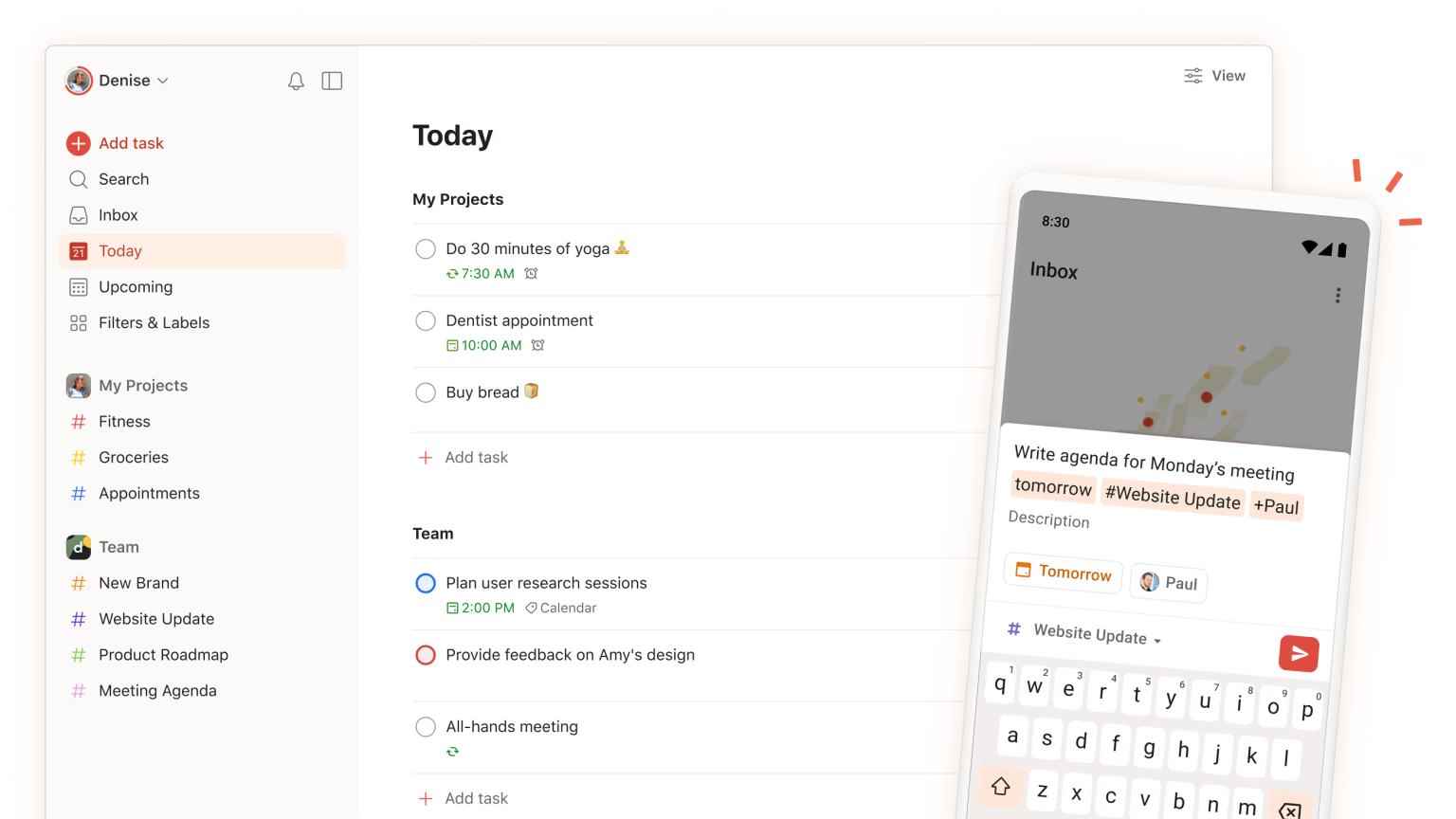
Todoist, no matter how many tools I try, I somehow always find my way back to you.
It just… works.
Todoist is a planning tool that will make sense for most people's working styles. It has lists, kanbans, and a time-blocking calendar view (on the paid plan).
While there are some features I’d love to see added (the ability to color-code time blocks is high up on my wishlist), Todoist is a wonderful second brain for tasks and projects.
While it is very customizable, it doesn’t require much configuration to get started. It also has great templates based on well-known productivity systems, like Getting Things Done, The Eisenhower Matrix, and more.
Todoist plays really well with a bunch of other tools, too. You can easily add Slack messages as tasks, for example.
If you're looking to use it on a larger scale, it works really well for teams, both corporate and otherwise. My husband and I have several projects we collab on, and I do rather enjoy assigning tasks to him.
Most of these features are available on their free plan, but their paid plan is pretty affordable, too.
My favorite features
- Comprehensive free plan
- Beautiful web, desktop, and app versions
- Natural language processing, so you can type ‘Email Hailley tomorrow’ and the task will be added to your list for the next day.
- ‘Karma’ is a simple gamification system that gives you karma as you complete tasks
Cost: Free, with paid plans starting at $4 per month.
Akiflow
Best productivity tool for consolidating tasks from everywhere
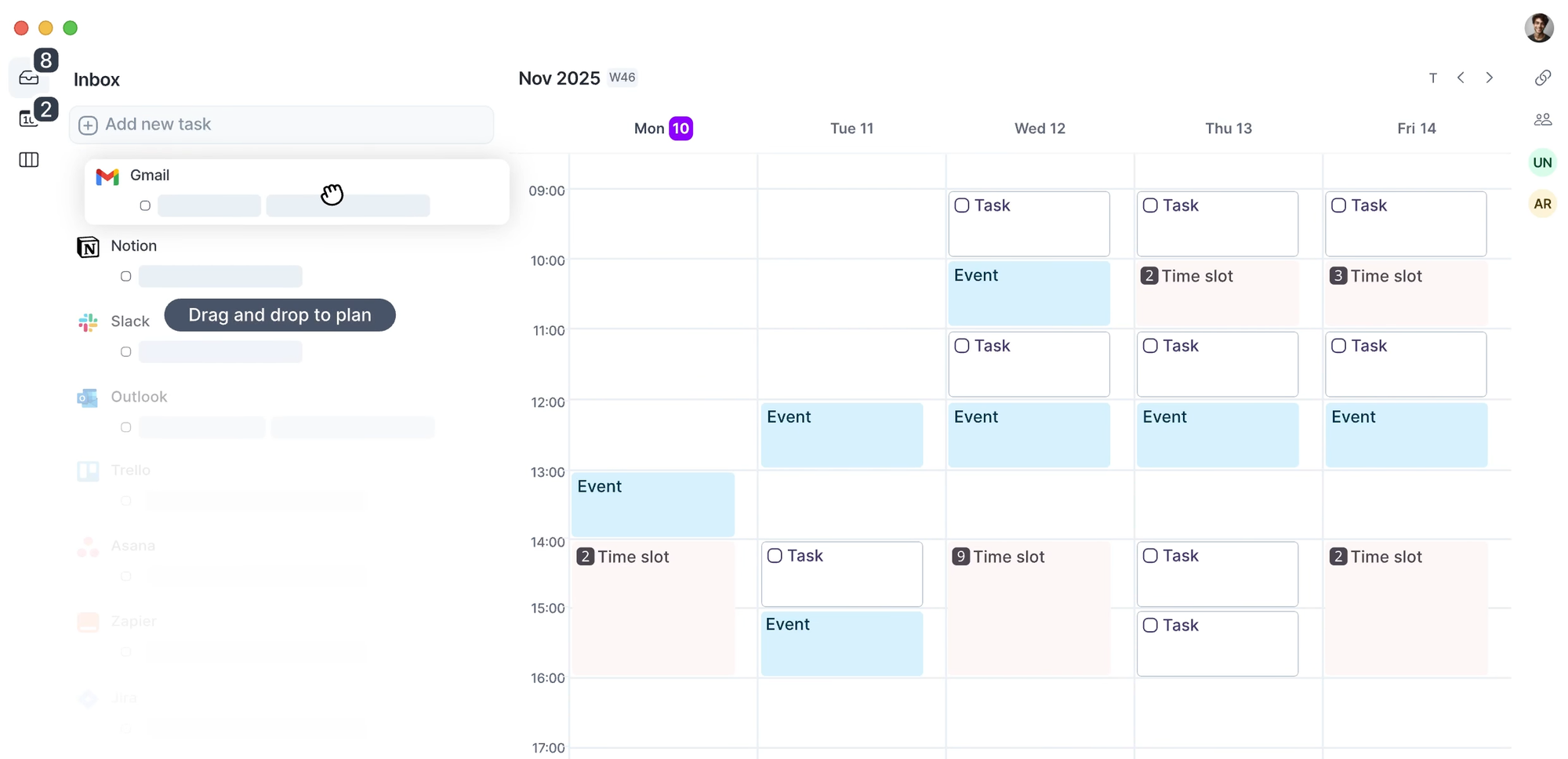
Akiflow is pretty much the end of notification overwhelm.
Beyond being a task manager. Akiflow is a task consolidator. It integrates with your email, Slack, Notion, Todoist, Asana, Trello, and a bunch of other tools and pulls them into a single inbox as tasks.
From there, you can organize these tasks into both folders and projects and then map them out on your calendar. So, for example, if I save a message in Slack, it will show up as a task in my inbox in Akiflow. From there, I can schedule it for a specific day, assign it a time estimate, and drag it onto my calendar.
Another feature I love (and that many of the productivity tools are missing) is analytics. Every task that is assigned a duration or time-blocked in your calendar (and completed) is tracked. From there, you can get a big picture look at how long you spent on certain projects, tasks, or in meetings.
I find it super motivating to see how much work I managed to get through in one day. It’s also really handy, if, like me, you’re working on multiple projects outside your nine to five. With Akiflow, I can track how many hours I spend on freelance work or my personal social media content.
It also has daily planning and shutdown rituals, really solid productivity analytics, plus a calendar booking feature like Calendly.
Now, Akiflow is pricey, but they offer loads of really solid discounts if you subscribe to their emails or do their 7-day trial, which is what has made it affordable for me.
My favorite features
- Fast and frequent updates and new features
- Daily ‘rituals’ to help you get started and review your day’s work
- AI assistant, ‘Aki,’ which can help you organize your day
- A huge list of integrations with other tools
- Simple analytics to help you get a sense of how much time you’re spending in specific areas
Cost: $34 monthly or $19 monthly paid annually. Keep an eye out for regular promos.
Routine
Best productivity tool with a focused daily view
If your never-ending to-do list tends to get too overwhelming when captured in a system, I hear you. Sometimes the endless stream of boxes to check can get a little too much, prompting me to close the app, and hit YouTube instead.
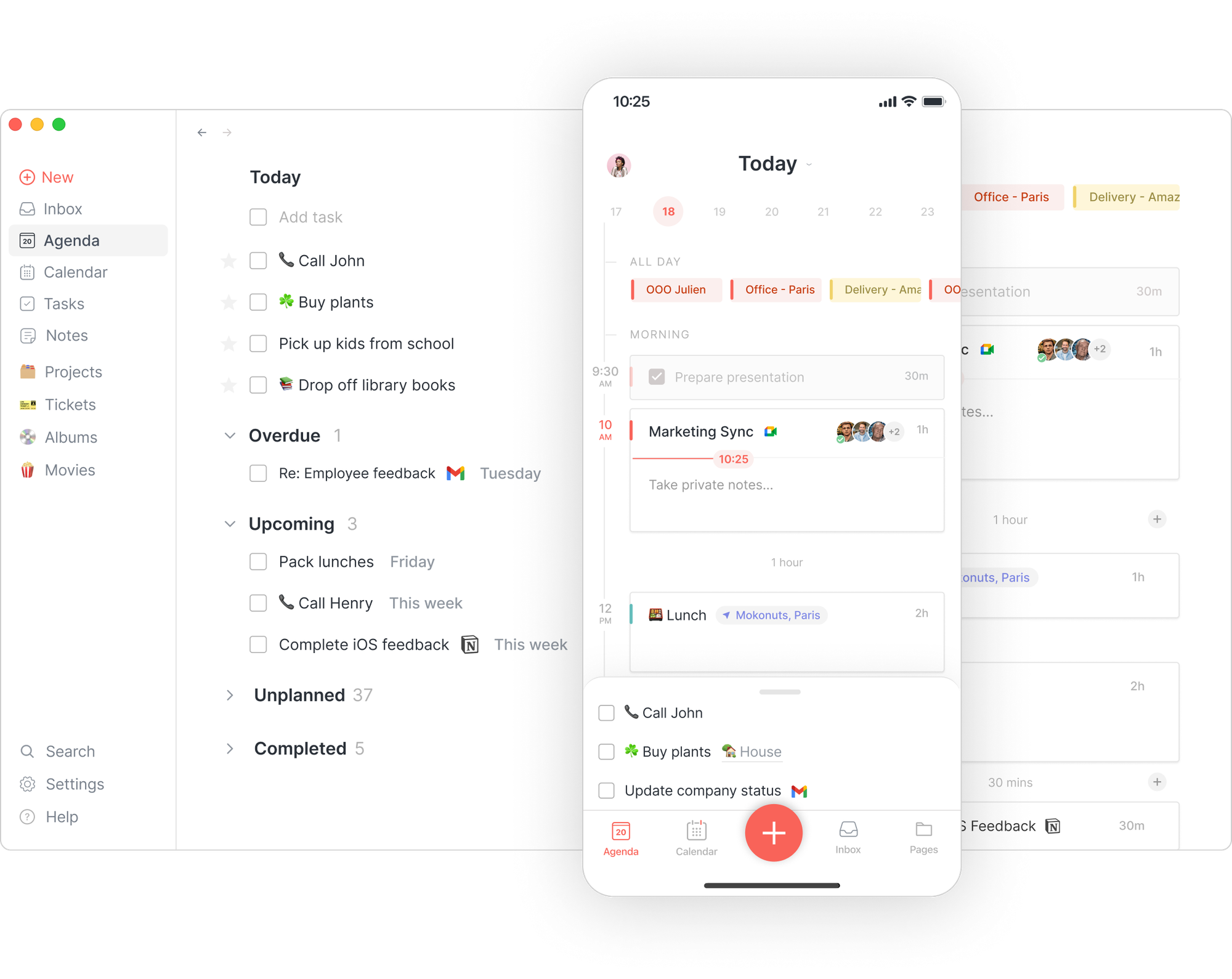
That’s where a tool like Routine comes in. It is a truly beautifully designed app that integrates with your calendar to pull in your events and even Notion to pull in tasks.
It is wonderful for time blocking, which plays well with my favorite feature, the focused today view. It only shows you items you have planned for that day, which is great for helping reduce overwhelm.
It’s a little different from most task managers — instead of folders, you organize your tasks within pages, where you can create notes alongside them. It’s an interesting approach that blends task management with note-taking.
The one downside for me is that there's no easy way to color-code your tasks in your calendar. Which, if you're someone who thinks visually, is a bit of a miss. Routine has a really exciting roadmap, so I’m definitely keeping an eye on all the features they have planned for this year.
Best part: Routine has a comprehensive free plan. It will cost you nothing.
My favorite features
- Focused ‘Today’ view to reduce overwhelm
- Minimalist, clean interface
- Solid list of integrations to consolidate tasks from elsewhere
Cost: Free, with paid plans starting at $10 per month.
Toggl Track
Best productivity tool for time tracking
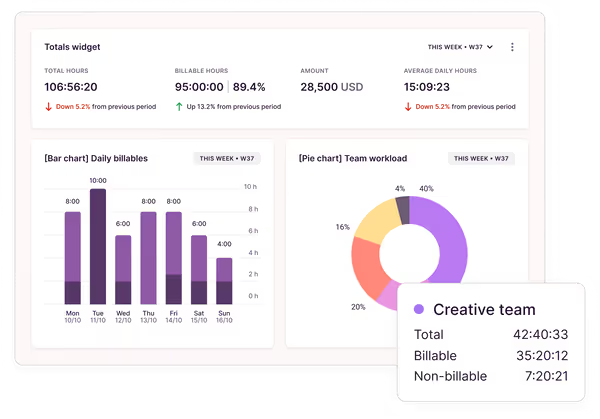
If you’ve ever finished a workday and wondered, “What did I even do today?” — same — then it’s time to explore Toggl Track.
It’s one of the simplest time tracking tools I’ve ever used, and it helps me stay honest about where my time is actually going. You can track by project or task, and even set billable rates if you’re freelancing.
You can track your time retroactively or live as you work. Hitting the start button on a time-tracking task is like an instant productivity boost for me. Because my time is being recorded, I’m way less likely to bounce between tasks or fall down a TikTok rabbit hole.
The reporting features are surprisingly satisfying, too. Even if you don’t track every minute, doing it can offer really helpful insight. Are you spending too much time on a side project or tasks that are technically outside of your scope?
There are some other tools on this list that have analytics, but nothing quite on the level of Toggl. You can drill down by time period, project, or task and have a handy bar/pie/line graph to go along with it.
The integrations are my absolute favorite. Thanks to a clever browser extension, Toggl Track pairs with almost any web-based tool, so you don’t even need to open Toggl to start tracking.
With the extension enabled, the little pink ‘start’ button can appear on everything from Google Docs to Notion pages to emails. One of my favorite workflows is to time-block in Todoist, then start a Toggl task within the Todoist web app.
That way, I only need to log into Toggl to review the analytics.
My favorite features
- Smooth integrations with a mind-blowing number of tools
- Multiple ways to visualize your productivity data
- Ability to export reports to share with managers
- Easily connect your timed work to invoices, which is amazing for freelancers
Cost: Free, with paid plans starting at $10.
Sunsama
Best productivity tool for mindful planning
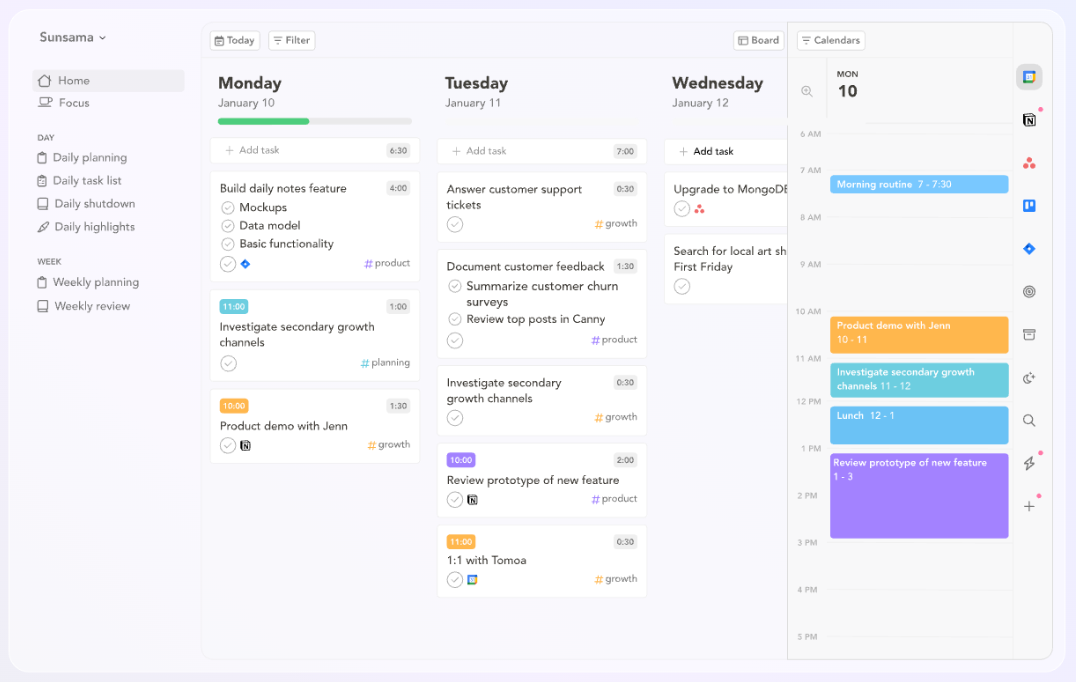
If a tool isn't pleasant to look at, it can be really hard to stay motivated to use it, which is worth factoring in when you're picking a system.
The bar is high, and Sunsama is probably the most beautifully designed on this list. It delivers on the promise of productivity, too. Sunsama is all about mindful planning and being realistic about what you can actually achieve in a day.
It’s excellent for lovers of time blocking who tend to overestimate what they can get done.
It encourages you to set estimated times for each task as part of a really lovely daily planning ritual, and lets you know when you have too much planned for the day.
It also has a lightweight stats and analytics feature so you can see where you spent your time, which I love.
The main downside is the cost: $22 per month, or $17 if you pay annually. It's pricier than most on this list, but if mindful, structured planning is what you need to actually get things done, it could be worth trying the free trial first to see if it clicks.
My favorite features
- Guided daily and weekly planning routines
- Simple analytics to help you better manage your time
- Solid list of integrations to consolidate tasks from elsewhere
Cost: $22 per month, $17 per month if paid annually.
P.S. If you’re looking for a similar tool on a budget, Ellie deserves an honorable mention here. Ellie was built by an independent developer, it’s really nice to look at, and works in a similar way.
brain.fm
Best productivity tool deep focus
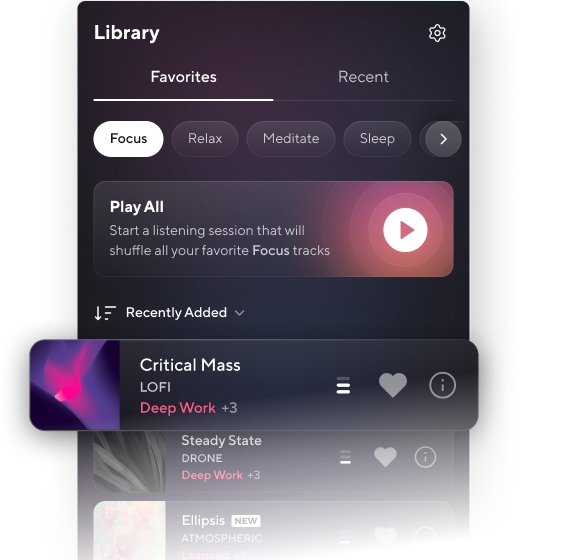
When I need to get into deep work mode, brain.fm is my first port of call.
It’s a music app, but not in the way you think. brain.fm uses science-backed audio that’s specifically designed to help you focus, relax, or sleep.
brain.fm uses science-backed audio to influence brainwaves associated with focus:
- Identify: It targets the specific Hz range for "active thinking."
- Translate: It converts these ranges into volume modulations within the music.
- Encourage: This prompts your brain to sync with patterns embedded in the audio.
Whether it is a placebo effect or not, the ‘Focus’ mode really works for me, particularly for creative work. I find I’m able to get into a flow state more often than not when I’m listening.
There are a handful of other apps and tools that offer something similar, but many of them don’t offer the ability to customize your sounds in the way brain.fm does. Simple filters help you pinpoint what works for you, whether that’s cinematic sounds, acoustic guitar, singing bowls, or birdsong. (I’m partial to thunderstorms.)
It’s not free, but the subscription is pretty reasonable. If you’re the kind of person who works best with sound but finds lyrics distracting (like me), brain.fm could help.
My favorite features
- Huge variety of sound filters that help you customize your experience
- Use it to focus, sleep, meditate, and more
- There’s an app version for desktops, phones, and tablets. (You can use in-browser too, if you prefer.)
Cost: $14.99 per month or $99.99 per year.
Focus Traveller
Best productivity tool for fun Pomodoro sessions
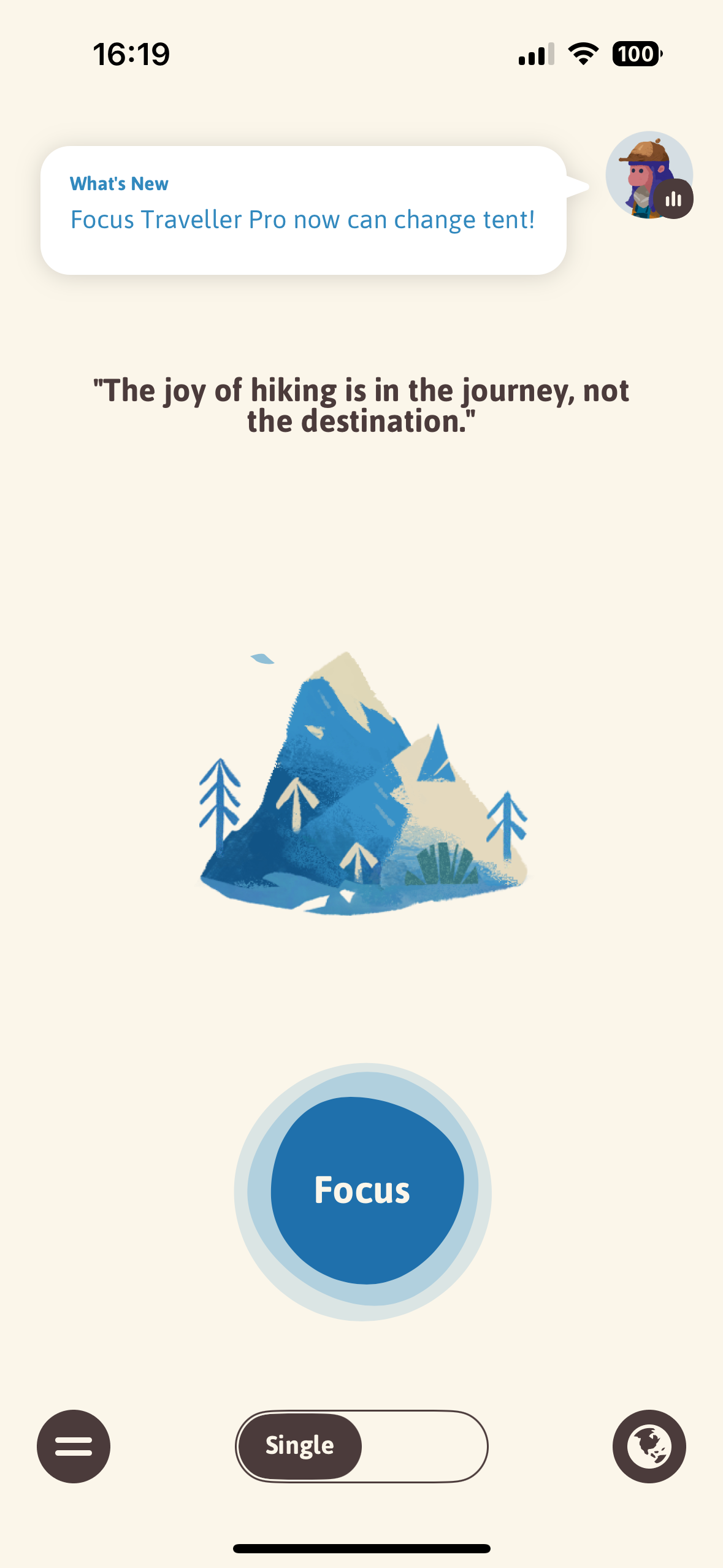
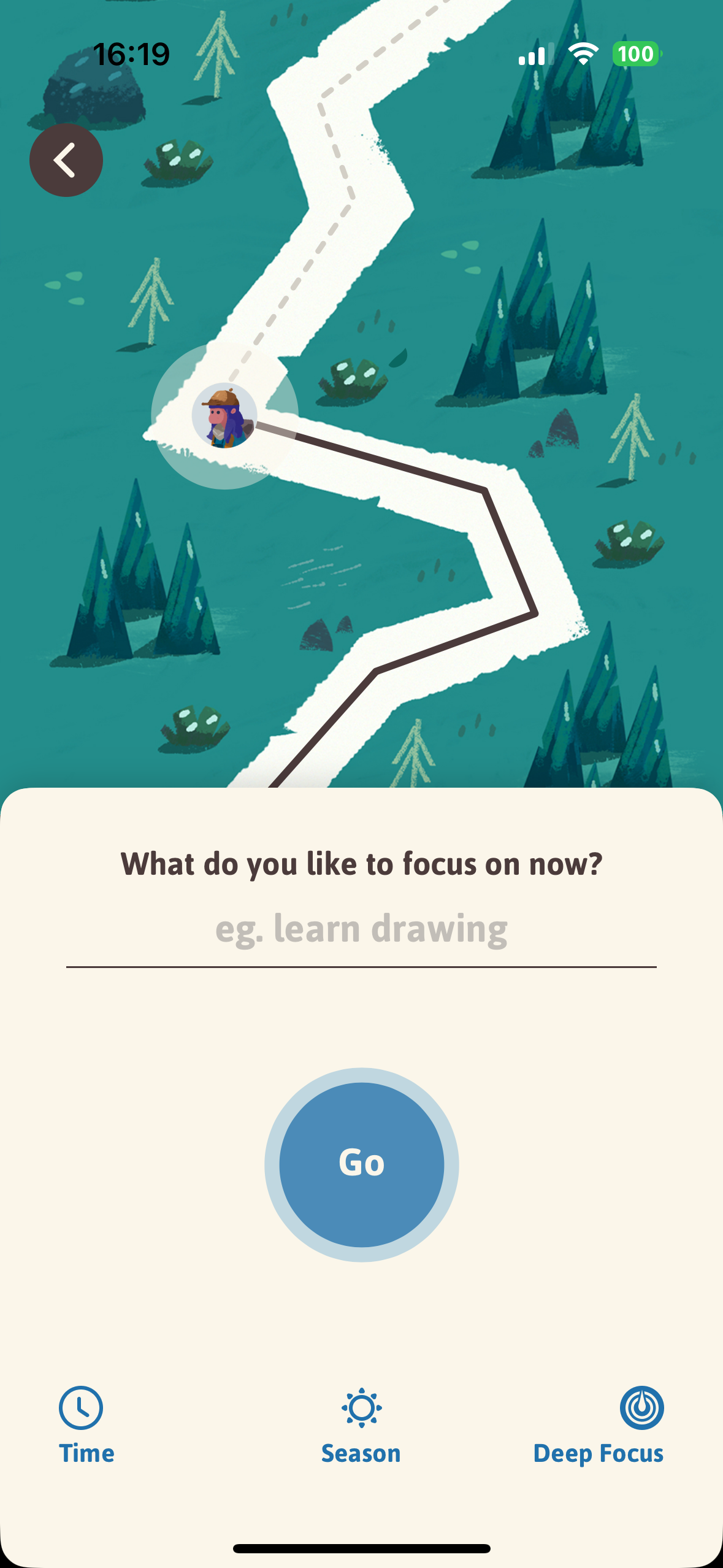

Focus Traveller is a Pomodoro timer, but way, way more fun. In the app, you create a mountain-climbing avatar who can only scale the peak while you’re working. Whenever I need to eliminate my phone as a distraction and add another incentive to get working, I turn to this app.
I’ll prop my phone up next to my desk, type in my task, and set my little mountaineer to climbing.
There’s ambient noise, soft animations, and it feels like a little treat every time I use it. Plus, if you toggle on deep focus mode, your avatar will stop climbing if you move out of the app.
If you’re motivated by gamification or need some extra incentives to stay off TikTok (🙋♀️), Focus Traveller might be worth a try. It’s not packed with analytics or integrations, but sometimes the little mood boost is what you need.
Plus, if you work for long enough in a day, your little avatar will celebrate when they reach the summit. Yay!
My favorite features
- Customize your avatar and terrain
- Simple, soothing background sounds
- Focus with friends — you can set up a ‘Travel Group’ if you want to work with someone else
Cost: Free, though there is a paid plan for more fun background options, at $0.99 per month.
Notion
Best productivity tool for note-taking and documentation
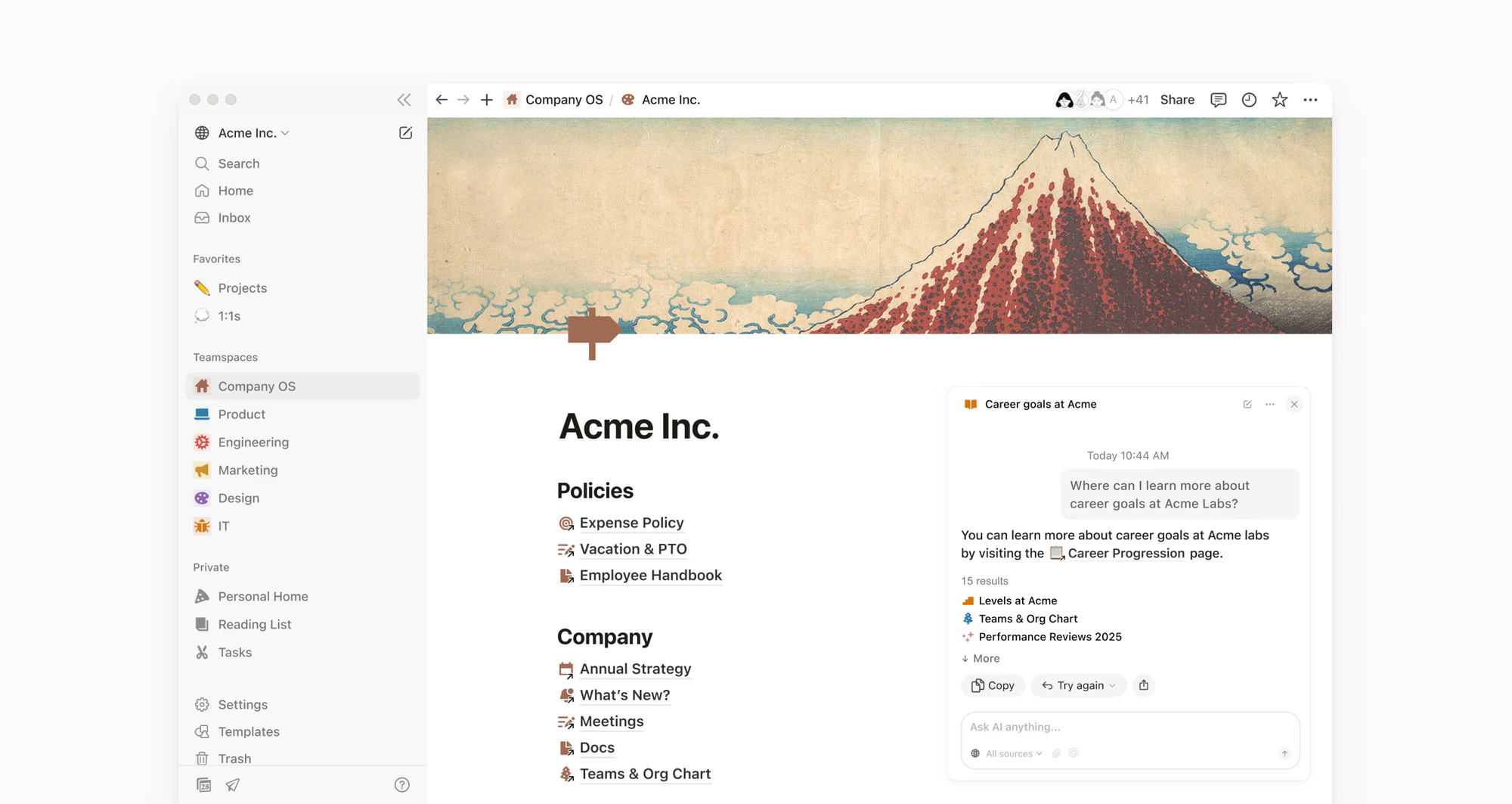
If you’re interested in productivity tools, you probably already know. But this list would not be complete without Notion.
Notion is the productivity equivalent of a Swiss Army knife. You can use it to create simple notes, fully formatted documents, and advanced databases. At Buffer, much of our blog content is planned, written, and edited in Notion. (I’m drafting this blog post in Notion, as it happens.)
Outside of work, I use it for everything from writing scripts to tracking personal projects, but honestly, its real power shows when you're managing content across multiple channels or clients.
Notion’s flexibility means it can be exactly what you need, but the downside is that it does take some time to set up the way you want. For my ADHD brain, that setup overhead can become a productivity drain in itself. Because of that, I choose not to keep my task management and planning in Notion (though you absolutely can do that). I found that I needed the clarity of a separate, more focused tool for daily planning, but most of my other work, personal and professional, takes place in one Notion database or another.
All that said, there are so many great templates out there, and once you find your flow, Notion becomes the tool you didn’t know you couldn’t live without. Also, it plays really well with other tools like Routine and Akiflow.
My favorite features
- The ability to connect databases for related projects
- Multiple views that turn databases into kanbans, calendars, and more
- Formatting options that allow you to create beautiful documents
- The ability to ‘publish’ pages and share them publicly
Cost: Free, with paid plans starting at $10.
Superlist
Best productivity tool for list lovers
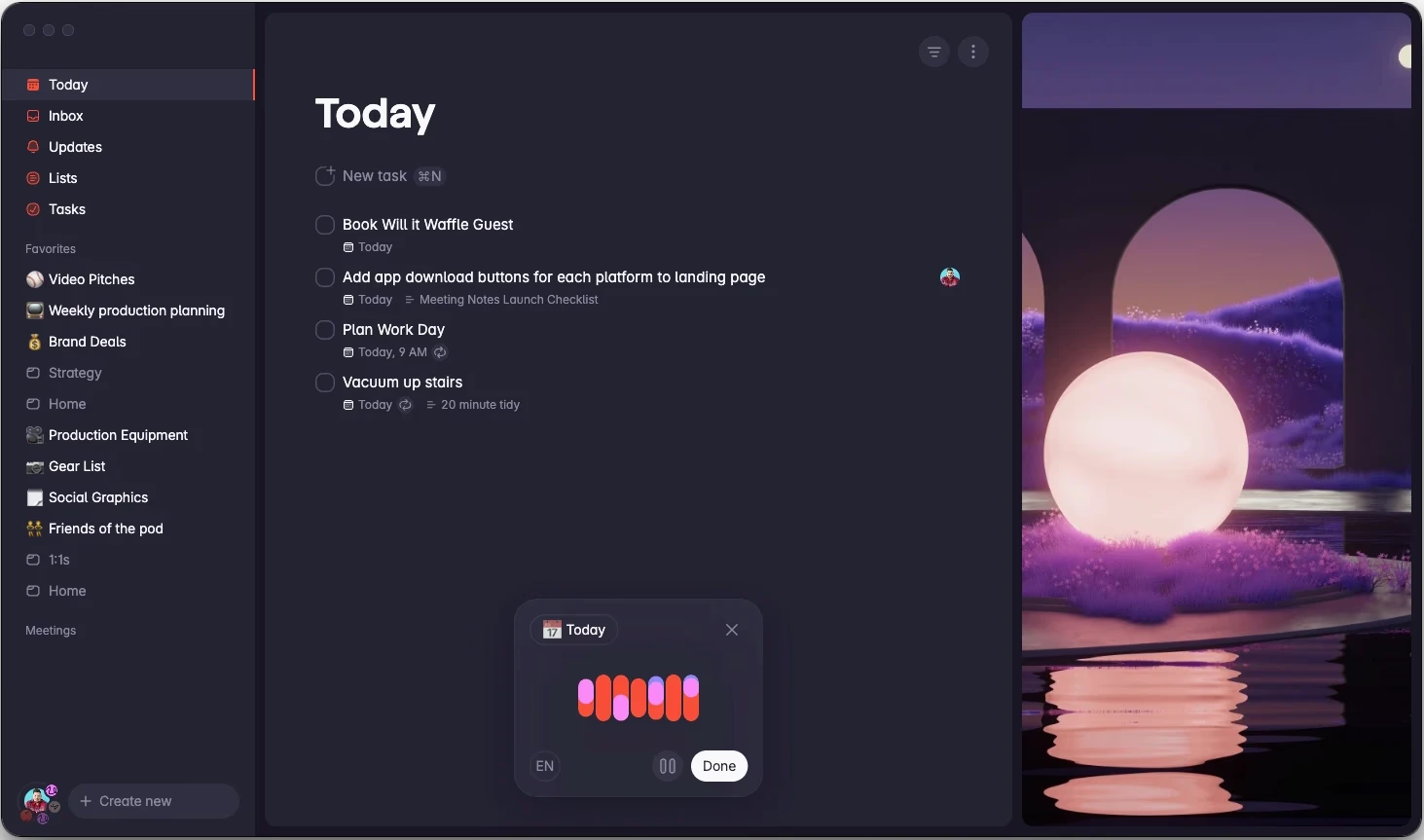
Superlist is still fairly new, but it’s already making waves as a task manager and notes tool. It’s designed by the same folks behind Wunderlist (RIP), and it shows. It’s sleek, minimal, and surprisingly powerful.
I love how it handles subtasks and recurring items, and the interface makes even mundane to-dos feel fun.
As simple as it seems, Superlist has some powerful features tucked away, like AI meeting notes, and a voice assistant that can turn a ramble into actionable to-dos.
It’s not as complex as something like Akiflow or Notion, but that’s exactly the point. Superlist helps you get stuff done without making you feel like you’re managing a giant system.
Plus, there’s a comprehensive free plan that gives you access to a lot of this. If you want a beautifully designed, dead-simple task manager and/or notes app, Superlist is worth exploring.
My favorite features
- Shared lists that update in real-time, which is great for teams, or even splitting personal to-dos with a partner or housemate
- Natural language processing to help you add items faster
- AI meeting note-taker that can automatically add to-do items to your list
Cost: Free, with paid plans starting at $6 per person per month.
Productivity tools aren’t one-size-fits-all
My top tip for tools testing: If something on this list doesn’t quite click, don’t be afraid to cancel after the trial. The last thing you want is for your productivity system to become a chore in and of itself.
A few things I’ve learned from my 57-tool journey:
- Start with free tools. Most of the apps on this list have free plans. You likely already have 80% of what you need, so build from there.
- Give each tool a real trial. I try to use a new tool for at least two to three weeks before deciding. First impressions can be misleading.
- Keep a master task list somewhere safe. Nothing gets lost between tool-hops if you have one source of truth. (I've learned this the hard way!)
- Don't stack tools that do the same thing. If two apps overlap, pick one and commit; at least for now.
I highly recommend experimenting with different systems to find what fits your brain best. Productivity is deeply personal, and the ‘best’ tool is the one you’ll actually use.
Did I miss your favorite tool? There are many others I’d have liked to include here, but this article is already a little long!
In all seriousness, though, there are so many excellent ones out there that it was tough to choose my favorites. If you’d like to recommend something else for this list, pop them in the comments or find me @kirstilang on Threads.
FAQ about productivity tools
What are productivity tools?
Productivity tools are apps or software that help you get more done with less mental overhead. They cover a wide range, from task managers and calendars to time trackers and focus apps. The ones worth keeping help you stay organized, plan your day, and cut through distractions without adding complexity to your workflow.
What types of productivity tools are there?
Productivity tools generally fall into a few broad categories, including task managers for capturing and organizing what you need to do, time trackers for seeing where your hours actually go, focus tools for getting into deep work mode, planning tools for mapping out your day or week with intention, and note-taking and documentation apps for storing ideas and reference material.
Most people don't need one in every category. Start with the area where you feel most disorganized, as that's usually where the biggest gains are.
More productivity resources
- How Buffer Helped Me Triple My LinkedIn Impressions and Grow My Newsletter
- How AI Dictation Tools Changed The Way I Work (And Which Ones Are Worth It)
- 8 of the Best AI Productivity Tools to Help You Optimize How You Work
- Creation Mode vs. Consumption Mode: My #1 Tip for Staying Consistent as a Creator
- A WFH Mom’s No-Burnout System for Staying Consistent on Social Media
- How I Create Content as Someone With ADHD: 7 Tactics + Tools I Lean
- I Work Full-Time — Here’s the No-Pressure System That Helped Me Stay Consistent on Social Media
Try Buffer for free
200,000+ creators, small businesses, and marketers use Buffer to grow their audiences every month.