

Keeping up with Instagram in 2026 feels like running a marathon. There’s always something new, trends move fast, and maintaining consistency can be exhausting.
You don't have to tackle it alone — and you certainly don't have to spend a fortune. The right tools can save you hours every week — and help you show up more consistently without the burnout.
Whether you’re crafting engaging visuals, planning your content calendar, analyzing your data, or boosting engagement, free Instagram tools can save you hours of work every week. Detailed analytics help you understand post performance and user engagement.
In this article, I’ve rounded up 26 free Instagram tools for creators, marketers, and small businesses. Every tool here has a solid free plan or trial that's actually worth your time. And yes, there are plenty of AI-powered options to streamline your workflow.
Here's what you need to improve your Instagram strategy without breaking the bank.
Jump to a section:
Key takeaways
- Visuals and video: Canva and CapCut remain the industry standards for free, high-quality Instagram design and reel editing.
- Efficiency: Use scheduling tools like Buffer or Meta Business Suite to maintain consistency without manual daily posting.
- Data-driven growth: Leverage Instagram’s native insights and SparkToro to understand audience behavior and niche trends.
- Automation: Tools like ManyChat can handle high volumes of DMs and comments, turning engagement into leads automatically.
- Traffic optimization: A dedicated link-in-bio page (like Buffer Start Page) is essential for directing followers to external websites and newsletters.
Instagram content creation tools
Consistently creating polished posts, reels, or stories can be overwhelming. These free content creation tools simplify the process and save you time.
Canva
Best for: All-round visual content creation
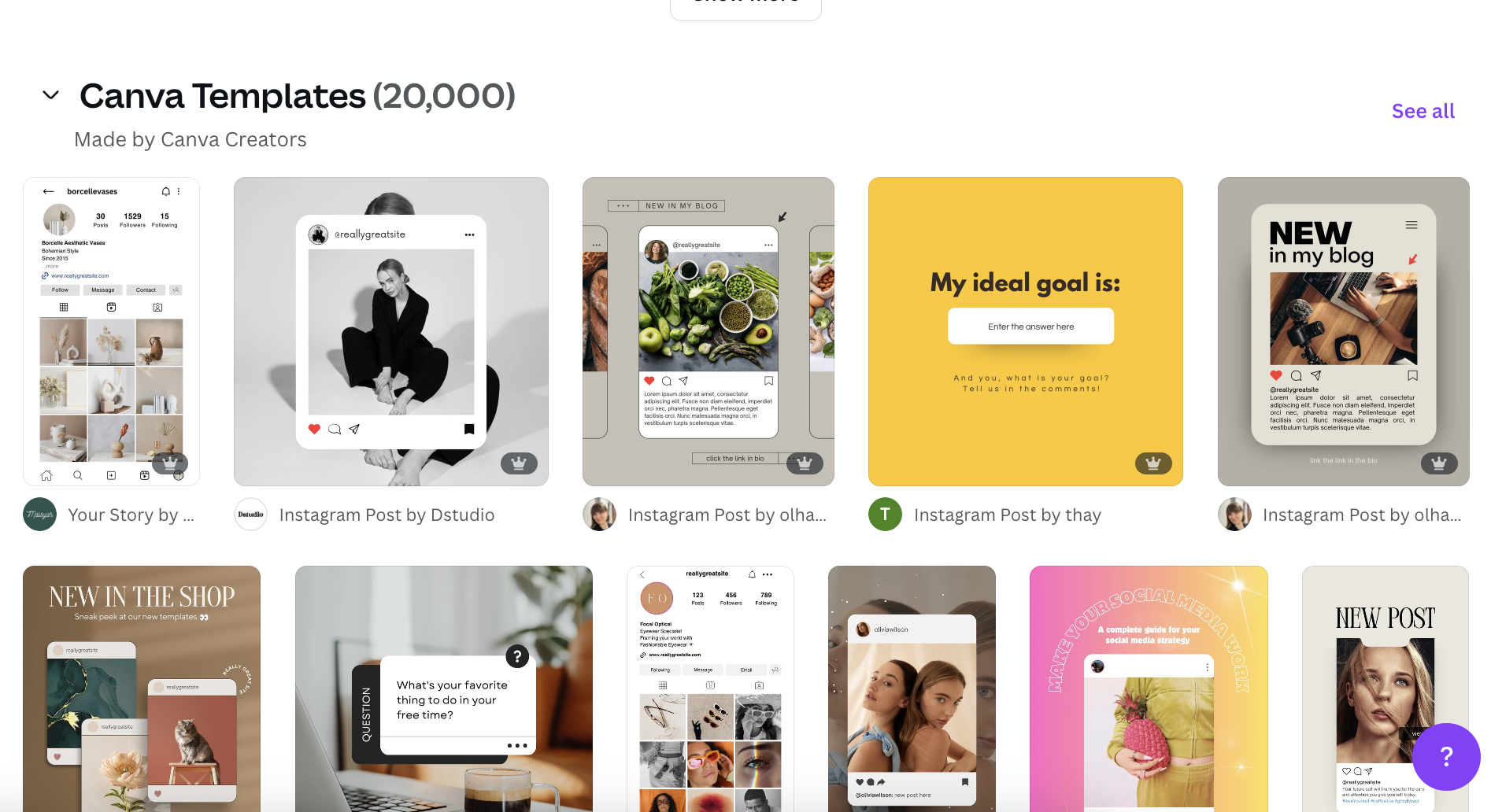
Canva is a favorite among creators, small businesses, and marketers — especially if design isn't your thing. It offers thousands of free Instagram templates across all formats (reels, carousels, stories, you name it), all perfectly sized and ready to go for your Instagram posts.
With its intuitive drag-and-drop interface, you can quickly customize visuals even if you've never designed before.
Standout free features include:
- Access to a huge library of graphics, icons, and stock images
- Video editing capabilities, which work great for reels
- Pre-made and properly-sized templates for every Instagram format
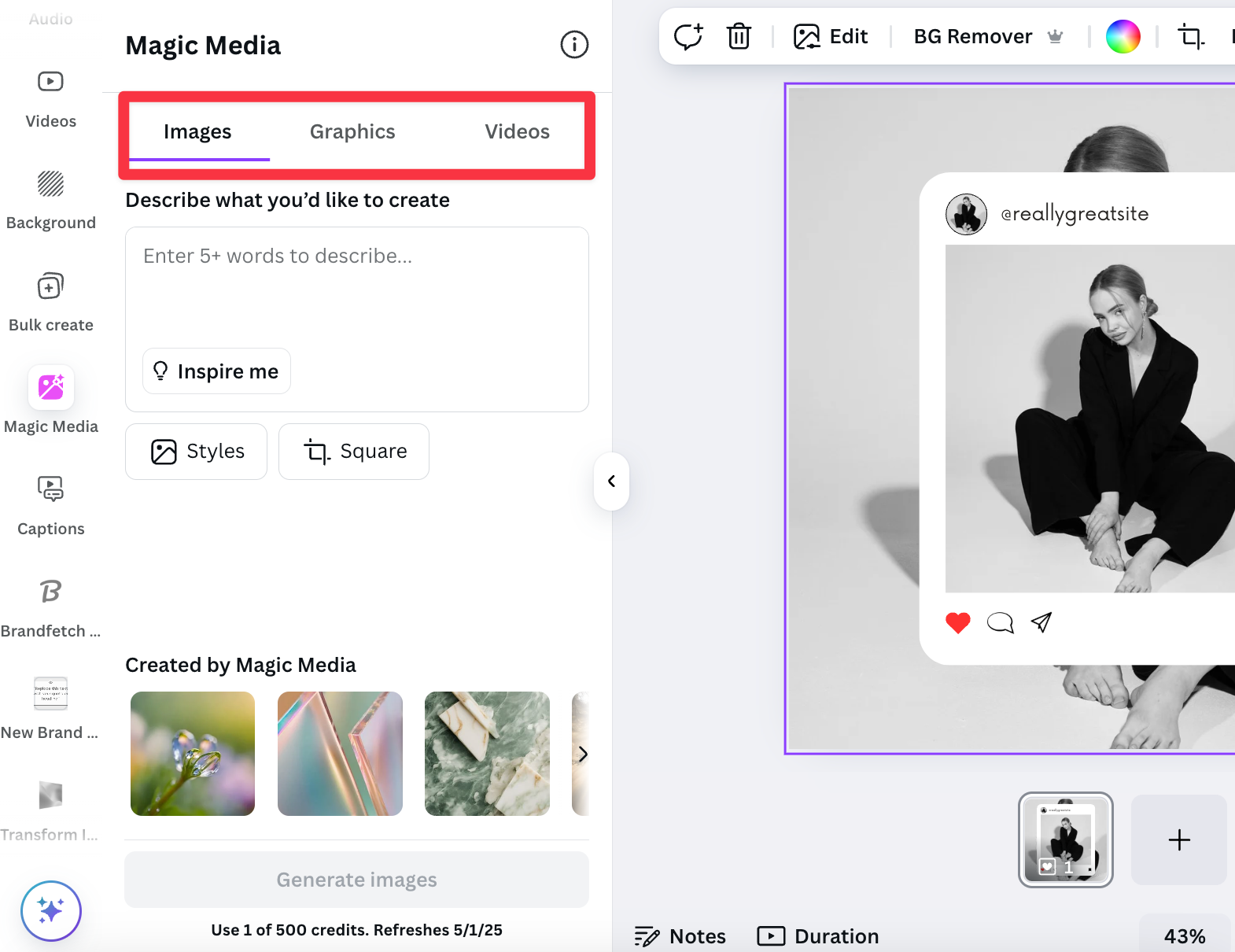
Magic Studio is an AI-powered feature that can instantly generate eye-catching visuals based on your content idea.
Not feeling Canva? Here are two other options worth trying:
- Adobe Express: Formerly known as Adobe Spark, Adobe Express is a content creator’s dream, offering thousands of free templates for social graphics, reels, stories, and more. It’s especially helpful for quick actions like background removal, video trimming, or adding animations. Best for: Seamless integration with the Adobe ecosystem.
- Unfold: If elegant, cohesive Instagram Stories or carousels are your thing, Unfold delivers hundreds of beautiful designer templates. With its elegant, minimalist templates, it’s loved by creators and brands for visual storytelling. Best for: Curated library of sleek, design-forward templates.
CapCut
Best for: Desktop and mobile video editing
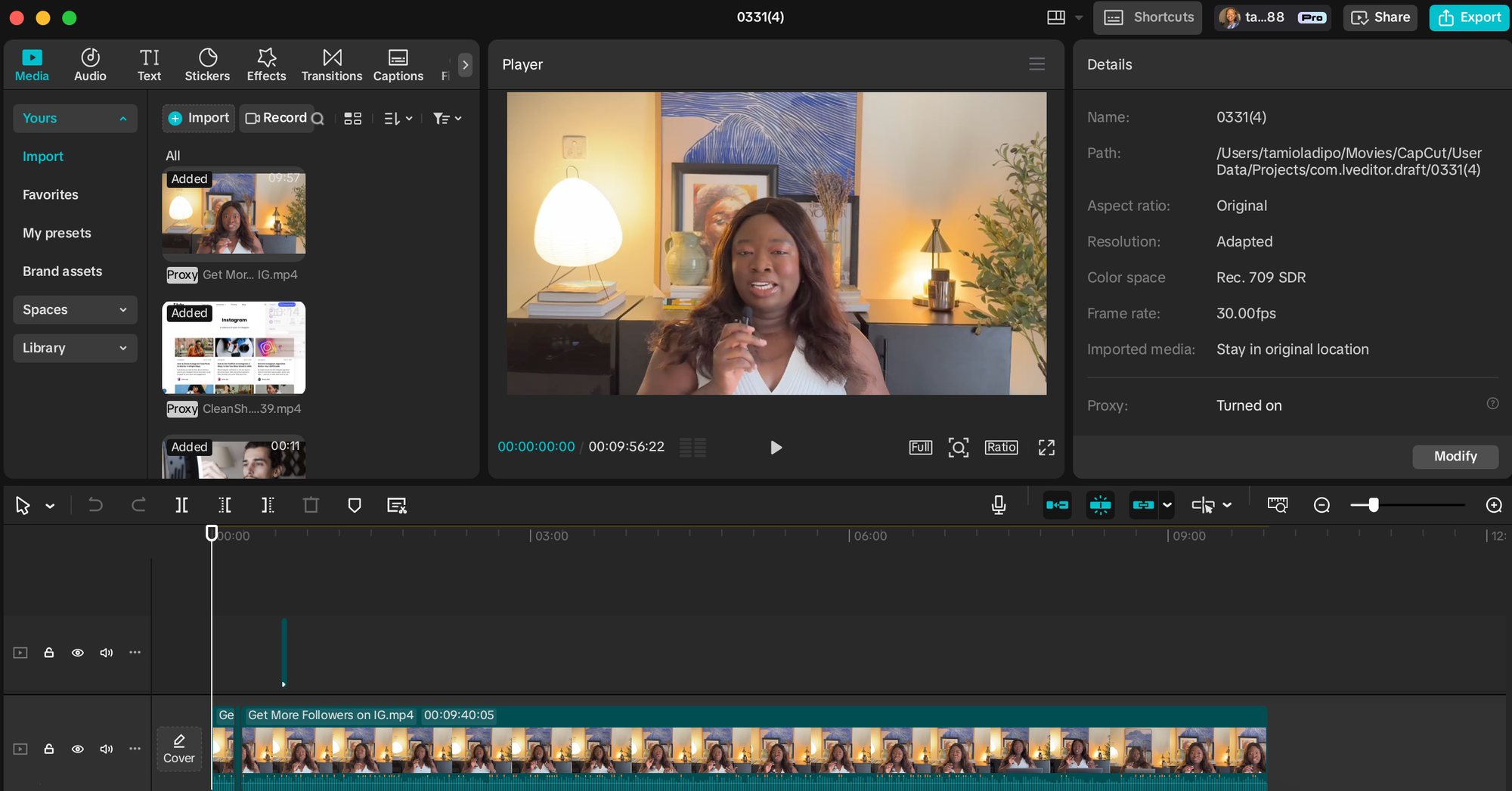
CapCut is a popular free video editor for creators who want to craft professional-grade reels and stories.
This powerful app (created by ByteDance, which also owns TikTok) lets you edit videos directly from your phone, offering cuts, transitions, captions, effects, and filters — all completely free and without watermarks.
Standout features include:
- Full-featured mobile video editor with 4K export
- Built-in templates, transitions, filters, and effects
- Auto-captions, AI background removal, and trending sounds
- No watermarks on exports
Similar to CapCut, here are some other editors you might consider:
- VN: A slightly more advanced mobile editor, VN gives you a pro-level timeline interface and custom keyframes — without being overwhelming. Best for: Creators who want more creative control without springing for desktop software.
- Veed: A browser-based video editor that’s great for teams or creators working on desktop. Veed offers one-click subtitles, screen recordings, and templates for Instagram posts. Best for: Captioning videos quickly, editing on desktop, or repurposing long-form content into short clips.
- InShot: InShot is a mobile editing classic — perfect for trimming clips, adding music, filters, or text overlays. It’s simple but powerful, especially for on-the-go edits. Best for: Quick cuts, montages, and reels with minimal fuss.
Dupe
Best for: Aesthetic stock images
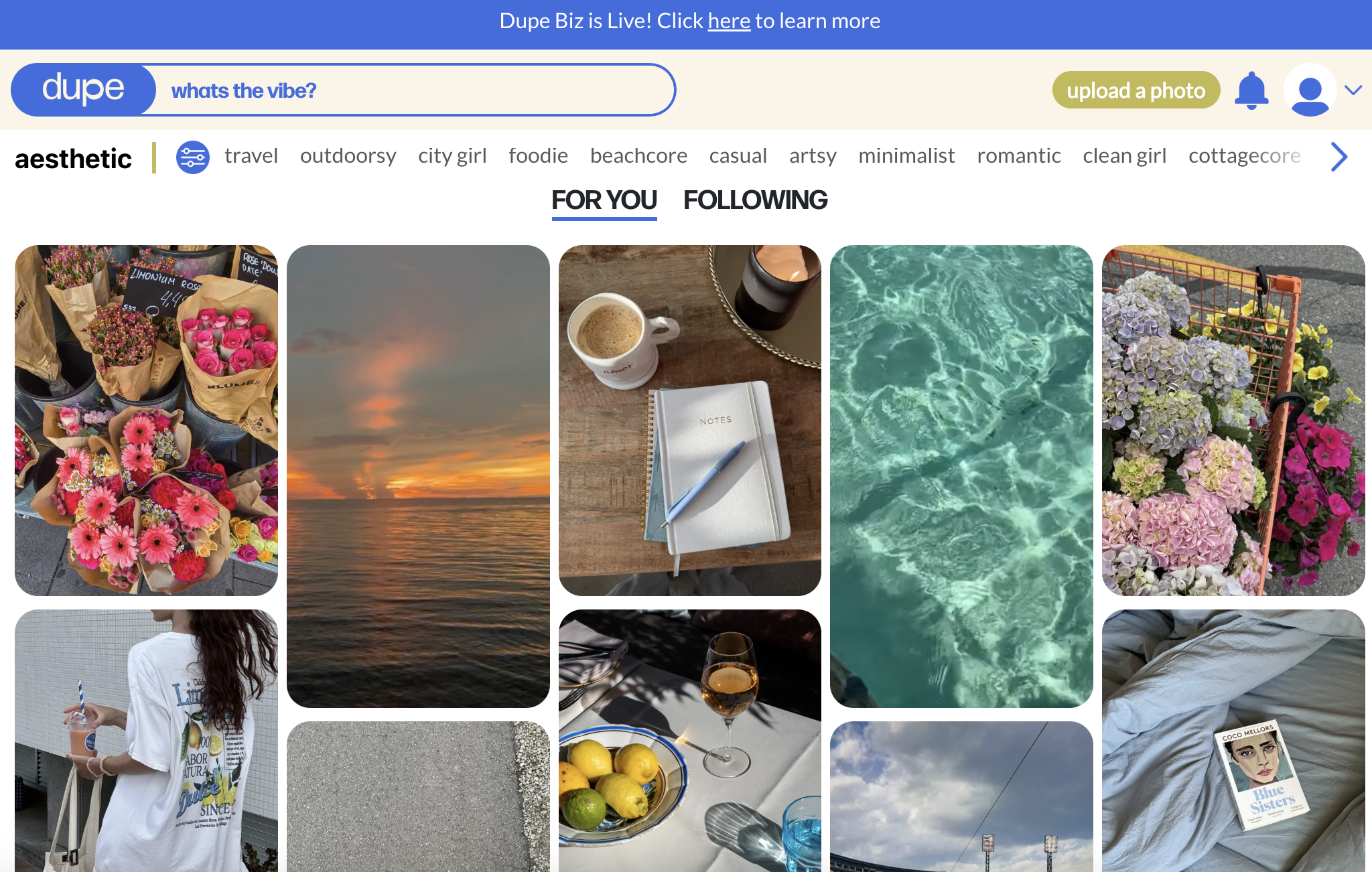
Dupe offers high-quality images that actually look natural — not like the typical stock photos you've seen everywhere. It offers curated, high-quality imagery for modern brands and aesthetic feeds — all free to use, no attribution required.
The library leans toward lifestyle, fashion, tech, and minimalist vibes — perfect if you're building a modern, aesthetic feed. It's great for filling gaps in your content calendar — or for those days when you don't have access to a camera but still need something that looks good.
Standout free features:
- Curated library of trendy, editorial-style photos
- Categories designed for content creators (think: flat lays, tech, workspace, fashion)
- No login required, completely free to use
Similar to Dupe, here are some stock photo websites to check out:
- Unsplash: A classic for a reason. Unsplash offers over 3 million high-resolution images contributed by photographers worldwide. It’s a go-to for everything from nature shots to editorial-style portraits — and the search functionality is top-tier.
- Pexels: Pexels is ideal if you’re after vibrant, dynamic photos and videos. The collection leans modern and multicultural, and it includes both horizontal and vertical formats — perfect for Instagram Stories or carousels.
Grammarly's AI Instagram caption generator
Struggling to write engaging captions? Just describe your post and choose a tone (like witty, confident, or friendly), and Grammarly's free caption generator will suggest multiple caption options you can tweak or copy as-is.
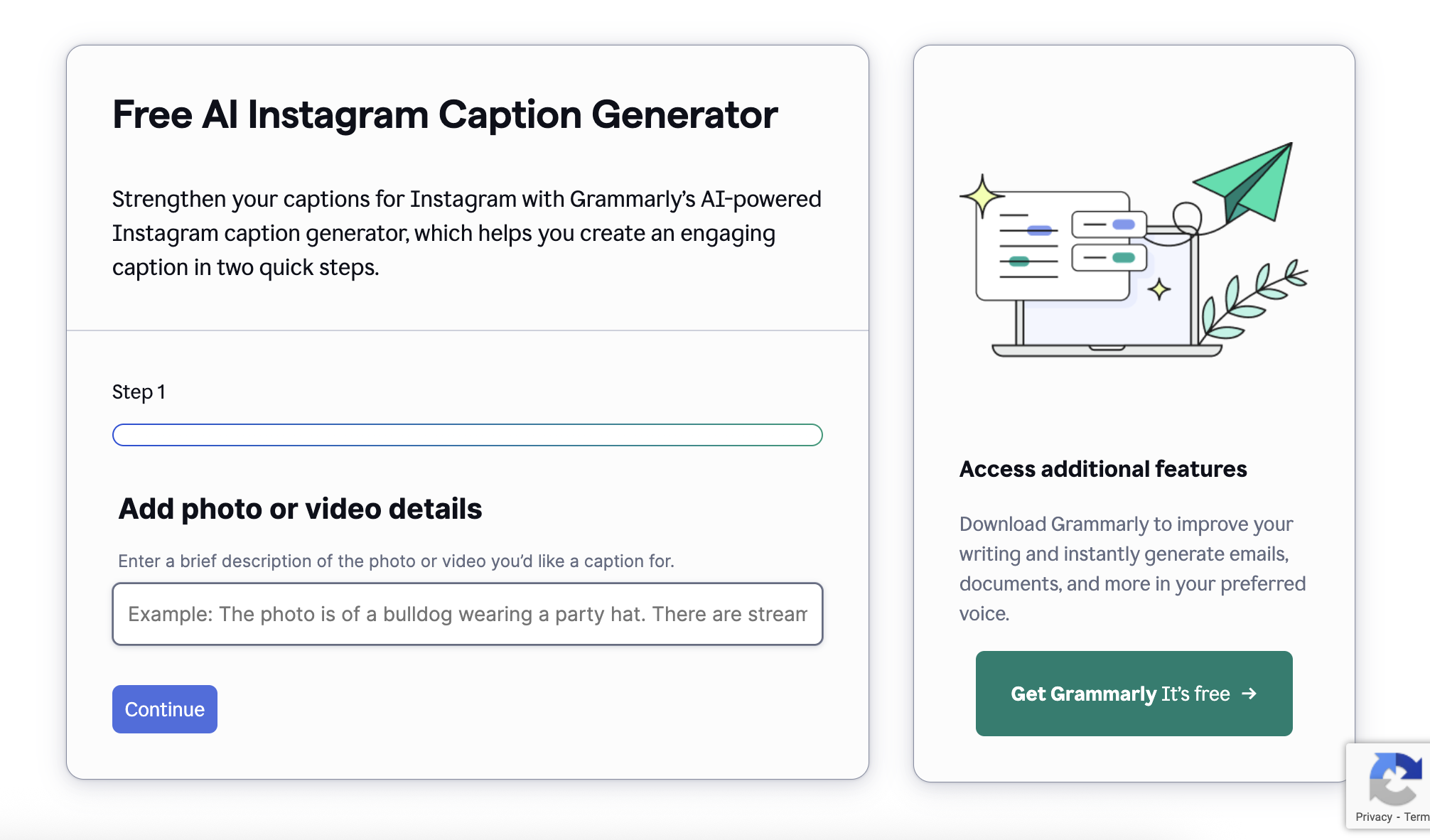
Standout features include:
- Multiple AI-generated captions per prompt
- Customize tone, intent, and post type
- No login required to generate ideas
Some other free caption generators to try:
- Copy.ai: Copy.ai’s social media caption tool helps you create short, catchy captions based on your product, post theme, or content goal. You can also choose a tone (like bold, friendly, professional), making it easy to tailor content for different audiences. Best for: Caption ideas with a clear CTA or marketing angle
- Predis: Predis is an AI social media assistant that auto-generates post captions and visuals from a single prompt. While the full tool is more robust, its free caption generator is worth trying if you want short-form ideas with emojis, hashtags, and brand alignment. Best for: AI-generated posts that include visuals, captions, and hashtags together
Next up, let's simplify your posting schedule with some powerful (and free) scheduling tools.
Instagram scheduling tools
Posting regularly helps you grow on Instagram, but posting daily (or even weekly) can feel impossible without a system.
That's where scheduling tools come in. They let you plan ahead, see how your feed will look, and post when your audience is actually online — without having to set alarms or remember to post manually.
Here are the best free tools to plan and schedule your Instagram posts effortlessly.
Buffer
Buffer makes scheduling straightforward — which is why a lot of creators and small businesses use it to stay consistent without the daily stress.
Its generous free plan lets you schedule up to 10 posts per Instagram profile, allowing you to pre-plan your content weeks in advance.
Plus, you can save hashtag groups and even schedule first comments to keep your captions tidy.
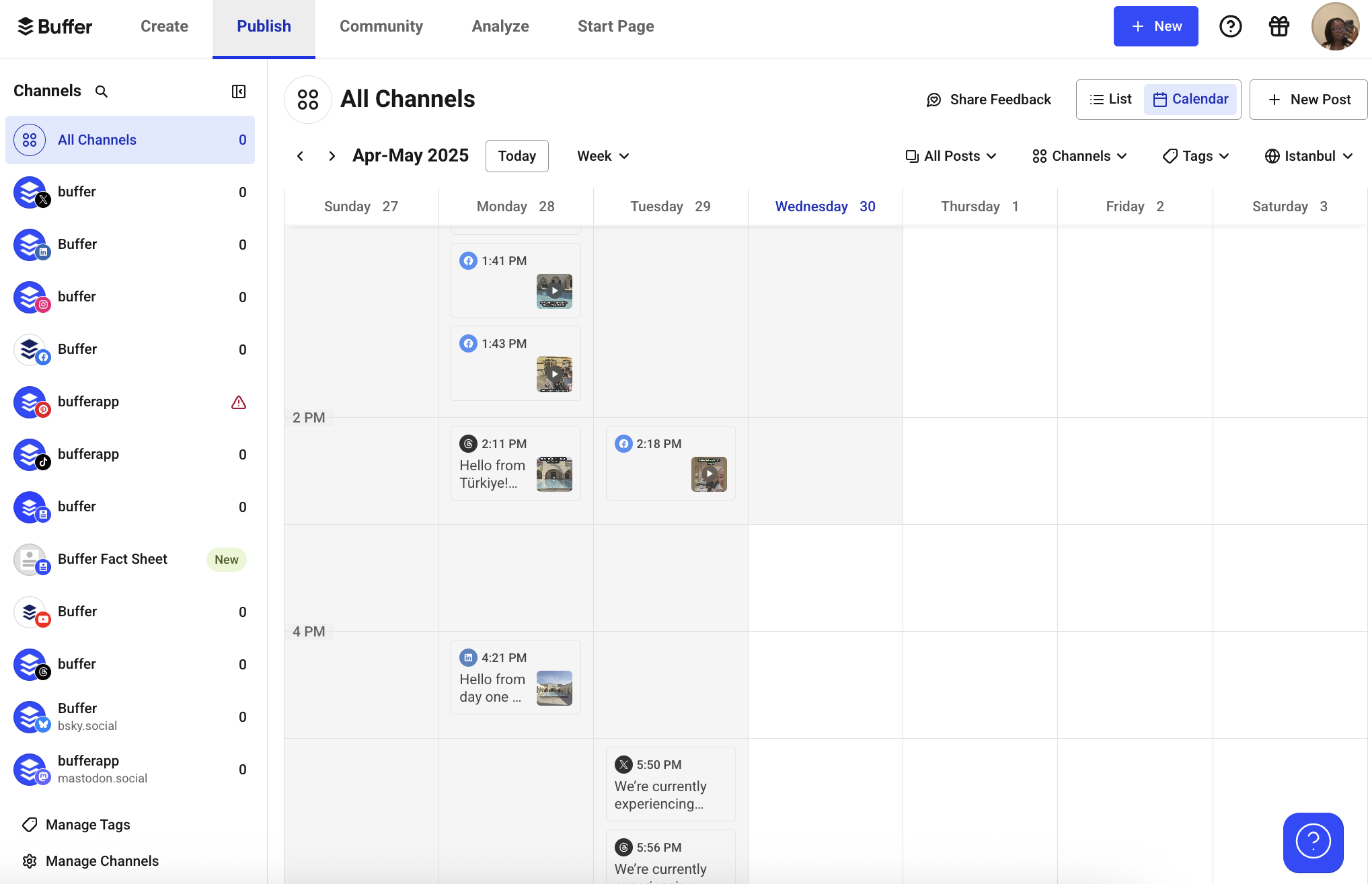
Standout features include:
- Connect multiple accounts — up to three Instagram accounts if that’s what you need
- Visual content calendar with drag-and-drop editing
- Preview and arrange your Instagram grid visually
- First comment scheduling and hashtag management included
Another free scheduler to try:
If you're already working within the Meta ecosystem, try Meta Creator Studio (now part of Meta Business Suite).
Meta’s official scheduler lets you plan Instagram posts, reels, carousels, and stories — with the peace of mind that comes from using a native tool. It’s ad-free and fully integrated with your Business or Creator account to post right to your Instagram feed. Best for: Those who want direct-to-Instagram scheduling and built-in analytics — no third-party apps needed.
Next, let’s get into some free Instagram tools that unlock valuable insights — making data-driven growth simpler than ever.
Instagram analytics tools
Creating content is important, but understanding what resonates with your audience drives growth. While instinct helps, using data to guide your decisions strengthens your Instagram strategy. That’s where Instagram analytics tools come in.
Instead of guessing what works, these tools show you exactly which posts your audience loves and when they're most likely to be scrolling.
Whether you want to see what's working, figure out what to post next, or keep an eye on what others in your space are doing, these free tools can help.
Instagram’s native insights
Instagram’s built-in analytics tool is the first place to start. If you have a Creator or Business account, you automatically get access to Instagram insights, which shows you all the essential data — from post reach and follower demographics to your most engaging content.
It’s built into the app and shows you what's working (and what's not).
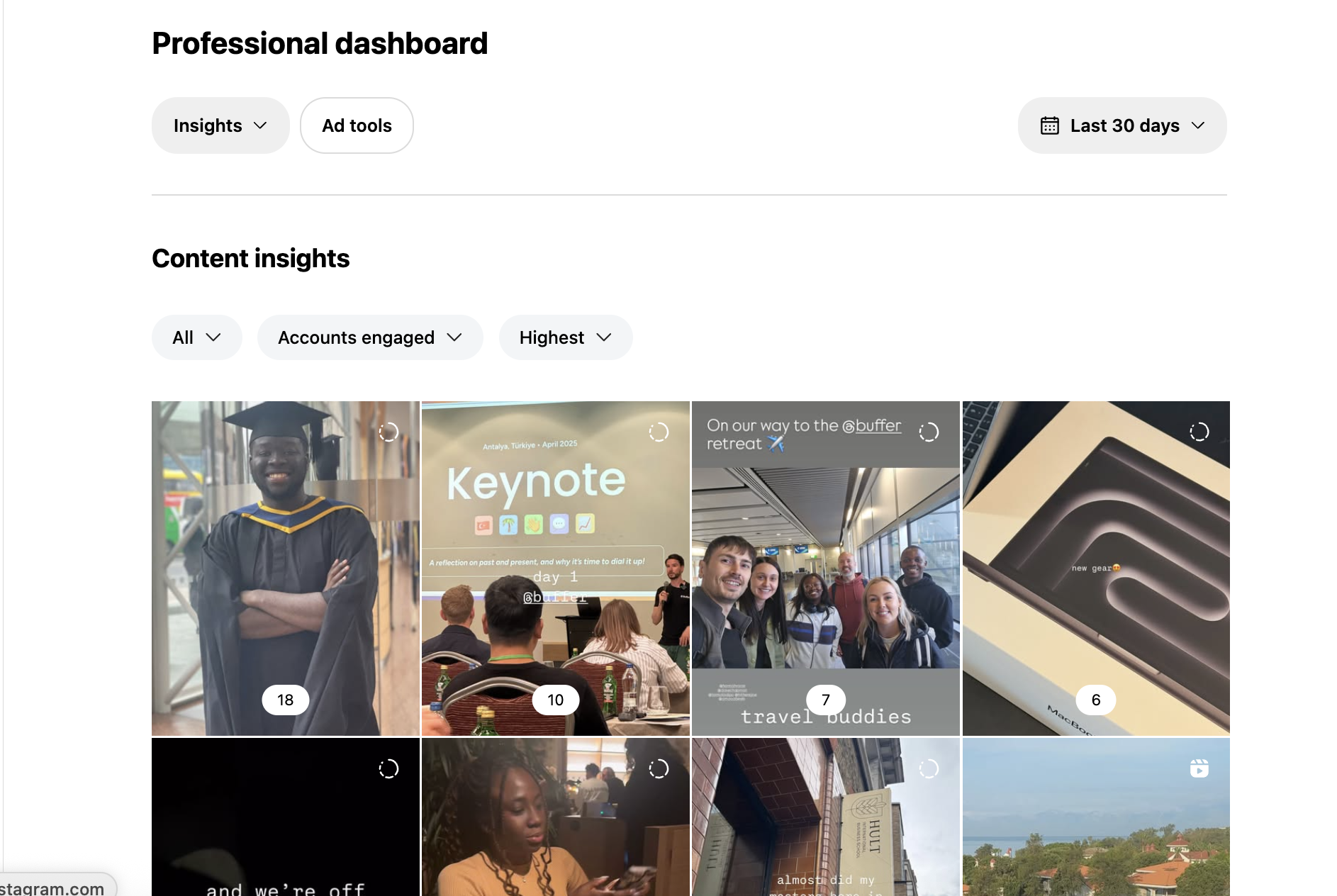
Standout free features:
- Track reach, impressions, and profile activity
- See your top-performing Instagram posts across reels, carousels and stories
- Understand follower growth and audience demographics
- No setup or third-party access required
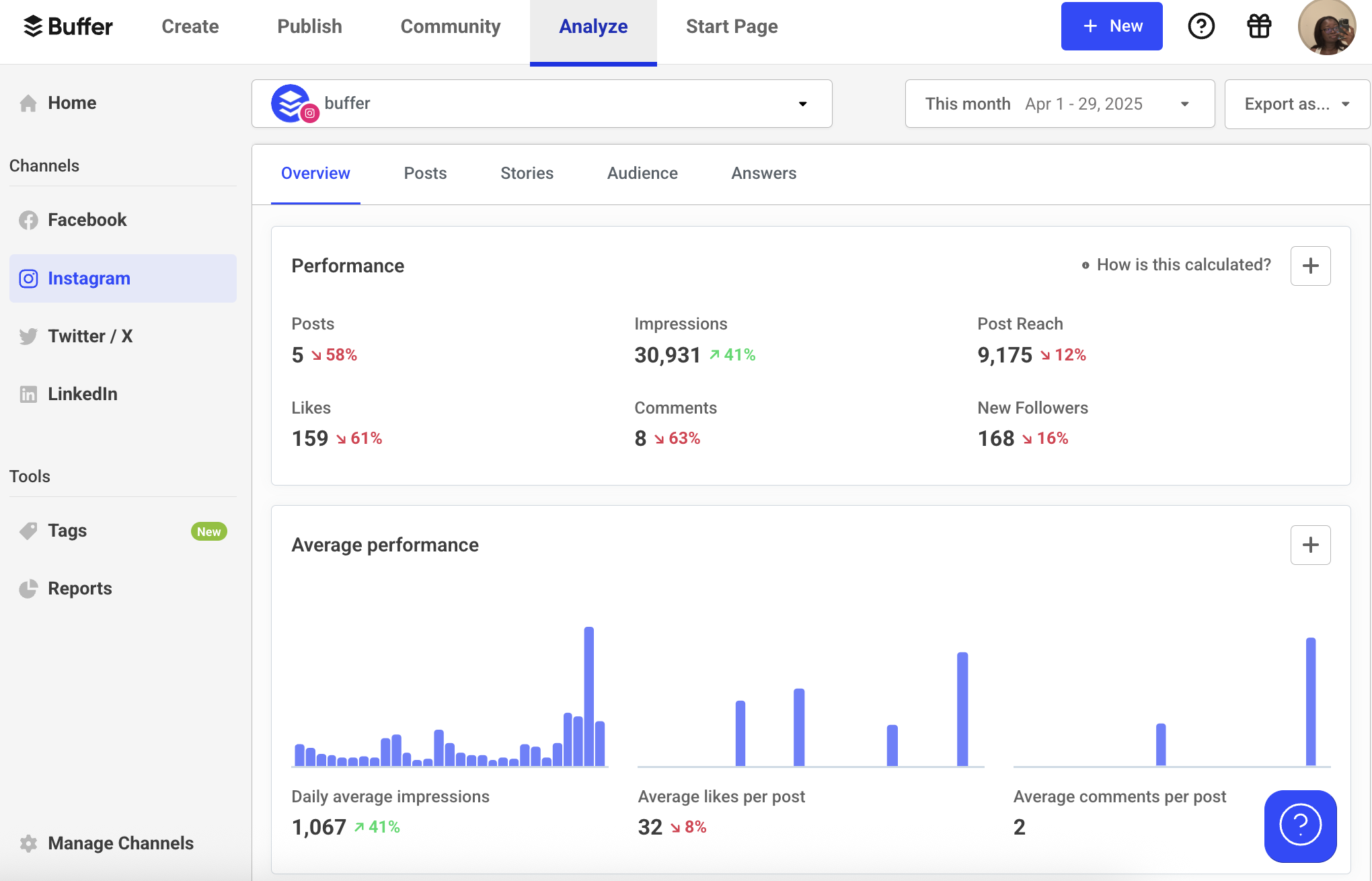
If you want an Instagram analytics tool that is built into a tool you use regularly, try out Buffer’s analytics.
Buffer is the best Instagram analytics tool for people who need a one-stop shop for all the work that goes into social media. It’s a social media management platform, so not only does it give you detailed analytics about your Instagram account, but also helps you with the whole process of social media management.
Now, let’s dive into audience research and hashtag discovery — essential for reaching exactly the right people.
Audience research and hashtag tools
Audience research and hashtag tools can help you understand who your followers are, what topics they care about, and how to surface your content through the right keywords, tags, and trends.
These tools take the guesswork out of reach and discovery — so you’re not just creating great posts, but making sure the right people see them.
SparkToro
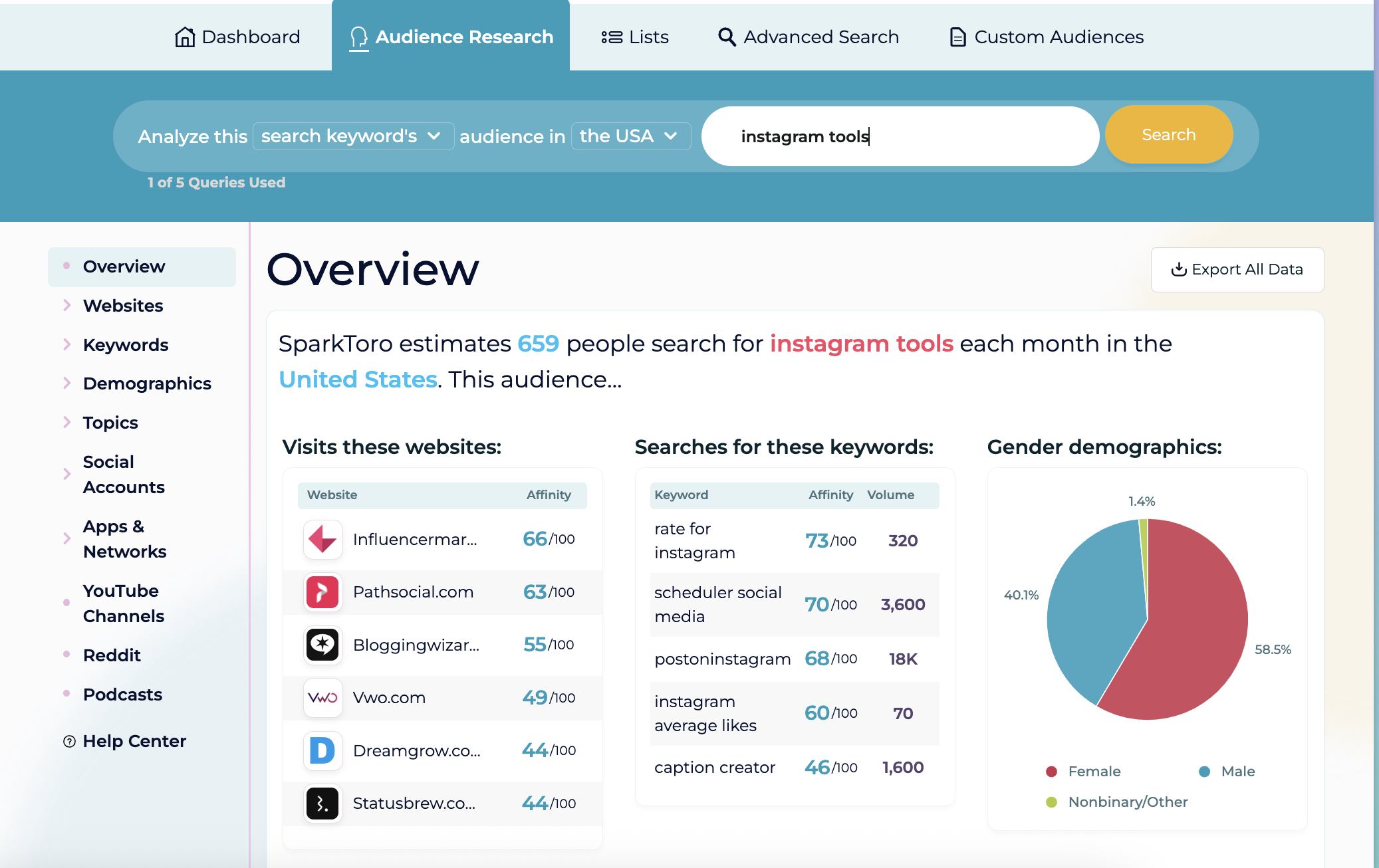
SparkToro helps you understand your audience in depth. Enter a keyword, topic, or Instagram handle, and you'll see what your audience reads, follows, listens to, and talks about — which can help you find collaboration opportunities, relevant hashtags, or content angles they're already interested in. You can use that insight to find creators to collaborate with, hashtags to include, or even content angles your audience is already engaging with elsewhere.
Standout free features:
- 5 free searches per month
- Discover what your audience watches, reads, and follows
- Identify niche hashtags and adjacent creators for collabs
If you're looking for even more audience insight or competitor data, try Social Blade.
Social Blade shows you follower growth trends, engagement stats, and performance data for any public Instagram account. It’s great for tracking what’s working for competitors or influencers in your niche. Best for: Benchmarking your growth and spying on competitor performance
Buffer’s free hashtag generator
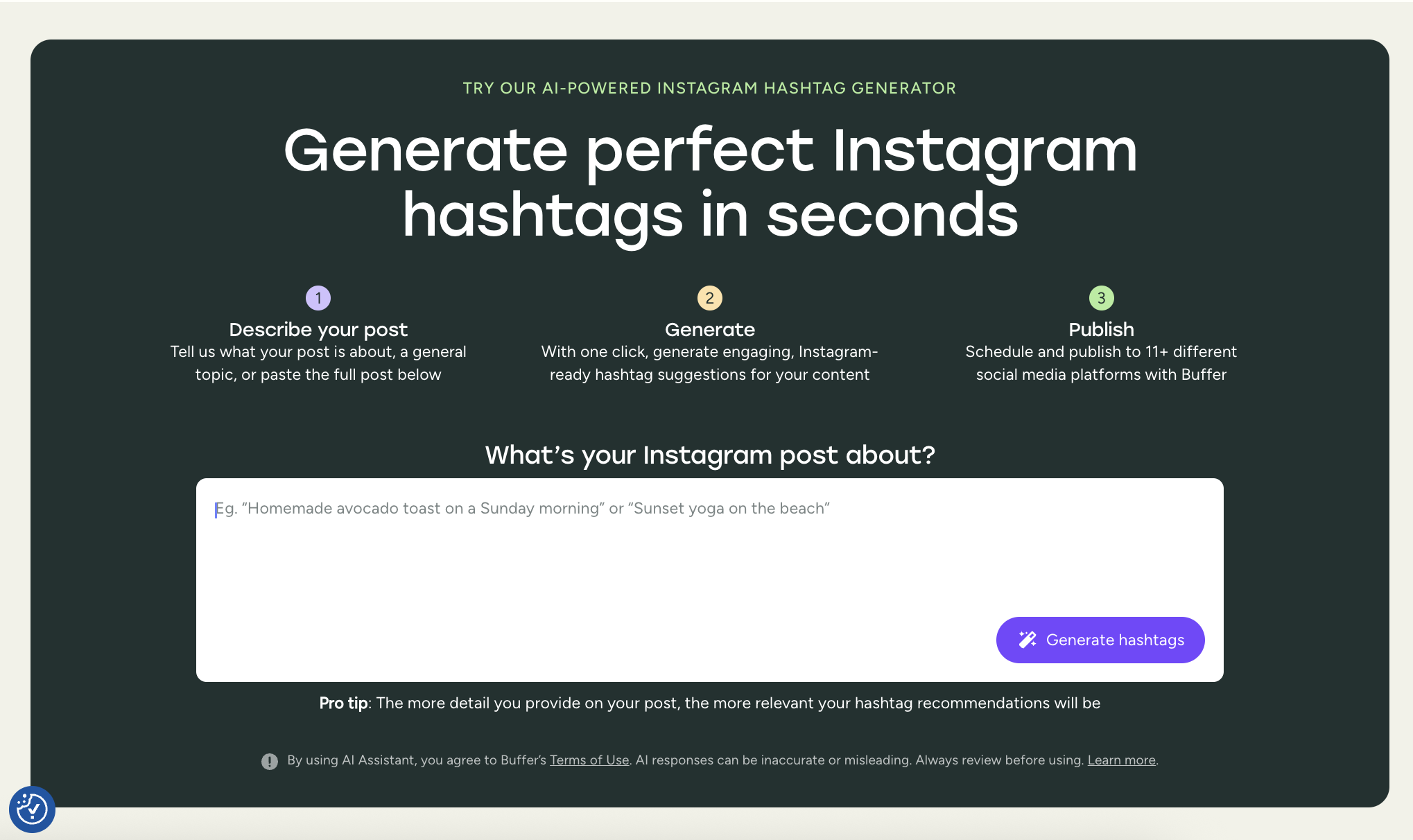
If you want a quick, AI-powered way to generate Instagram hashtags based on your content, Buffer’s free hashtag generator is a great place to start. Just describe your post in a few words — like “Sunday beach yoga” or “remote work tips” — and it’ll instantly generate relevant hashtags tailored to your niche and audience.
Standout free features:
- No login required — generate hashtags in seconds
- Curates hashtags based on post description or keywords
- Built to suggest relevant, non-spammy tags that boost discoverability
- Unlock unlimited daily uses with a free Buffer account
It’s a solid option for creators, marketers, or small businesses who want to post consistently without overthinking their hashtag strategy. If you're already using Buffer for scheduling, it's even easier to plug these hashtags directly into your content workflow.
Next, we’ll explore tools that help you boost engagement and manage your growing community.
Engagement and community management tools
Growing your audience on Instagram requires more than great posts — you need to connect with your followers.
These tools help you keep up with comments and DMs as your account grows — without losing that one-on-one feel.
Whether you're managing DMs, responding to comments, or running giveaways, these tools help you stay on top of conversations and build genuine connections with your community.
Buffer's Community
Our research found that replying to your Instagram comments can boost engagement by 21%. Who wouldn't want to see a number like that on their analytics?
But if you've noticed your DMs and comments piling up as your account grows, you're not alone — it can get overwhelming fast.
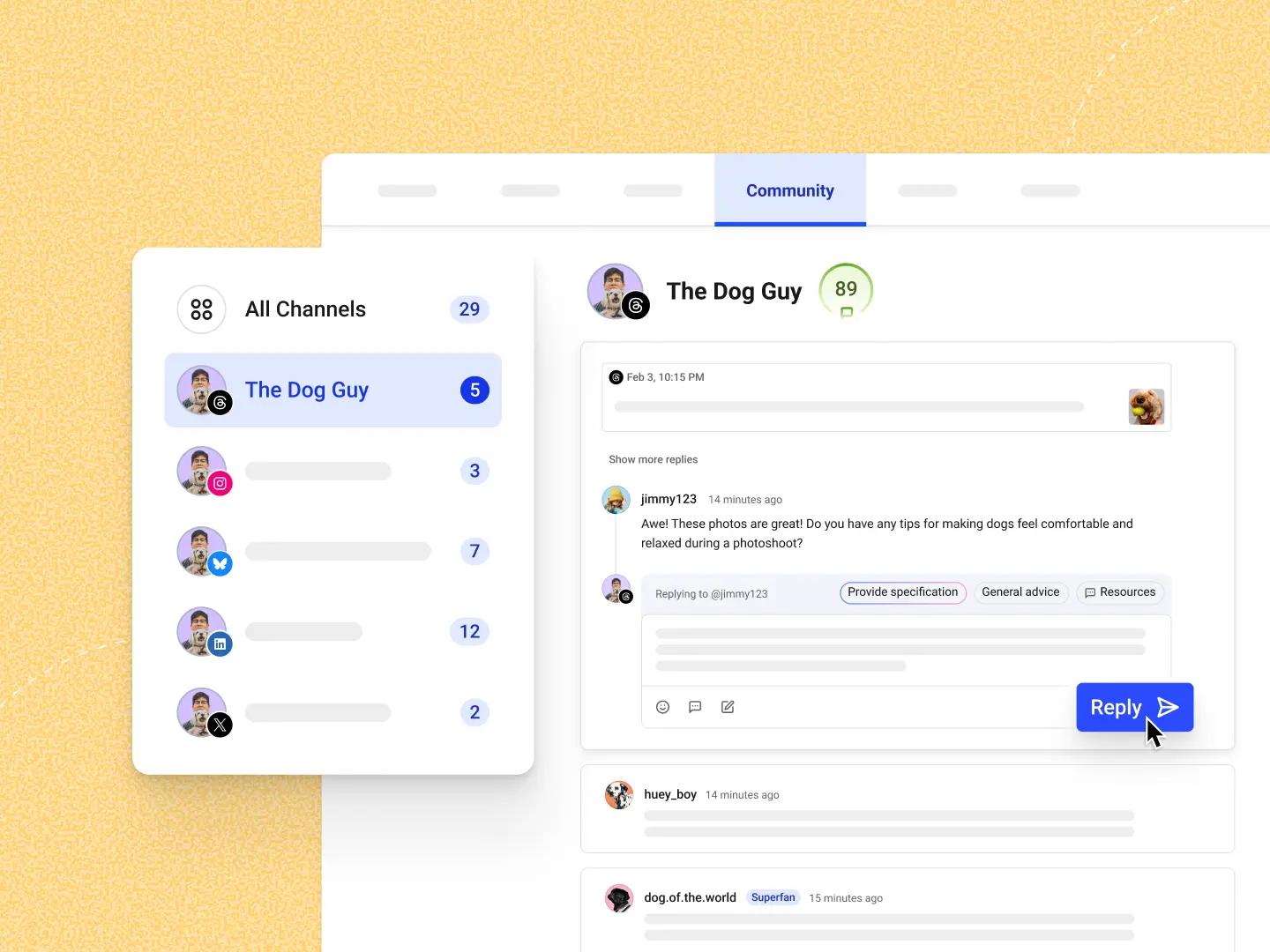
Buffer's Community feature pulls all your Instagram comments (plus comments from other platforms) into a single dashboard.
Standout free features:
- See unanswered, newest, or oldest comments at a glance
- Get alerted the moment someone comments
- Manage Threads, LinkedIn, Bluesky, Facebook, Instagram, and X all in one place
- Create a new post from a reply
Instead of juggling multiple apps or getting lost in distracting feeds, you can use Buffer's Community to reply, track, and grow all in one place.
ManyChat for Instagram DM automation
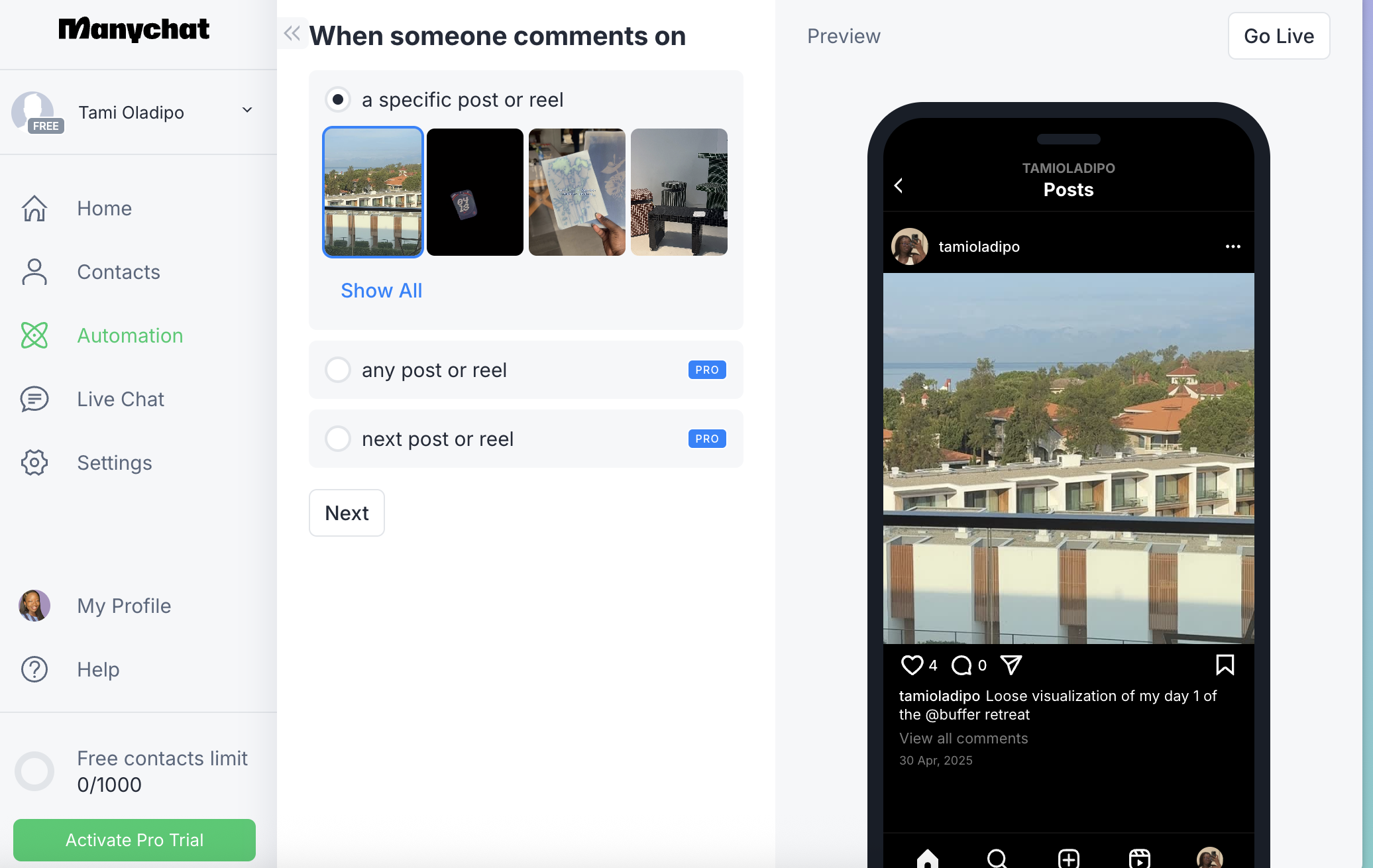
ManyChat lets you automate responses in your Instagram inbox — like sending a welcome DM when someone comments a keyword, or instantly delivering a freebie link.
It’s perfect for lead generation and community building.
Standout features include:
- DM automation based on comments or keywords
- Create flows for FAQs, freebie delivery, or lead capture
- Up to 1,000 contacts on the free plan
If you don’t need full automation, Instagram’s built-in Quick Replies feature lets you create shortcuts for frequent responses in DMs. It’s best for manual but efficient DM replies for small accounts.
CommentGuard
CommentGuard automatically hides spam, filters out toxic replies, and even flags potential customer inquiries — giving creators and brands more control without having to manually moderate every thread.
Standout features include:
- Auto-moderate comment sections (filter spam, block keywords)
- Real-time comment alerts for brand mentions
- Integrates with Instagram Business accounts
Best for: Creators and businesses with growing comment volume or dealing with trolls/spam
Up next, some tools that help you make the most of your Instagram bio link — your one shot to direct traffic where it matters most.
Link-in-bio and microsite tools
Instagram now lets you add up to five links in your bio, which is great — but they can still feel cluttered and hard for your audience to navigate.
Link-in-bio tools solve this problem. They turn those links into a well-designed microsite or content hub that’s easy to update, brand, and organize.
Whether someone wants to read your latest blog post, sign up for your newsletter, or shop your store, these tools make it easy for them to find what they're looking for.
Buffer Start Page
Start Page is Buffer’s clean, customizable, and 100% free solution to the link-in-bio problem. You can build a mobile-optimized page in minutes — complete with your branding, unlimited links, social embeds, and even email signup blocks.
If you don’t have a full website yet, Start Page is a great way to establish a professional online presence in just a few clicks.
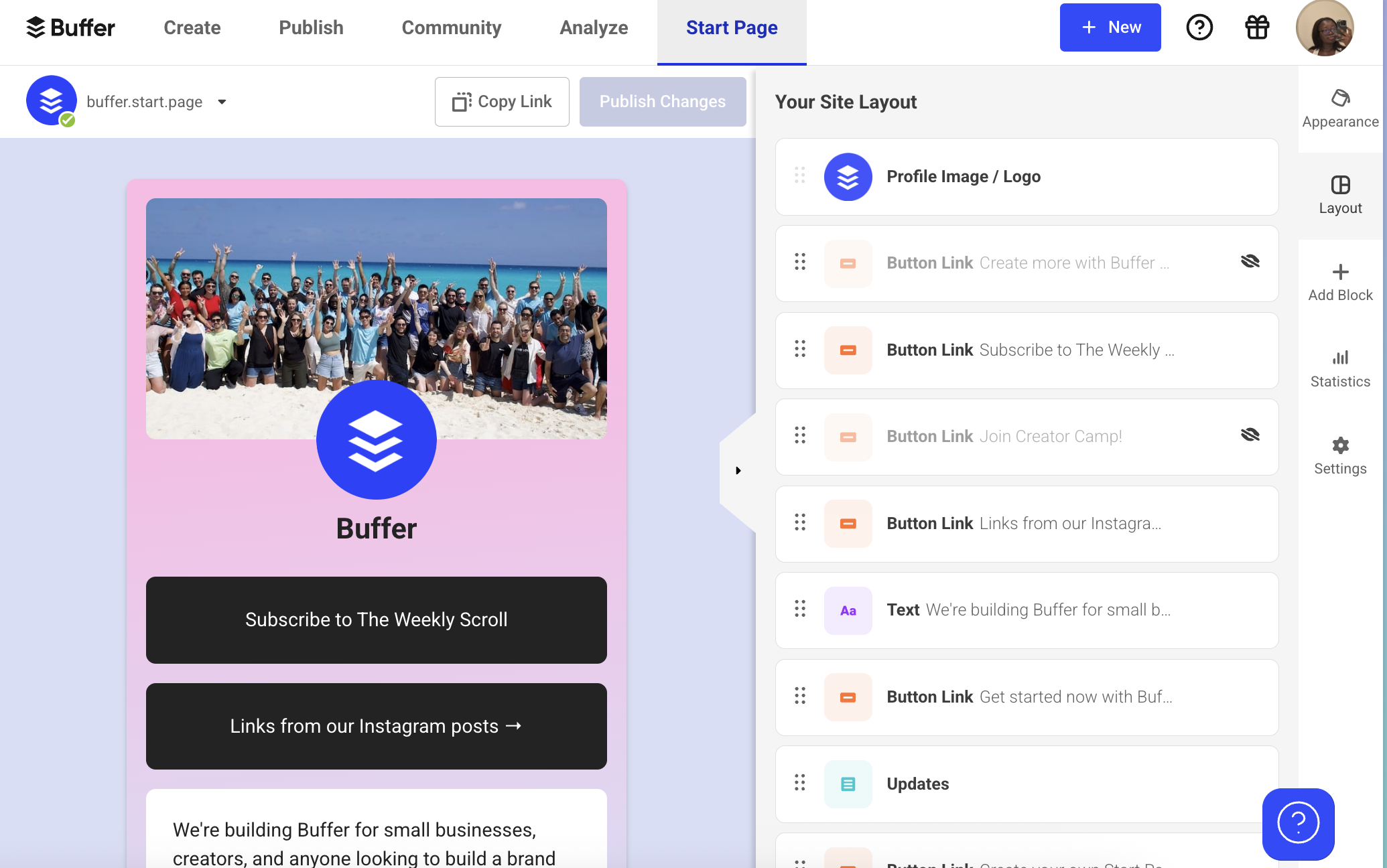
Standout free features:
- Unlimited links, sections, and custom layouts
- Add media like videos, podcast embeds, or product previews
- Email signup blocks to grow your list
- Fast, responsive design (no code required)
Some other tools you can try include:
- Linktree: The OG link-in-bio tool, Linktree is simple, reliable, and used by millions of creators. Even on the free plan, you can add unlimited links, pick a theme, and view basic analytics on click performance. If you want a no-fuss solution, this one’s solid.
- Beacons: Beacons takes the microsite further with built-in monetization. You can collect payments, sell digital products, or add donation links — all on a sleek, mobile-friendly microsite. It’s great for creators who want to turn traffic into income, but note that it’s not available globally.
Pick one or two tools to get started
With so many options, it's tempting to try everything at once. But you'll get more out of these tools if you start small and pick the ones that actually fit your workflow and goals.
The best approach? Start with one or two tools, use them consistently for a few weeks, and add more as you figure out what you actually need.
Here’s how to ease into it:
- Pick one tool per category to start with. Instead of trying everything, choose one tool in each category that feels easy to use. For example: Buffer for scheduling, CapCut for video editing, and SparkToro for audience insights.
- Keep your favorites organized. Save the tools you use most in a folder on your phone, or keep a running list in Notion or Google Docs. It'll save you time when you need them later.
- Free doesn't mean limited. Many of these tools offer features that used to cost money — now powered by AI and easier to use than ever. Try the free versions first — you might find they're all you need.
Whether you're posting once a week or every day, the right tools can make it feel less like a chore and more like something you actually enjoy.
Ready to make Instagram feel more manageable? Pick one tool from this list to try this week and see how it goes. If you want to start with Buffer, you can create your free account here.
FAQ about free Instagram tools
Are free Instagram tools really free?
Yes. Each tool here has a no-cost plan that covers its core features. You only pay if you need extras like larger quotas, premium templates, or additional profiles or team seats.
Is it safe to connect my Instagram account to third-party tools?
Generally, yes. The tools listed here use Instagram’s official API, so they don’t store your password. You can remove their access at any time under Settings > Security > Apps and websites in Instagram.
Can I schedule Instagram posts for free?
Absolutely. Buffer’s free plan lets you connect one Instagram account and schedule up to 10 posts in advance, so you can map out about a week of daily content without spending a dime.
Can using these tools hurt my reach or get my account banned?
No, as long as the tool follows Instagram’s guidelines. Steer clear of any service that guarantees instant followers or likes — those shortcuts can violate Instagram’s terms and damage your reach.
More Instagram resources
- 13 Ways to Get More Followers on Instagram — Here's Exactly What I Would Do if I Were Just Starting Out
- How to Get Verified on Instagram: 2 Ways to Get Your Blue Check
- 13 Trending Sounds on Instagram (+ How to Use Them)
- Replying to Your Instagram Comments Can Boost Engagement by 21%
- Best Time to Post on Instagram: New Data from 9.6 Million Posts
- How to Use Instagram for Business: The Complete Guide
Try Buffer for free
190,000+ creators, small businesses, and marketers use Buffer to grow their audiences every month.