
I’ve always treated coming up with content ideas as a bit of a solo sport.
Most days, I’ll sit with my own thoughts, remix a format I’ve bookmarked, or scroll through old notes until something clicks. It works, but it also keeps me in my own head.
At some point, I realized the best ideas aren’t always in my drafts. They’re in the conversations already happening with the people reading my work. The first time I tested that theory, I asked my community one simple, open-ended question and was blown away by the thoughtful, specific replies that turned into weeks of content.
More recently, I tried it again, this time by sharing a milestone about earning $2,000 from LinkedIn brand partnerships and inviting people to ask me anything. The result was a flood of tactical, no-fluff questions that became the foundation for a whole new wave of posts.
The shift from sitting alone with ideas to creating alongside my community is what convinced me that the comment section is a goldmine for creativity. And now, with Buffer’s new Community feature, turning comments into content is easier than ever.
In this post, I’ll share what happened in both experiments, the practices that made them work, and how you can use Buffer Community to keep the loop going — from reply to idea to post.
What happened when I first tried this
The first time I ran this experiment, I kept it simple. Instead of brainstorming in isolation, I posted a single, open-ended question to my audience:
“What’s a challenge, moment, or question you’ve faced related to personal branding or career growth that you’d love to see me unpack in a post?”
The replies covered more ground than I expected. Some were tactical, like staying consistent while working full-time or pitching effectively. Others were more personal, like balancing a company brand with your own, or knowing when you’re “experienced enough” to teach.
Each response sparked an idea for me. Some became valuable frameworks, and others turned into reflections that resonated with more than just the person I was responding to. And the best part? I didn’t have to guess whether the topics would land because someone had already told me they mattered.
Looking back, that experiment became proof that when you ask a clear, open-ended question, your comment section can become a pipeline of ready-made ideas, straight from the people you’re trying to reach.
The recent experiment
When I tried the experiment again, I approached it differently. Instead of asking a broad question, I shared a milestone on Threads and LinkedIn: earning $2,000 from LinkedIn brand partnerships this year. Then I added a simple prompt — “Ask me anything.”
The response was immediate and specific. Over 30 comments came in, ranging from seasoned marketers curious about workflows to newer creators figuring out their first steps. The questions weren’t vague — they were targeted, tactical, and practical:
- How many of these partnerships came from pitching vs inbound leads?
- How much time does a typical brand partnership take from pitch to publish?
- What size following did you have before brands started reaching out?
- What mistakes should someone avoid when trying to monetize on LinkedIn?
- How would you position yourself if you had to start from scratch today?
Some replies opened the door to deeper resources — one person asked for my exact LinkedIn pitching playbook, while others wanted a breakdown of metrics and positioning. What struck me most this time was how focused the questions were.
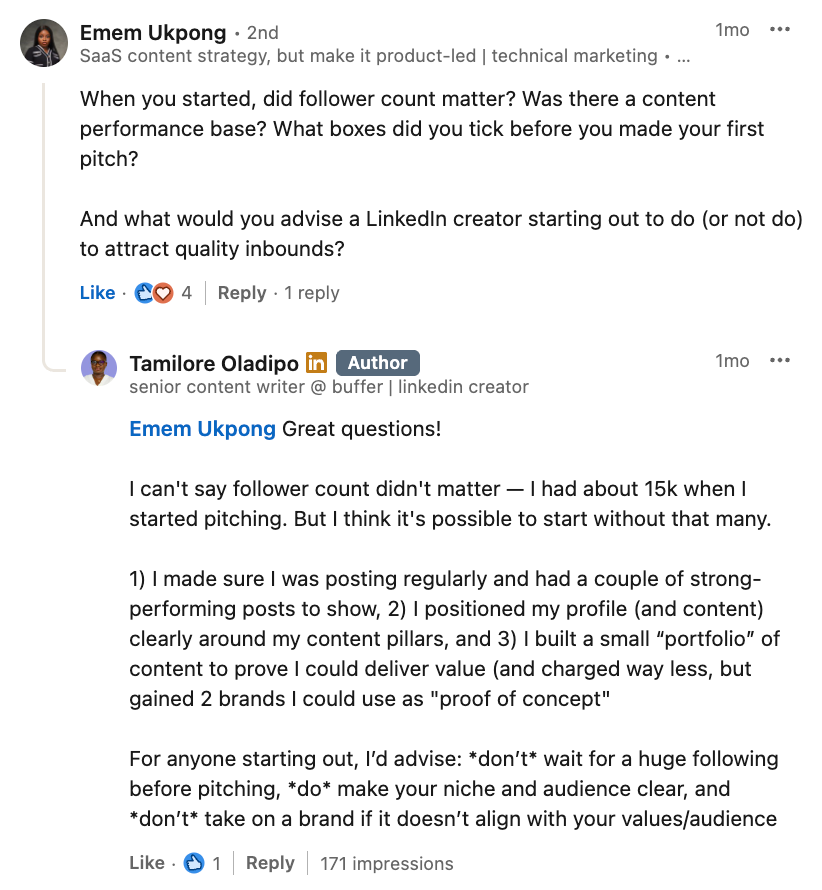
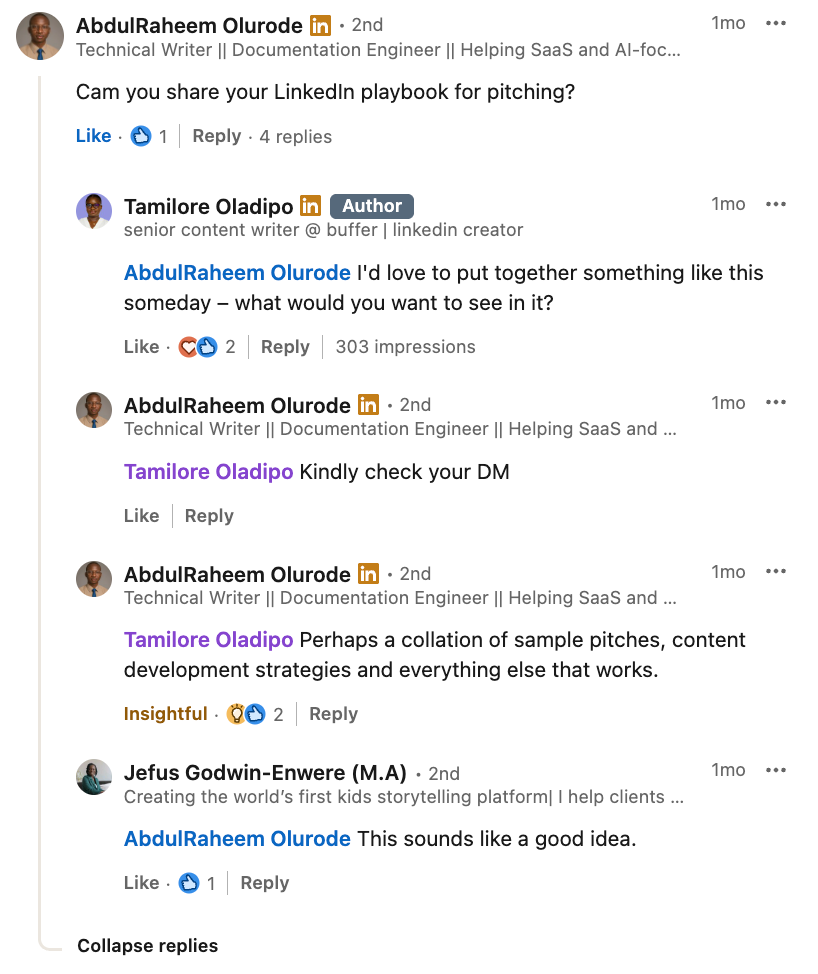
People weren’t just asking to engage or because I asked them to; they were asking specific questions that had a clear throughline to their next opportunity.
This realization unlocked the second lesson of this approach: when you ground an experiment in something concrete to you (like a milestone or data point) and valuable to the audience (a potential opportunity), the quality of responses increases exponentially.
How the Community feature made the comments-to-content workflow smoother
Both experiments proved something important: your best ideas are hiding in the comments. But managing those conversations across platforms can be messy. Notifications slip by, threads get buried, and great questions risk being lost. That’s exactly the problem we built Community to solve.
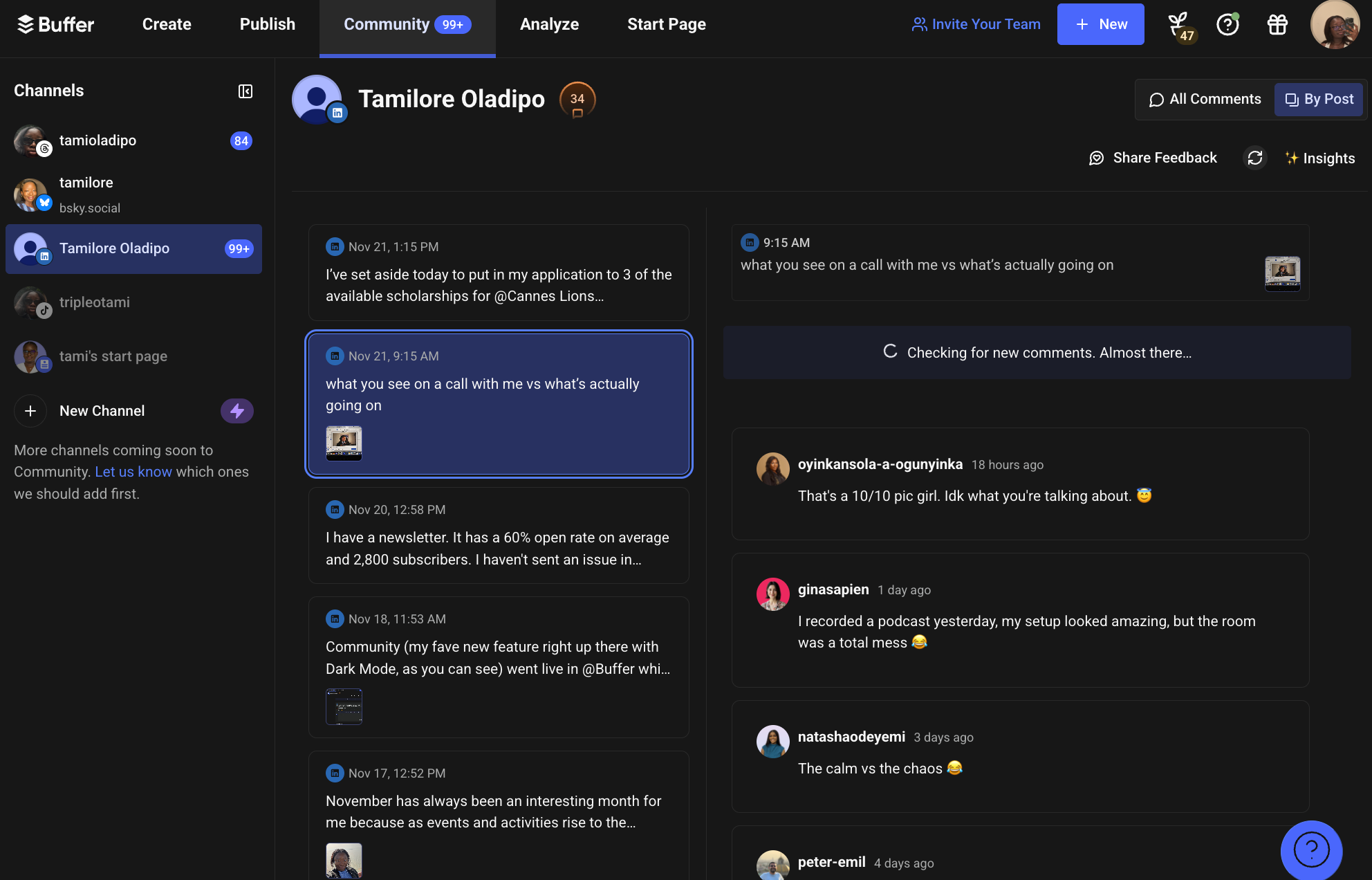
With Community, every comment from Threads, LinkedIn, Bluesky, Facebook, and Instagram comes into one calm space. So instead of chasing engagement across multiple feeds, you can focus on providing the best responses.
Here’s how it makes the workflow easier:
- Never miss a reply: Notifications and filters mean you can see unanswered, newest, or oldest comments at a glance. No more wondering if you forgot to respond.
- Turn comments into content instantly: With the ability to create a post right in the comments, your exchanges become drafts you can publish.
- Spot the themes faster: Insights let you use AI to highlight patterns, so you don’t miss signals of what topics your audience collectively cares about.
- Stay consistent without burning out: Neat features like Comment Score help keep consistency up with a clear visual marker, while Saved Replies help with efficiency while keeping your voice authentic.
- Work the way you want to: Whether you prefer replying natively or directly inside Buffer, on desktop or mobile, the workflow bends to you.
Instead of juggling 30+ comments on LinkedIn while trying to keep track of the ones worth turning into posts, I had a dedicated space that made sure nothing slipped through the cracks.
Community is now my favorite calm space to listen, reply, and keep the loop going from comment to content.
Best practices for turning community insights into content
You don’t need a huge audience or a viral post to make this work for you. You just need a clear theme, a good question, and a system to keep track of the responses. Here are a few practices that make the process easier — and how Buffer’s Community feature helps at each stage:
- Pick a day and a theme: Choose one of your content pillars and set aside a day to post an open-ended question about it. Instead of overthinking, just show that you’re listening. Tools like Community make this smoother by pulling all the replies into one place, so you can track the thread without context switching.
- Ask a question about your community, not yourself: The framing matters. Instead of “what should I write about?” ask something like “What’s a challenge you’re facing around [topic] that you’d love to see unpacked in a post?” Community helps by notifying you when someone answers, so you never miss a response.
- Respond in the comments: Engage in real time. Ask clarifying questions and reflect on what you’re hearing. Even if you don’t have the “perfect” answer, your honest perspective adds value.
- Look for overlap in questions: When multiple people surface the same challenge, or when one reply clearly resonates with others in the comment section, that’s a signal for a successful post. Community’s AI-powered Comment Insights surfaces these themes so you can spot patterns faster.
- Turn replies into content (and credit them!): Comments (yours and your audience’s) shouldn't just stay comments. Turn them into posts, frameworks, or reflections and give credit to the people who sparked them. In Community, you can create a post from a comment feature, making this a one-click process.
- Don’t try to answer everything at once: Zoom in on one piece of a question and save the rest for later. Community and the entire Buffer ecosystem make it easy to clear resolved comments, keep a backlog of ideas, and return when you’re ready.
Even if you don’t use every reply right away, storing them in one place ensures you’re never starting from scratch. Instead of forcing ideas alone, you’ve got a running list of prompts, straight from your audience.
Your next idea is in your comments
Both times I ran this experiment, I walked away with more content ideas than I could have brainstormed on my own. The first time, it showed me that thoughtful questions spark thoughtful replies. The second time, it proved that anchoring a conversation in something concrete — like a milestone — leads to tactical, actionable insights I could turn into posts.
The bigger lesson is simple: your next idea is already waiting in your audience. The challenge is keeping up with the flow of comments, replies, and conversations across different platforms.
That’s where Buffer’s new Community feature comes in. It creates one calm space for every comment — so you can listen more deeply, reply more consistently, and turn the best conversations into your next wave of content.
Because comments don’t just deserve replies. They can spark what comes next.
Try Buffer for free
190,000+ creators, small businesses, and marketers use Buffer to grow their audiences every month.